The AI Visual Revolution Has Already Hit Fashion — Are You Using It?
In 2026, fashion brands that produce content faster, cheaper, and at higher volume aren't winning by luck — they're using AI. The gap between brands running traditional photography pipelines and those powered by AI tools has never been wider. A single AI-powered fashion studio can now produce in one afternoon what would have taken a full production week just two years ago.
This guide covers the 12 best AI tools for fashion brands available today — all purpose-built for fashion e-commerce, not adapted from generic AI tools. We break down exactly what each tool does, who it's best for, how it compares to alternatives, and where to start. Whether you're a DTC brand, a marketplace seller, or a fashion photographer scaling your studio, this is the only list you need.
Key Takeaways From This Guide
- Virtual Try-On is the highest-leverage single AI tool for apparel, because it attacks the top reason shoppers hesitate and the top reason they return
- Product to Model is the fastest path from inventory shots to shoppable model imagery
- UGC Video Creator produces the unpolished, native-feeling video format that short-form platforms favour over glossy brand ads
- AI tools cut per-image production cost to cents: Fashio AI's Plus plan is $29.99/month for 160 credits, and at 5 credits per generation that is roughly $0.75 per generated image
- All 12 tools are available on one platform — Fashio AI — with batch mode and API access
Why Fashion-Specific AI Tools Outperform General AI in 2026
General AI tools like Midjourney and Adobe Firefly are impressive for creative exploration. But for e-commerce production — where accuracy, consistency, and scalability matter — they fall short. Fashion requires specialized understanding of fabric drape, garment structure, model diversity, and product fidelity. A general image AI might hallucinate buttons, distort patterns, or fail on translucent fabrics. Fashion-trained models don't.
Here is what actually changes when a fashion team adopts these tools:
- Per-image production cost drops to cents — Fashio AI's Plus plan is $29.99/month for 160 credits, and at 5 credits per generation that is roughly $0.75 per generated image
- Time-to-publish shortens because the bottleneck moves from scheduling a shoot to reviewing an output
- UGC-style video content matches the native, unpolished format short-form platforms reward
- Virtual try-on lets shoppers see the garment on a body, which is the decision they are actually stuck on
How We Evaluated These Tools
Every tool in this guide was evaluated against the same criteria. Here's what we weighted most:
| Criterion | Why It Matters | Weight |
|---|---|---|
| Fashion Accuracy | Correct fabric rendering, garment structure, and detail preservation | High |
| Output Resolution | Must be e-commerce and print-ready (2K+) | High |
| Processing Speed | Batch production at scale requires fast turnaround | High |
| Consistency | Uniform look across hundreds of SKUs | High |
| Ease of Use | Non-technical teams must be able to operate without training | Medium |
| Integration | Shopify, WooCommerce, and API access for automation | Medium |
| Pricing Transparency | Predictable cost per image for budget planning | Medium |
At a Glance: All 12 AI Fashion Tools Compared
| # | Tool | Category | Best For | Output Type |
|---|---|---|---|---|
| 1 | Virtual AI Fashion Try-On | Model & Try-On | Apparel brands, marketplaces | On-model images |
| 2 | AI Fashion Model Generator | Model & Try-On | Brands needing diverse model imagery | On-model images |
| 3 | Product to Model | Model & Try-On | Converting product-only shots | On-model images |
| 4 | Background Removal | Image Editing | Marketplace listings, clean product shots | Transparent PNG / white bg |
| 5 | Mannequin to Flat Lay | Image Editing | Ghost mannequin removal | Flat lay product images |
| 6 | Flat Lay to Catalog Creator | Image Editing | Transforming flat lays into catalog shots | Styled catalog images |
| 7 | Amateur to Professional | Enhancement | Upgrading smartphone shots | Studio-quality images |
| 8 | Fashion Photo Upscaler | Enhancement | Low-res archive images, print prep | High-res images (4x–8x) |
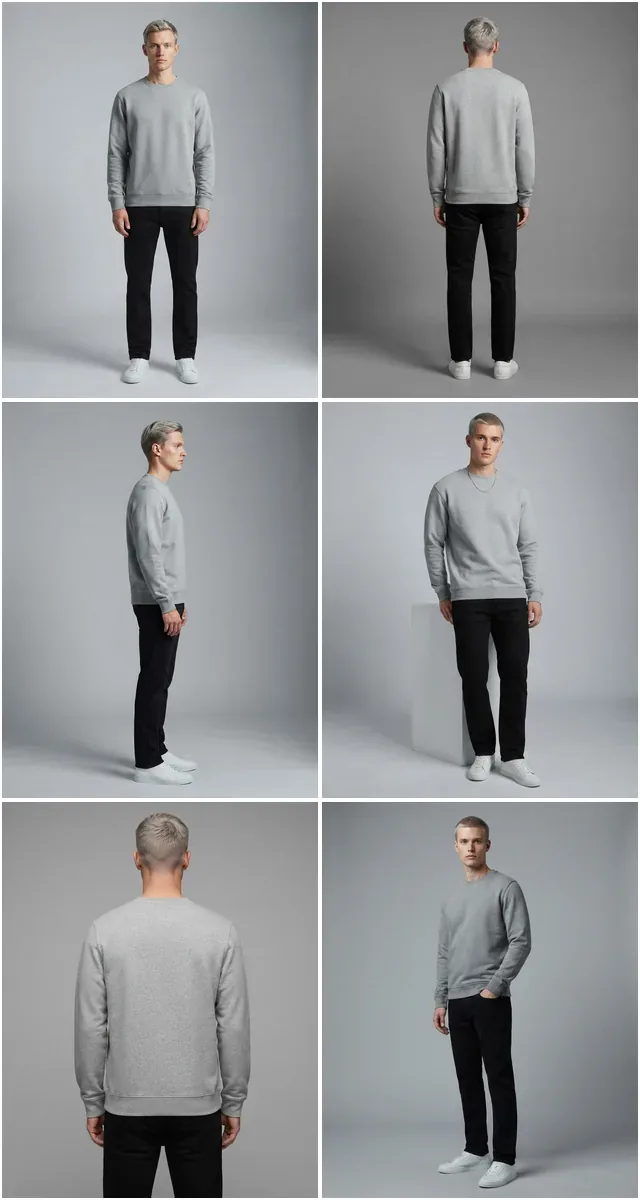
| 9 | Pose Variation Generator | Model & Try-On | Multi-pose catalog from single shoot | Multiple on-model poses |
| 10 | Photo to Video | Video | Social media content from stills | Short-form video |
| 11 | UGC Video Creator | Video | TikTok / Reels performance content | UGC-style video |
| 12 | AI Image Editing | Image Editing | Retouching, color grading, object removal | Edited product images |
Explore All 12 Fashio AI Tools
The 12 Best AI Tools for Fashion Brands in 2026
1. Virtual AI Fashion Try-On
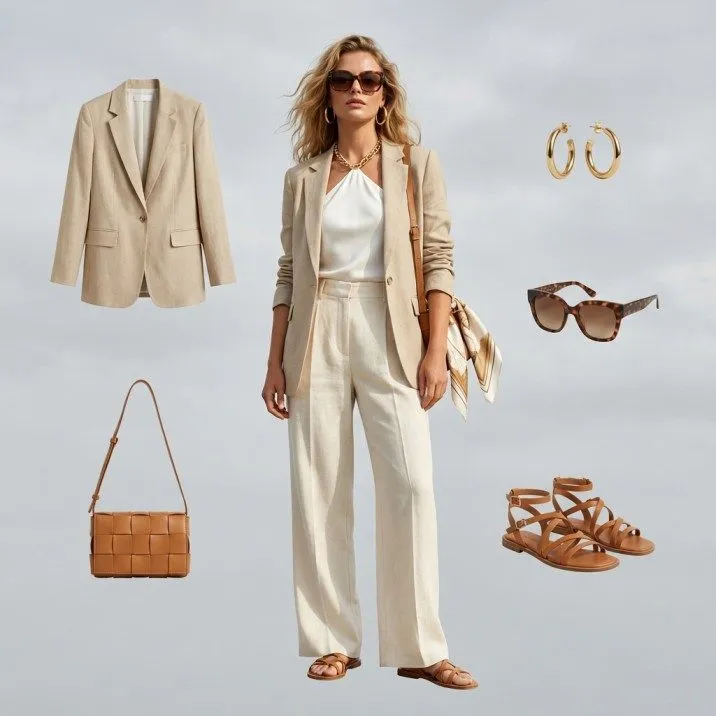
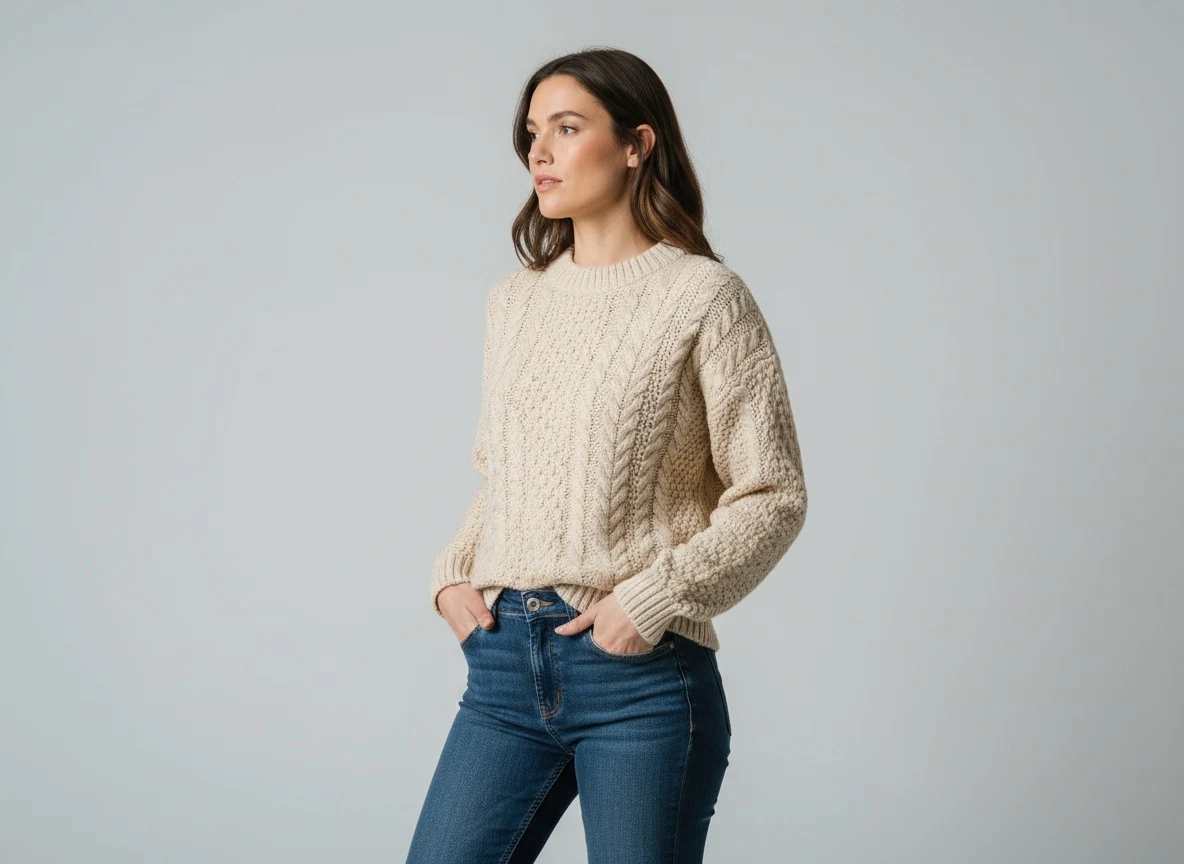
Virtual try-on is the single highest-ROI AI tool for apparel brands right now. Instead of booking models and studios every time you launch a new collection, you upload a garment image and any model photo — and Fashio AI's virtual try-on engine dresses the model in your product with photorealistic accuracy. Fabric texture, drape, fit, and even how the garment creases under movement are all accurately rendered.
The applications go beyond catalog shoots. Customers visualize fit better, return rates drop, and your content library scales without a proportional increase in cost — ASOS added virtual try-on in 2026 as one part of a wider returns programme that also covers clearer sizing guidance, product video and 360-degree imagery; it has not published a figure isolating try-on's own effect.
Key Features
- Full garment try-on including tops, dresses, outerwear, and bottoms
- Works with any model photo — your own models or AI-generated models
- Preserves garment details: patterns, prints, embroidery, and textures
- Consistent output for catalog uniformity across all SKUs
- Batch processing for entire collections
| Pros | Cons |
|---|---|
| Eliminates model booking and studio costs entirely | Best results require clean, wrinkle-free product input images |
| Photorealistic garment rendering including drape and texture | Very complex layered garments (e.g., multi-layer coats) may need refinement |
| Works with existing model photo libraries | — |
| Significant conversion rate improvements on PDPs | — |
Explore Virtual AI Fashion Try-On →
2. AI Fashion Model Generator
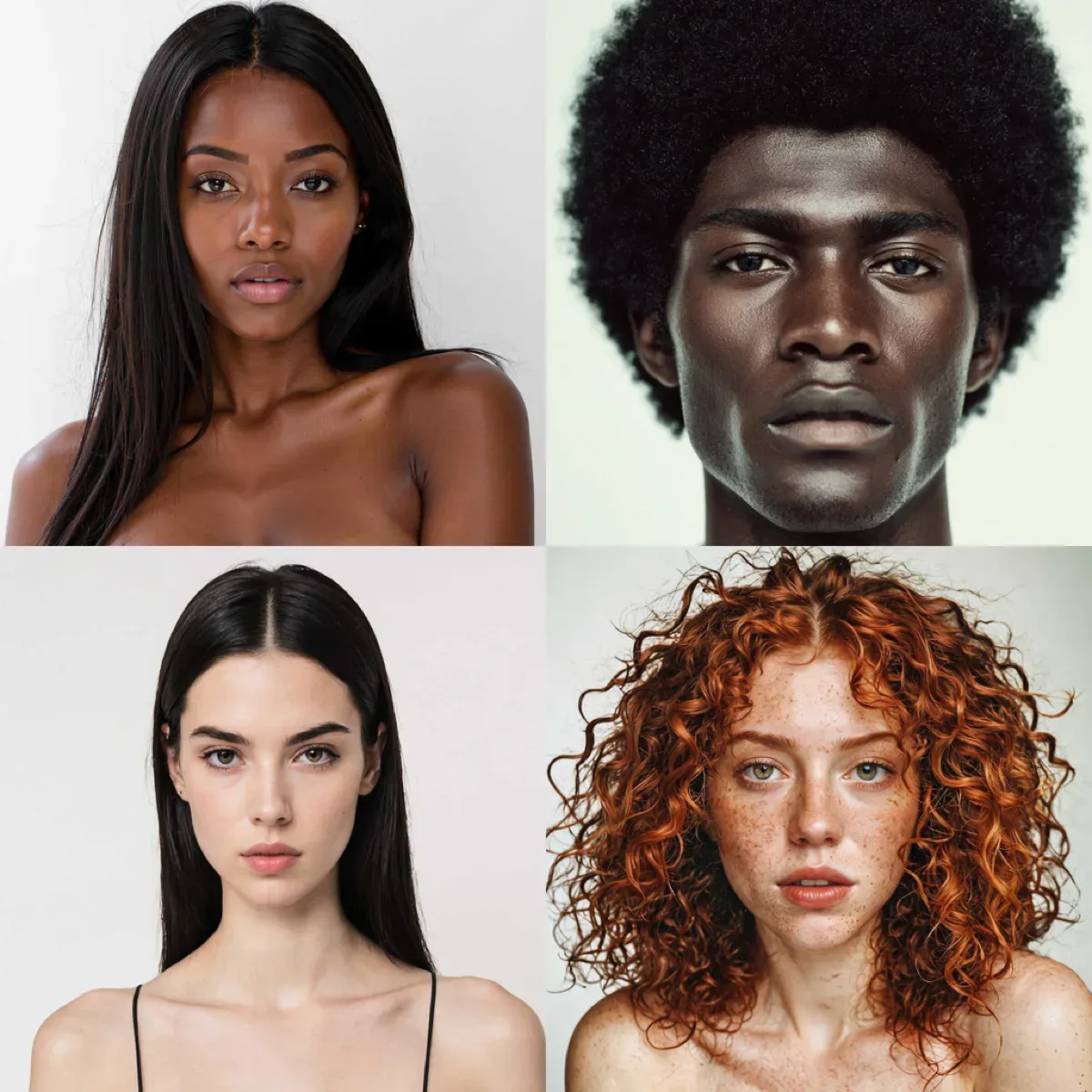
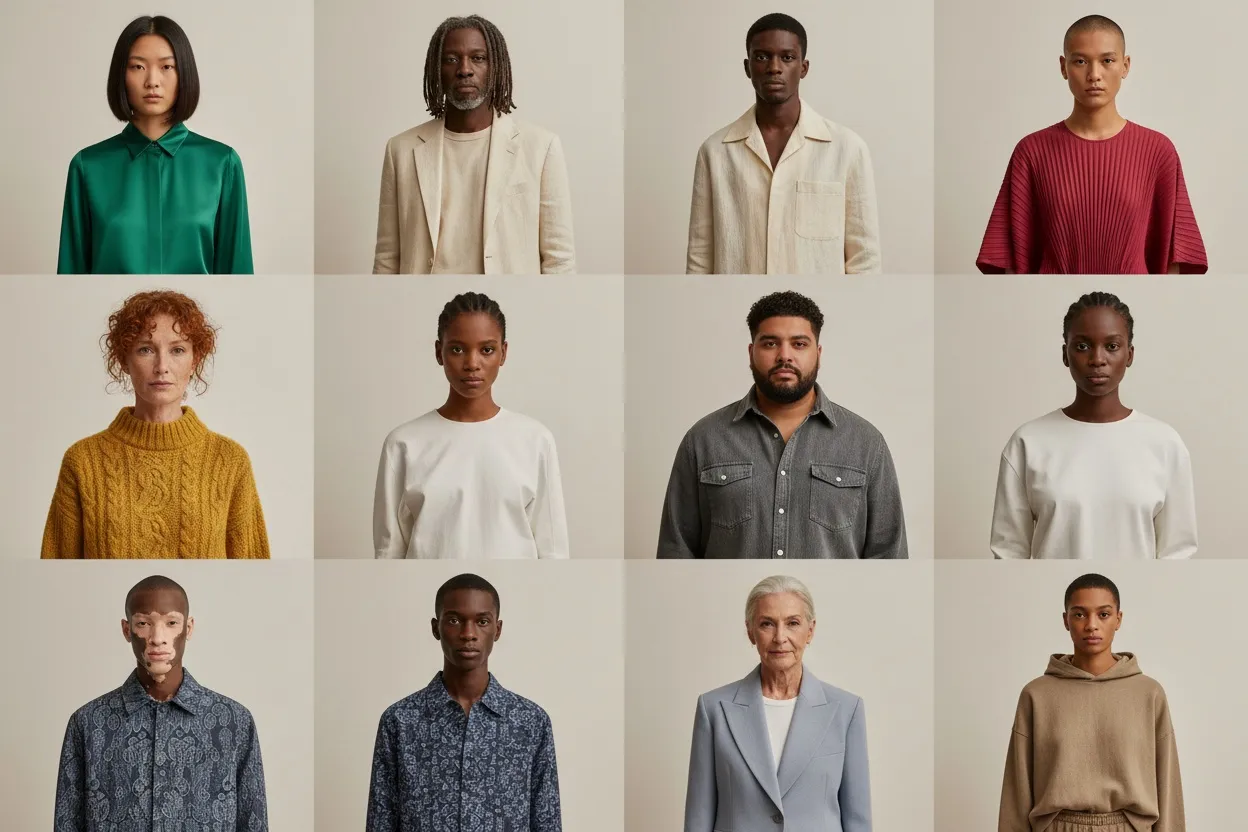
Representation matters in fashion, but sourcing diverse models for every product category is a logistical and budget challenge for most brands. The AI Fashion Model Generator solves this by creating photorealistic models — in any ethnicity, body type, age range, or aesthetic — wearing your products directly from a product-only image.
Upload a flat lay or mannequin shot, specify your model preferences, and get back editorial-quality on-model photography in seconds. Brands using this tool have replaced entire studio photography days for basic catalog imagery, redirecting that budget toward creative campaign work where a human photographer's vision truly adds value.
Key Features
- Generate models across diverse demographics: age, ethnicity, body type
- Full studio-quality lighting and backgrounds included
- Multiple output poses per product for A/B testing
- Works from flat lay, mannequin, or plain product images
- Consistent model identity across a collection
| Pros | Cons |
|---|---|
| Complete elimination of model casting costs | Highly detailed garment accessories (complex jewelry) need careful review |
| Instant representation diversity across all products | Best for standard apparel (tops, bottoms, dresses, outerwear) |
| No studio, no scheduling, no post-production | — |
| Scalable to thousands of SKUs per day | — |
Explore AI Fashion Model Generator →
3. Product to Model
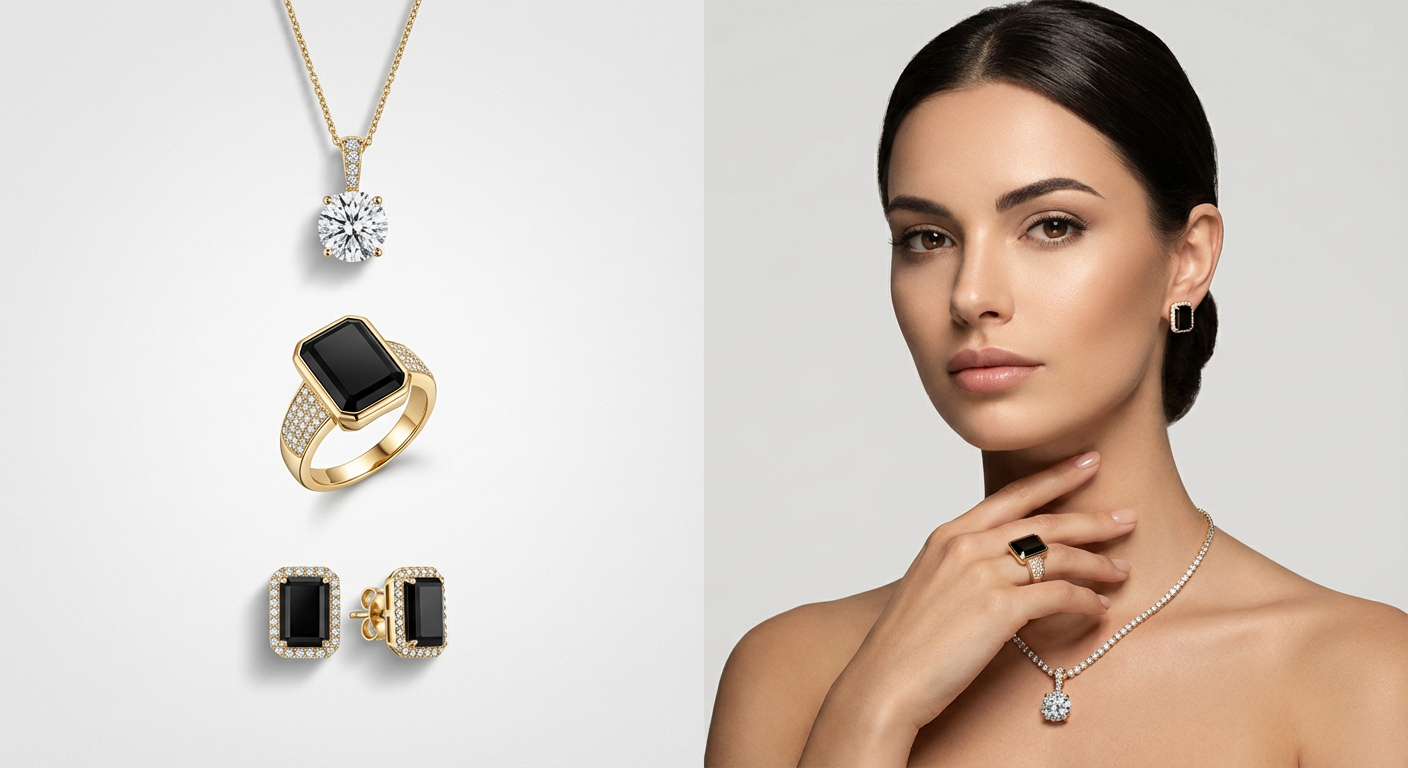
Product-to-Model takes a more targeted approach than the full model generator: you input a product-only image (flat lay, ghost mannequin, or hanger shot) and the AI places your product on a realistic model in a natural, catalog-appropriate pose. This is the fastest path from product inventory to shoppable model imagery.
Where this tool shines is in speed and simplicity. For brands with thousands of SKUs that currently live as basic product shots, Product to Model unlocks on-model imagery for the entire catalog without a single reshooting day. On-model images give the shopper scale, drape, and fit information that a flat product shot cannot, which is why most large marketplaces push sellers toward them.
Key Features
- Direct product-image to on-model conversion
- Accurate fit representation — the model reflects actual garment sizing
- Multiple background options: white studio, lifestyle, contextual
- Supports full catalog batch transformation
- Integrates with Shopify product libraries via API
| Pros | Cons |
|---|---|
| Fastest route from inventory shot to model imagery | Very complex prints may need manual review |
| Proven CTR improvement on marketplace listings | Accurate fit modeling works best with size-standard garments |
| Ideal for retroactively upgrading large existing catalogs | — |
4. AI Background Removal
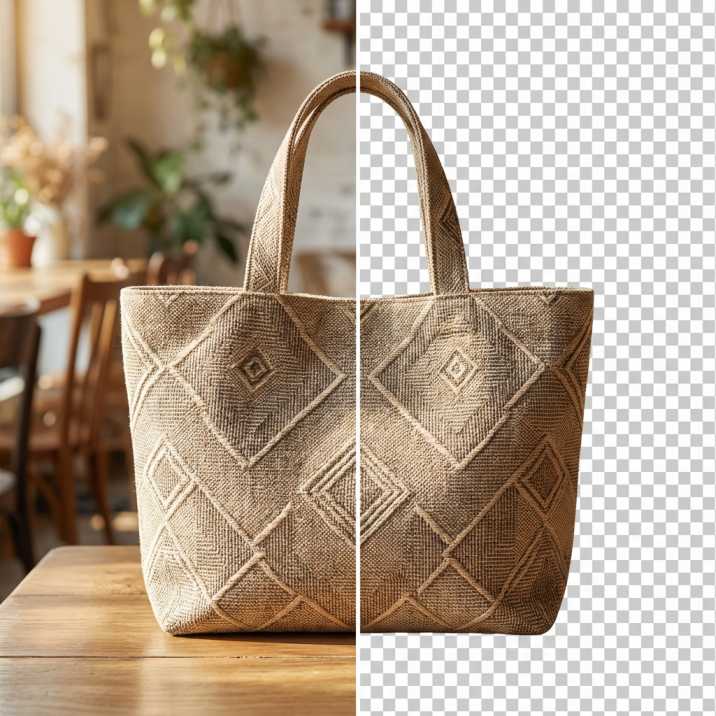
Background removal is table stakes for e-commerce product photography. But generic tools like remove.bg frequently struggle with fashion: sheer fabrics lose their transparency, fringe gets clipped, flowing hems become blocky. Fashio AI's background removal is trained specifically on fashion items, delivering pixel-accurate results even on the most complex garment edges.
Beyond clean white backgrounds for marketplace listings, this tool powers the full downstream workflow: swapping backgrounds for different markets, preparing images for virtual try-on, creating transparent PNGs for design mockups, and enabling consistent white-background standards across supplier images from different sources.
Key Features
- Fashion-tuned semantic segmentation (trained on garments, not general objects)
- Preserves sheer fabrics, lace, mesh, and fine-detail edges
- Handles fringe, fur trim, and flowing hems accurately
- Batch processing for full catalog cleanup
- Output as transparent PNG or custom background swap
| Fashio AI Background Removal vs. Alternatives | Fashio AI | remove.bg | Photoroom | Adobe Firefly |
|---|---|---|---|---|
| Fashion-specific training | ✓ | ✗ | Partial | ✗ |
| Sheer fabric preservation | ✓ | ✗ | Partial | ✗ |
| Fringe & fine edge accuracy | ✓ | Partial | Partial | Partial |
| Batch API access | ✓ | ✓ | ✓ | Limited |
Explore AI Background Removal →
5. Mannequin to Flat Lay
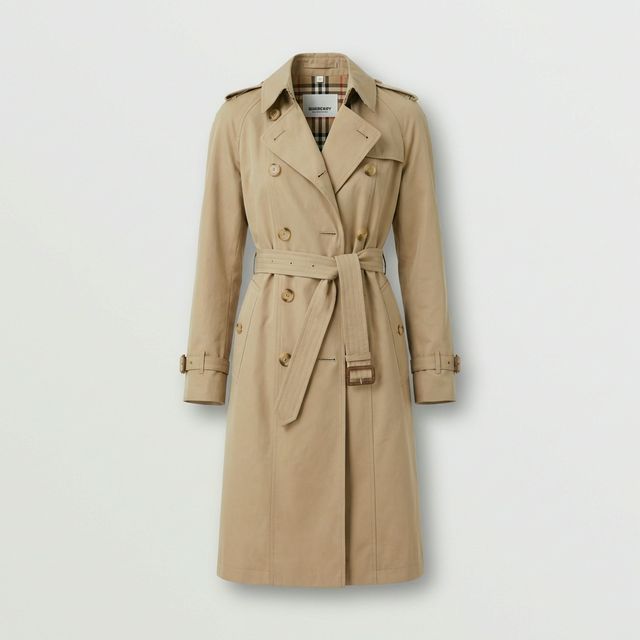
Many brands photograph garments on mannequins for structural consistency, but flat lay is the preferred format for lookbooks, social media, and many marketplace categories. Manually retouching out a mannequin is tedious work — Fashio AI's Mannequin to Flat Lay automates this entirely, converting mannequin shots into clean, professional flat lay images with no visible artifacts.
The AI understands garment structure well enough to accurately reconstruct the interior of garments that the mannequin was occupying, filling in the natural shape of the fabric as it would appear laid flat. The result is indistinguishable from a professionally styled flat lay shoot.
Key Features
- Complete mannequin and ghost mannequin removal
- Intelligent garment interior reconstruction
- Consistent flat lay positioning and shadow rendering
- Supports tops, bottoms, dresses, outerwear, and accessories
- White background and surface shadow options
| Pros | Cons |
|---|---|
| Eliminates hours of manual Photoshop retouching per garment | Very unusual garment shapes may require manual touch-up |
| Consistent flat lay quality across entire collections | Best results from well-lit, neutral-background mannequin shots |
| Unlocks flat lay format from existing mannequin photo libraries | — |
Explore Mannequin to Flat Lay →
6. Flat Lay to Catalog Creator
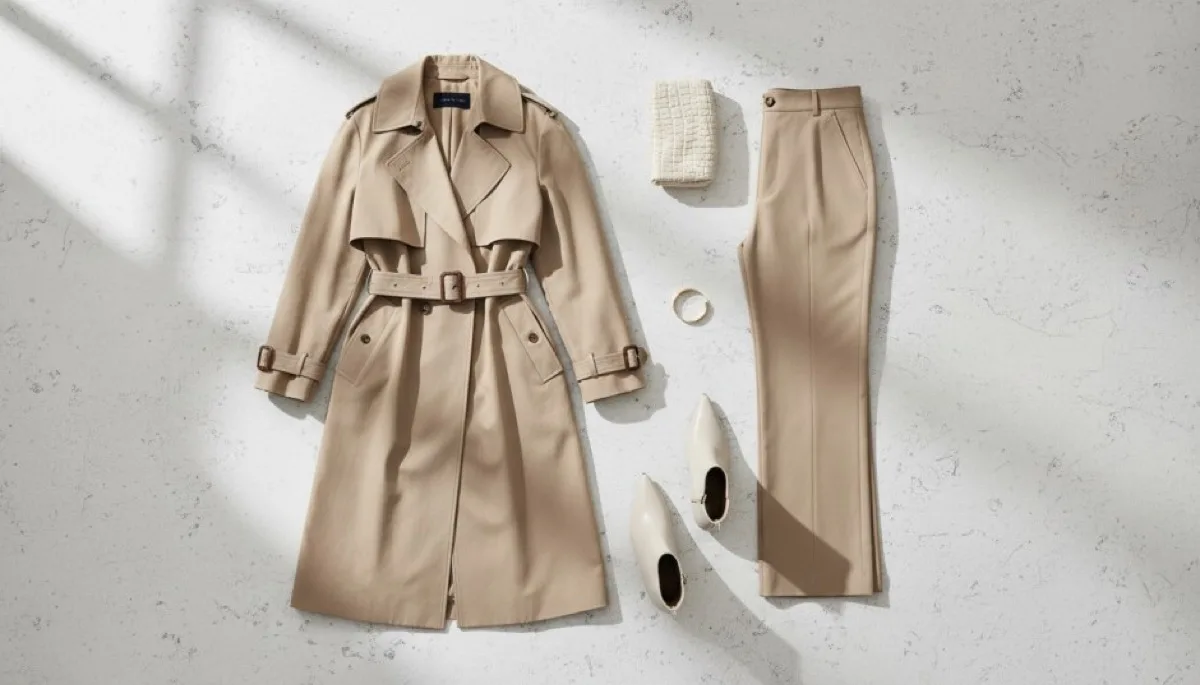
Taking the inverse journey from Tool 5, Flat Lay to Catalog Creator takes your basic flat lay images and transforms them into fully styled, editorial-quality catalog shots — including placing the garment on an AI model to create on-body lifestyle imagery from a flat product photo.
This is particularly powerful for brands that shoot flat lays as their primary format (often faster and cheaper than on-model shoots) but need on-model imagery for certain channels. Instead of re-shooting, you create both outputs from the same flat lay source, doubling your content format coverage from a single production asset.
Key Features
- Flat lay to on-model conversion with accurate fit rendering
- Multiple catalog background and setting options
- Lifestyle and editorial style scene generation
- Consistent output formatting for catalog uniformity
- Works with existing flat lay photo libraries
| Pros | Cons |
|---|---|
| Doubles content output from every flat lay shoot | Unique fabric prints may need verification against source |
| Retroactively unlocks on-model imagery from flat lay archives | Very loose/draped garments benefit from detailed input images |
| Cuts catalog reshoots for channel-format changes | — |
Explore Flat Lay to Catalog Creator →
7. Amateur to Professional Photo Enhancer
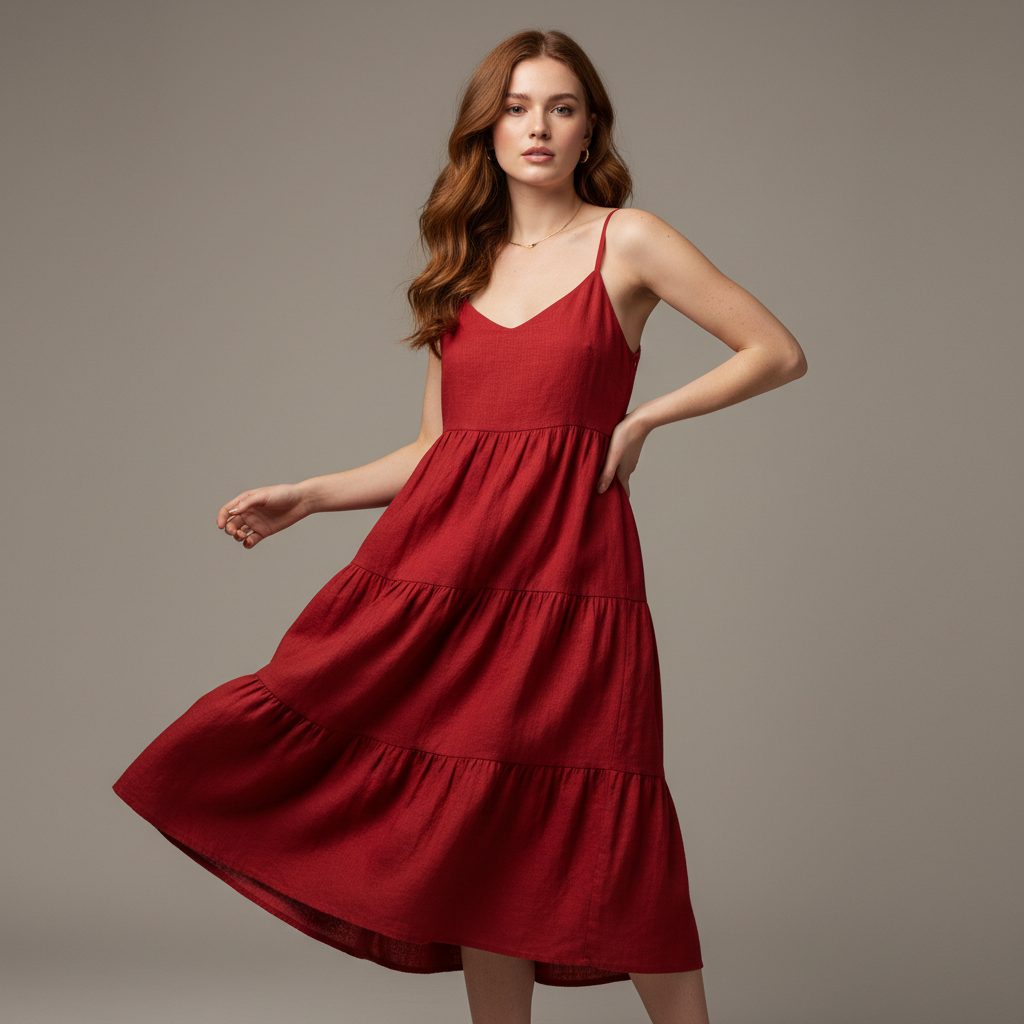
Not every brand has a professional photographer on retainer. Founders shoot products on iPhones, suppliers provide poorly lit catalog shots, and UGC content arrives in varying quality. The Amateur to Professional tool corrects all of this automatically: lighting, color balance, sharpness, noise reduction, background cleanup — applied in seconds to bring any fashion image to studio-equivalent quality.
This tool is essential for brands scaling internationally who receive mixed-quality product imagery from manufacturing partners, as well as for direct-to-consumer brands managing content production in-house. The output is professionally consistent regardless of the input quality level.
Key Features
- Automatic lighting correction and color balancing
- AI noise reduction while preserving fabric texture detail
- Background cleanup and distraction removal
- Sharpness and clarity enhancement for e-commerce resolution standards
- Batch processing for supplier image libraries
| Pros | Cons |
|---|---|
| Immediately professionalizes supplier and in-house photography | Very dark or strongly overexposed images have limits on recovery |
| Reduces dependence on professional photography for catalog maintenance | Not a substitute for correct garment styling and preparation |
| Essential for marketplaces with strict image quality standards | — |
Explore Amateur to Professional →
8. Fashion Photo Upscaler
Legacy product images, archive photography, and supplier imagery often arrive at resolutions below modern e-commerce standards. Standard upscaling algorithms produce blurry or artifacted results. Fashio AI's Fashion Photo Upscaler uses AI super-resolution trained on fashion photography to intelligently reconstruct high-frequency detail — fabric weave, texture, stitching — rather than simply interpolating pixels.
The practical use case is large: brands migrating to new e-commerce platforms with higher image resolution requirements, print collateral needing higher DPI from digital-only assets, and reactivating archived product photography for new campaigns. 4x and 8x upscaling factors are supported with results that pass e-commerce quality review.
Key Features
- 4x and 8x AI upscaling (e.g., 500px → 2000px or 4000px)
- Fashion-specific detail reconstruction: fabric texture, stitching, grain
- Works on older JPEG artifacts without compounding compression noise
- Batch processing for full catalog resolution upgrades
- Print-ready output (300 DPI compatible)
| Upscaling Comparison | Fashio AI | Topaz Gigapixel | Adobe Super Res | Basic Bicubic |
|---|---|---|---|---|
| Fashion-specific training | ✓ | ✗ | ✗ | ✗ |
| Fabric texture reconstruction | ✓ | Partial | Partial | ✗ |
| Batch API processing | ✓ | ✗ | ✗ | N/A |
| Max upscale factor | 8x | 6x | 4x | 4x (poor quality) |
Explore Fashion Photo Upscaler →
9. Pose Variation Generator
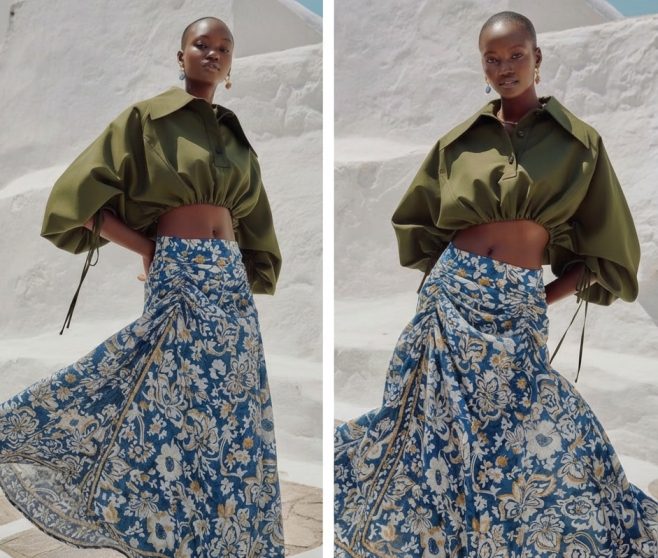
A single model photo in one pose limits how effectively a garment can be showcased. Customers want to see front, side, and back views; they want to understand how a dress moves or how a jacket looks from multiple angles. Traditionally, getting these views requires a longer shoot day and multiple setups.
Fashio AI's Pose Variation Generator creates multiple natural, catalog-appropriate poses from a single base image — maintaining consistent model identity, garment appearance, and lighting across all variations. For brands running on tight content budgets, this tool multiplies the output of every shoot by a factor of 3–5x without incremental cost.
Key Features
- Front, side, three-quarter, and back pose generation
- Consistent model identity preserved across all pose variations
- Natural movement and posture — not robotic or artificial
- Garment appearance maintained accurately across angle changes
- Dynamic poses (walking, sitting) available for lifestyle contexts
| Pros | Cons |
|---|---|
| 3–5x content output from single shoot images | Extreme angle changes (full back view from front-only input) need quality review |
| Consistent model identity across all poses | Works best with neutral background input images |
| Enables multi-angle PDP galleries from minimal shoot input | — |
Explore Pose Variation Generator →
10. Photo to Video
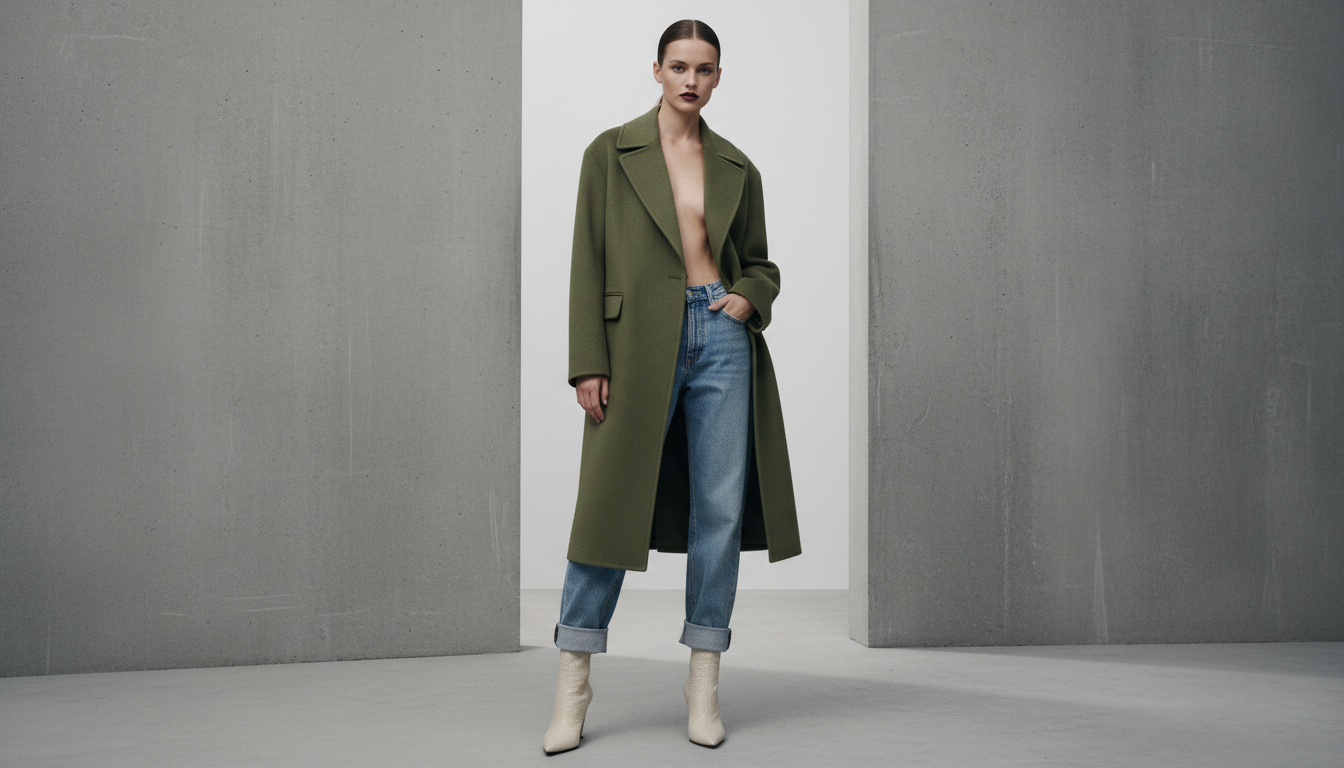
Static images are losing ground to video on every major discovery platform. Instagram, TikTok, Pinterest, and Google Shopping all favor video content in their algorithms. But video production is expensive and time-consuming. Photo to Video solves this by converting your existing product images into compelling short-form video content — complete with simulated fabric movement, subtle zoom and pan, and motion effects that make static products look alive.
For brands with large existing image libraries, this tool immediately unlocks a video content strategy without additional shoots. A 500-product catalog becomes 500 product videos ready for social media distribution, ad campaigns, and e-commerce product pages — generated automatically.
Key Features
- Still-to-motion conversion with natural fabric movement simulation
- Multiple video styles: subtle zoom, editorial pan, runway-style motion
- Optimized output formats for TikTok (9:16), Instagram (4:5), and web (16:9)
- Batch conversion for entire product catalogs
- Customizable duration (3s, 6s, 15s) for different platform requirements
| Pros | Cons |
|---|---|
| Unlocks video strategy from existing image libraries instantly | AI-generated motion does not replace narrative/story-driven video |
| Significant improvement in social media algorithmic reach | Complex multi-garment scenes work better as simple single-product shots |
| Multiple platform format outputs from one input | — |
11. UGC Video Creator
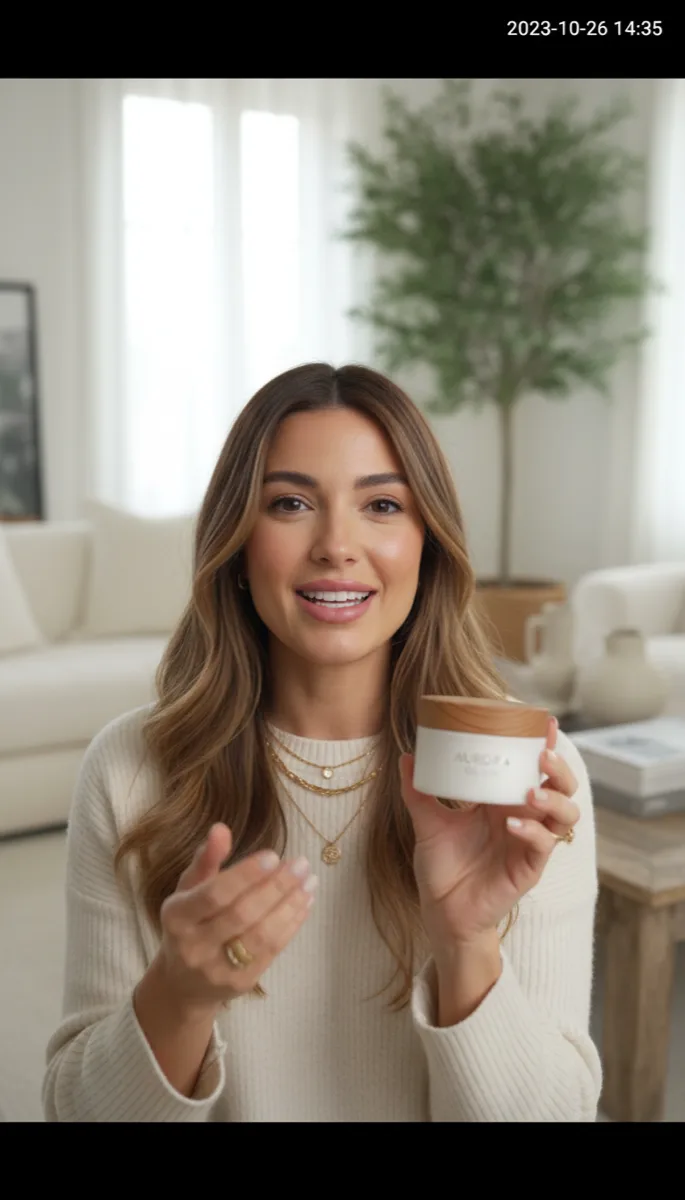
User-generated content (UGC) — unboxing videos, try-on hauls, product reviews — dramatically outperforms polished brand content on TikTok, Instagram Reels, and YouTube Shorts. The authenticity signals trust. But sourcing real UGC at scale is unpredictable, and paid UGC creators are expensive.
Fashio AI's UGC Video Creator generates AI-native UGC-style video content that authentically replicates the aesthetic, tone, and production style of real customer content. AI "talent" presents your product in a natural, relatable way — not as a polished brand advertisement. The result performs like organic UGC while giving you full control over messaging, product presentation, and brand safety.
Key Features
- Diverse AI talent: different ages, demographics, styles, and energy levels
- Multiple UGC formats: haul, try-on, review, unboxing style
- Custom scripting and talking points integration
- Platform-native formats optimized for TikTok and Reels
- Brand-safe content with full approval workflow
| UGC Video Comparison | Fashio AI UGC | Hired UGC Creators | Real Customer UGC | Polished Brand Ad |
|---|---|---|---|---|
| Cost per video | Low (AI-generated) | $150–$500+ | Free but unpredictable | $500–$5,000+ |
| Turnaround time | Minutes | Days–weeks | Unpredictable | Days–weeks |
| Brand control | Full | Partial | None | Full |
| Authenticity signal on social | High | High | Highest | Low |
| Scalability | Unlimited | Limited by creator availability | Limited | Budget-constrained |
12. AI Image Editing
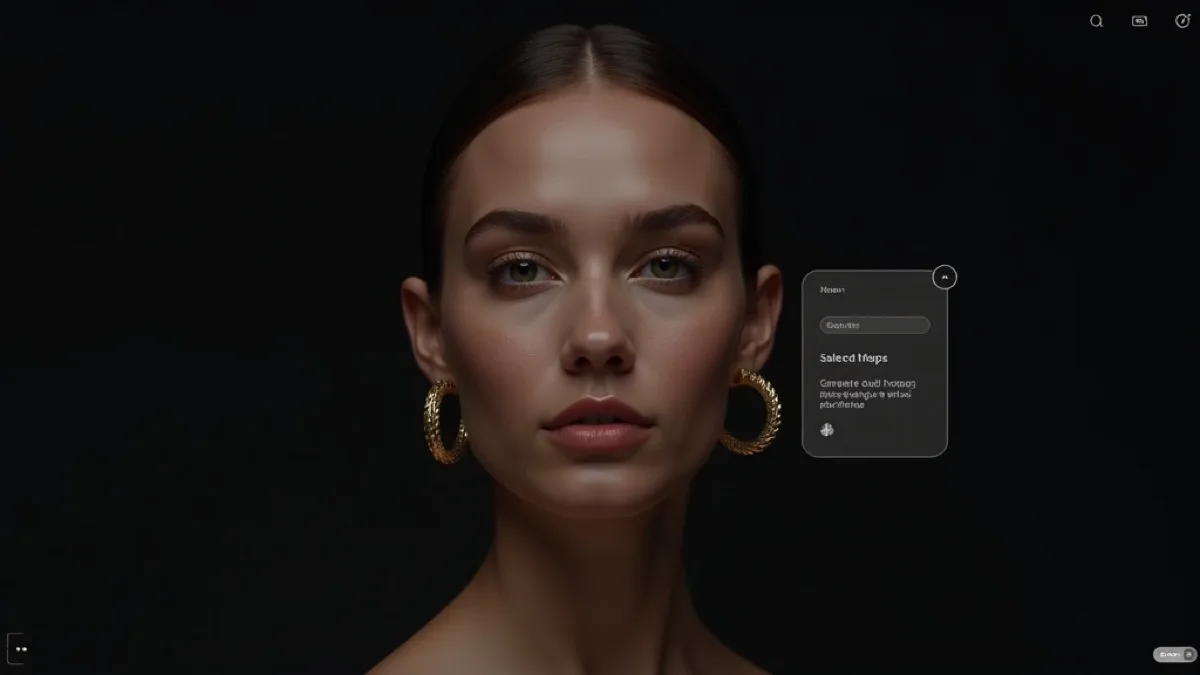
Rounding out the suite is a comprehensive AI Image Editing platform purpose-built for fashion photography. This isn't a general-purpose image editor — it understands fashion-specific editing tasks: garment wrinkle reduction, color accuracy correction for fabric swatches, unwanted object removal (price tags, lint, pins), and intelligent crop optimization for different platform aspect ratios.
For teams running high-volume e-commerce operations, the AI-assisted retouching dramatically reduces the time professional retouchers spend on routine tasks, freeing creative energy for the high-value editorial work that truly requires human judgment.
Key Features
- Intelligent garment retouching: wrinkle reduction, fabric smoothing
- Color accuracy correction for fabric and print fidelity
- Object removal: tags, pins, lint, background distractions
- Smart crop and reframe for multi-platform aspect ratios
- Batch operations with consistent style presets
| Pros | Cons |
|---|---|
| Removes most routine retouching from the catalog workflow | Complex creative retouching still benefits from human oversight |
| Fashion-specific operations not available in general editors | Extreme exposure or color corrections need manual starting points |
| Consistent style presets ensure catalog uniformity at scale | — |
Comparison by Use Case
E-commerce Product Catalog Production
For building and maintaining your online store's product imagery at scale:
| Task | Best Tool | Time Saved vs. Traditional |
|---|---|---|
| Creating on-model imagery from product shots | Product to Model | 95% |
| Removing and replacing backgrounds | Background Removal | 90% |
| Converting mannequin shots to flat lay | Mannequin to Flat Lay | 85% |
| Creating multiple poses per product | Pose Variation | 80% |
| Upgrading low-quality supplier images | Amateur to Professional | 85% |
Social Media & Marketing Content
For building your social content library and campaign assets:
| Task | Best Tool | Content Volume Multiplier |
|---|---|---|
| Short-form video for TikTok/Reels | Photo to Video | Up to 500 videos from 500 existing images |
| Authentic UGC-style video content | UGC Video Creator | Unlimited on-demand |
| Diverse model representation across all products | AI Model Generator | Any demographic at any scale |
| Styled lookbook and campaign imagery | Flat Lay to Catalog | 2x content from every flat lay |
Conversion Optimization
For improving purchase conversion rates on your product pages:
| Task | Best Tool | Typical Conversion Lift |
|---|---|---|
| Virtual garment fitting on your models | Virtual Try-On | 25–40% |
| Showing products on diverse models | AI Model Generator | 15–25% |
| Multi-angle product views | Pose Variation | 10–20% |
| High-resolution zoom-ready images | Photo Upscaler | 8–15% |
Workflow Automation
For production teams handling high-volume SKU operations:
| Workflow Step | Best Tool | Automation Level |
|---|---|---|
| Incoming supplier image processing | Amateur to Professional + Background Removal | Fully automated |
| Model imagery generation from inventory | Product to Model | Fully automated |
| Multi-format content from one shoot | Pose Variation + Photo to Video | Fully automated |
| Final retouching and quality pass | AI Image Editing | Semi-automated (human review) |
Pricing Comparison: AI vs. Traditional Fashion Photography
| Production Method | Cost Per Image | Day Rate | Lead Time | Scalability |
|---|---|---|---|---|
| Traditional studio shoot (model + photographer) | $25–$100 | $1,500–$5,000 | 1–4 weeks | Low |
| Freelance e-commerce photographer | $8–$30 | $400–$1,200 | 1–2 weeks | Low–Medium |
| In-house photography team | $5–$20 | $200–$600 (overhead) | Days | Medium |
| Fashio AI (AI tools) | $0.05–$1.50 | Unlimited images | Minutes | Unlimited |
Cost reduction summary: For a brand producing 1,000 product images per month, switching to AI-powered production with Fashio AI reduces monthly content costs from approximately $8,000–$30,000 (traditional) to $50–$1,500 (AI), while increasing output volume and reducing turnaround from weeks to hours.
Ready to Cut Your Content Production Costs by 90%?
Use Fashio AI to produce studio-quality product imagery in minutes, not weeks. All 12 tools, one platform, no commitment.
Start creating →How to Choose the Right AI Fashion Tools for Your Brand
Pro Tip: Start With Your Biggest Bottleneck
Don't try to adopt all 12 tools at once. Identify your biggest content production bottleneck — whether it's model photography costs, slow turnaround times, or lack of video content — and start with the tool that directly solves it. Most brands see ROI within the first week.
Small Brands and DTC Startups (Under $500K ARR)
Start with the highest-ROI tools first. Background Removal and Amateur to Professional immediately elevate every product image you already have. Then Product to Model unlocks model imagery without shoots. UGC Video Creator powers your social strategy without creator fees. These four tools alone transform small brand content operations.
Mid-Market Brands (500K–$10M ARR)
Add Virtual Try-On for conversion rate optimization on your core catalog, AI Fashion Model Generator for diversity and representation at scale, and Pose Variation to multiply the output of your existing photography investment. Photo to Video powers a systematic social video strategy without additional production.
Enterprise and Multi-Brand Operations ($10M+ ARR)
Full pipeline automation: integrate Fashio AI's API into your DAM and e-commerce platform workflows. Use AI Image Editing for quality control automation, Fashion Photo Upscaler for asset standardization across legacy catalogs, and Mannequin to Flat Lay plus Flat Lay to Catalog Creator for full format flexibility from a single shoot format. Custom API volume pricing applies at enterprise scale.
Frequently Asked Questions
What are the best AI tools for fashion brands in 2026?
The most impactful AI tools for fashion brands cover the full visual content pipeline. For e-commerce, the highest-ROI tools are: Product to Model, Virtual AI Try-On, and Background Removal. For social media, UGC Video Creator and Photo to Video deliver the strongest results. All 12 tools in this guide are available together on Fashio AI's platform.
How does AI virtual fashion try-on work?
AI virtual try-on uses computer vision and generative AI to accurately simulate a garment on a model. The AI analyzes the garment's structure, texture, and drape properties, then renders it onto the model's body with realistic physical simulation — accounting for how the fabric would sit, fold, and interact with the body. The input is a clean product image and a model photo; the output is a photorealistic on-model image.
Can AI tools replace professional fashion photographers?
For high-volume e-commerce catalog production, AI tools can handle the majority of output that previously required studio shoots — product-on-model imagery, background removal, format variations, retouching. Where human photographers remain essential is in original creative direction: brand campaign storytelling, editorial concepts, and artistic vision. The best operations use AI for scale and human photographers for creative distinction.
How much do AI fashion tools cost compared to traditional photography?
Traditional fashion photography carries studio, model, photographer, and post-production cost, and is booked in day rates rather than per image. Fashio AI is priced per credit: the Plus plan is $29.99/month for 160 credits, and at 5 credits per generation that is roughly $0.75 per generated image. Buying the 1,200-credit Agency pack at $129.99 brings that to about $0.54 per image. For brands producing a large volume of catalog images each month, the difference compounds quickly.
What is an AI fashion model generator and how does it work?
An AI fashion model generator creates photorealistic models wearing your products from a product-only input image. You upload a flat lay, mannequin shot, or plain product photo, specify model characteristics (demographics, pose style, background), and the AI generates studio-quality model photography. This eliminates model casting, studio booking, and shoot scheduling entirely for standard catalog imagery.
Are AI fashion tools suitable for small fashion brands?
Yes — AI tools level the playing field for small brands more than any other technology category. A 5-person DTC brand can now produce the same volume and quality of product imagery as a large brand with a full in-house studio team. The tools are accessible by subscription with no long-term commitment, and the free daily credits let you test the output on your own products before paying anything.
How does fashion-specific AI background removal differ from general tools?
General tools like remove.bg use models trained on diverse object categories, which means they struggle with fashion-specific edge cases: sheer fabrics (where the background shows through intentionally), intricate fringe and lace work, flowing hems, and garments photographed against non-standard backgrounds. Fashio AI's background removal is trained specifically on fashion imagery, delivering accurate results on these challenging scenarios by default.
What types of video content can AI generate for fashion brands?
Fashio AI generates two distinct types of video content for fashion. Photo to Video animates existing product images with fabric movement and cinematic motion — ideal for product pages and social ads. UGC Video Creator generates AI-talent videos in the style of authentic customer content (hauls, try-ons, reviews) — ideal for TikTok, Reels, and paid social campaigns where authentic-style content significantly outperforms polished brand ads.
What is the difference between mannequin-to-flat-lay and flat-lay-to-catalog?
Mannequin to Flat Lay removes the mannequin from existing mannequin-style product shots and lays the garment flat — useful when you have a mannequin shoot library but need flat lay outputs. Flat Lay to Catalog Creator does the inverse and more: it takes flat lay images and creates styled catalog imagery from them, including the ability to add AI models to flat lay shots to create on-body imagery.
How should fashion brands integrate AI tools into their production workflow?
The most effective integration model is to standardize a "base" photography format — typically flat lay — and then use AI to generate all derived formats: on-model shots (via Product to Model or Flat Lay to Catalog), cleaned backgrounds (via Background Removal), video assets (via Photo to Video), and platform variations (via Pose Variation and Image Editing). This approach maximizes content output per shoot and minimizes reshooting overhead. Fashio AI's API enables automation of this pipeline at any scale.
What is an AI fashion model generator?
An AI fashion model generator creates photorealistic models wearing your products from product-only images. You upload a product shot, select model characteristics like ethnicity, body type, and pose, and the AI generates studio-quality model photos ready for your store — no casting, no studio.
How does AI background removal work for fashion products?
AI background removal uses semantic segmentation to precisely detect garment edges including complex details like fringe, mesh, and flowing fabric. Fashion-specific models like Fashio AI's background remover are trained on fashion data for superior accuracy compared to general-purpose tools like remove.bg.
Can AI create UGC-style videos for fashion brands?
Yes, Fashio AI's UGC Video Creator generates authentic user-generated content style videos for fashion products. These AI videos replicate the style of real customer reviews and hauls, consistently outperforming polished brand content on TikTok, Instagram Reels, and YouTube Shorts.
What should fashion brands look for when choosing AI photography tools?
Fashion brands should prioritize tools trained specifically on fashion (not general AI), accuracy with fabric textures and garment details, batch processing capability, output resolution suitable for print and web, and integration with existing e-commerce workflows. Fashio AI is purpose-built for fashion across all these requirements.
The AI-First Fashion Brand Is Here
The 12 tools covered in this guide aren't experimental technology — they are production-ready and in daily use by fashion brands. The question in 2026 isn't whether to adopt AI fashion tools. It's which tools to deploy first and how fast to scale them across your production pipeline.
Fashio AI's platform brings all 12 of these tools under one roof, with consistent quality standards, batch processing, API access, and Shopify integration. Whether you're upgrading a handful of hero images this week or rebuilding your entire catalog production operation, the tools are ready when you are.
Transform Your Fashion Content Pipeline Today
From virtual try-ons to UGC video — all 12 AI tools, one platform. Start producing studio-quality content at scale in minutes.
Start creating →Going Deeper — Related Reading
- AI Lookbook Generator: Create Fashion Lookbooks in Minutes — How brands chain these tools into a complete editorial lookbook workflow.
- Best Free WearView Alternative in 2026 — Side-by-side comparison vs WearView for AI fashion photography.
- Best Free FASHN AI Alternative in 2026 — Side-by-side comparison vs FASHN.
- Best AI Fashion Model Generators Compared — Pillar comparison of every major AI fashion model generator.