

Shopify Fashion Product Photos Without a Photoshoot — What Works in 2026
The zero-budget path from one phone photo of a garment to a full set of on-model Shopify images, for stores that were never going to book a shoot in the first place.

Run a complete catalog photoshoot from a single garment photo. Pick one of 55 ready-made sets — a fi...
Double the resolution of low-resolution images — a 1080p shot comes out at a crisp 4K, ready for magazines and large-format prints
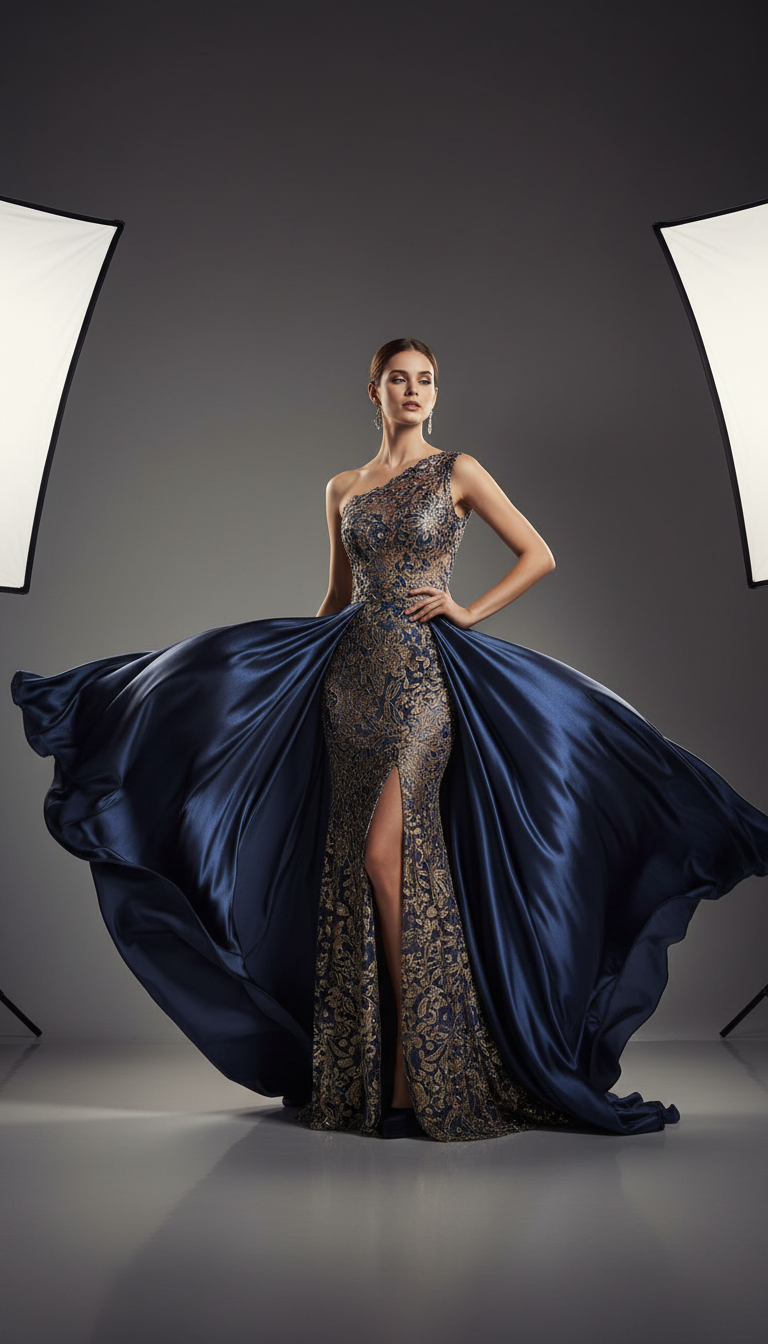
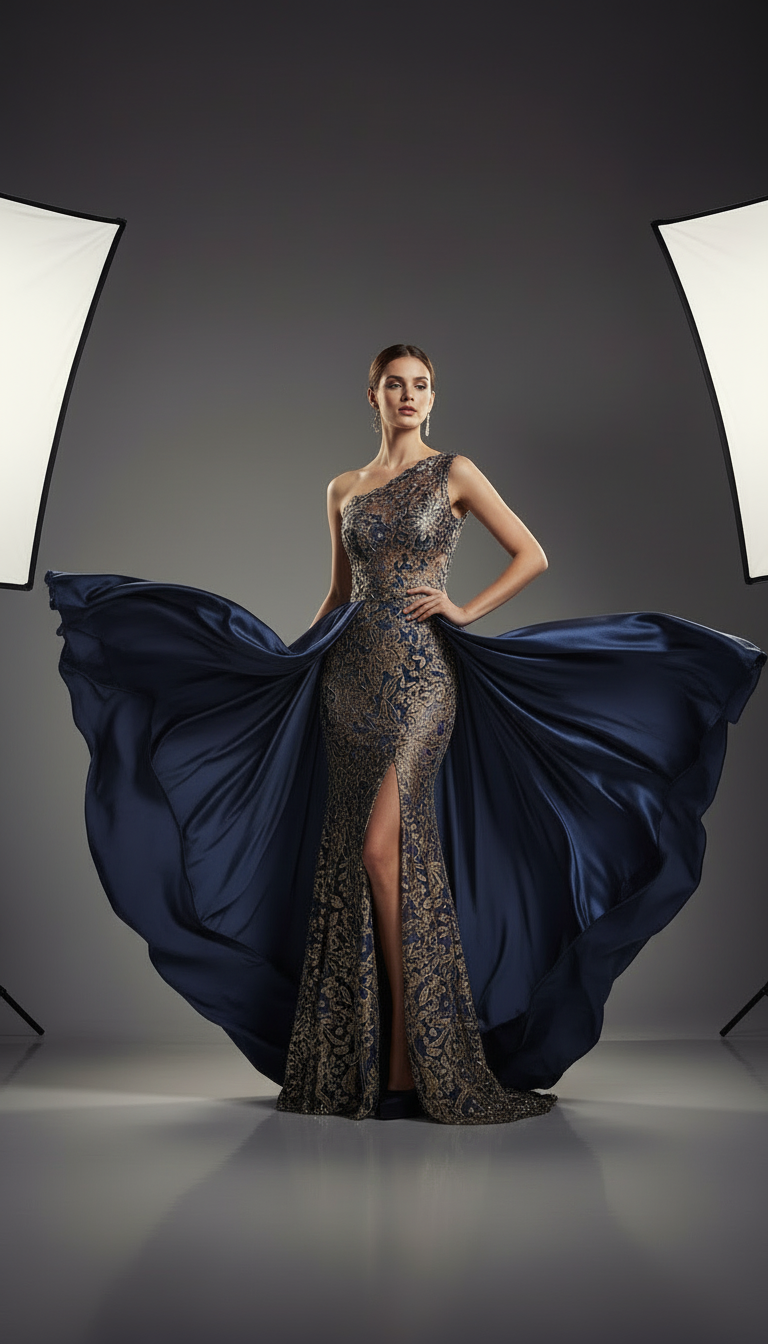
Real results at 1:1. Fabric texture is the first thing a bad upscale destroys, so that is where to look.
 Your photo
 Fashio AI
 Your photo
 Fashio AI
Scale images up to 8K resolution (7680x4320).
Print-ready quality for billboards and magazines.
Specialized for texture and garment reconstruction.
AI reconstructs details, doesn't just stretch pixels
1080p in, 4K (3840x2160) out — 3 credits per image
Perfect for billboards, posters, magazines
Specialized for fabric, texture, and garment details
Adds realistic micro-details and textures
Upscale entire catalogs at once
Unlike traditional upscaling that simply stretches pixels, our AI analyzes your image and intelligently reconstructs missing details based on patterns learned from millions of high-resolution fashion photographs.
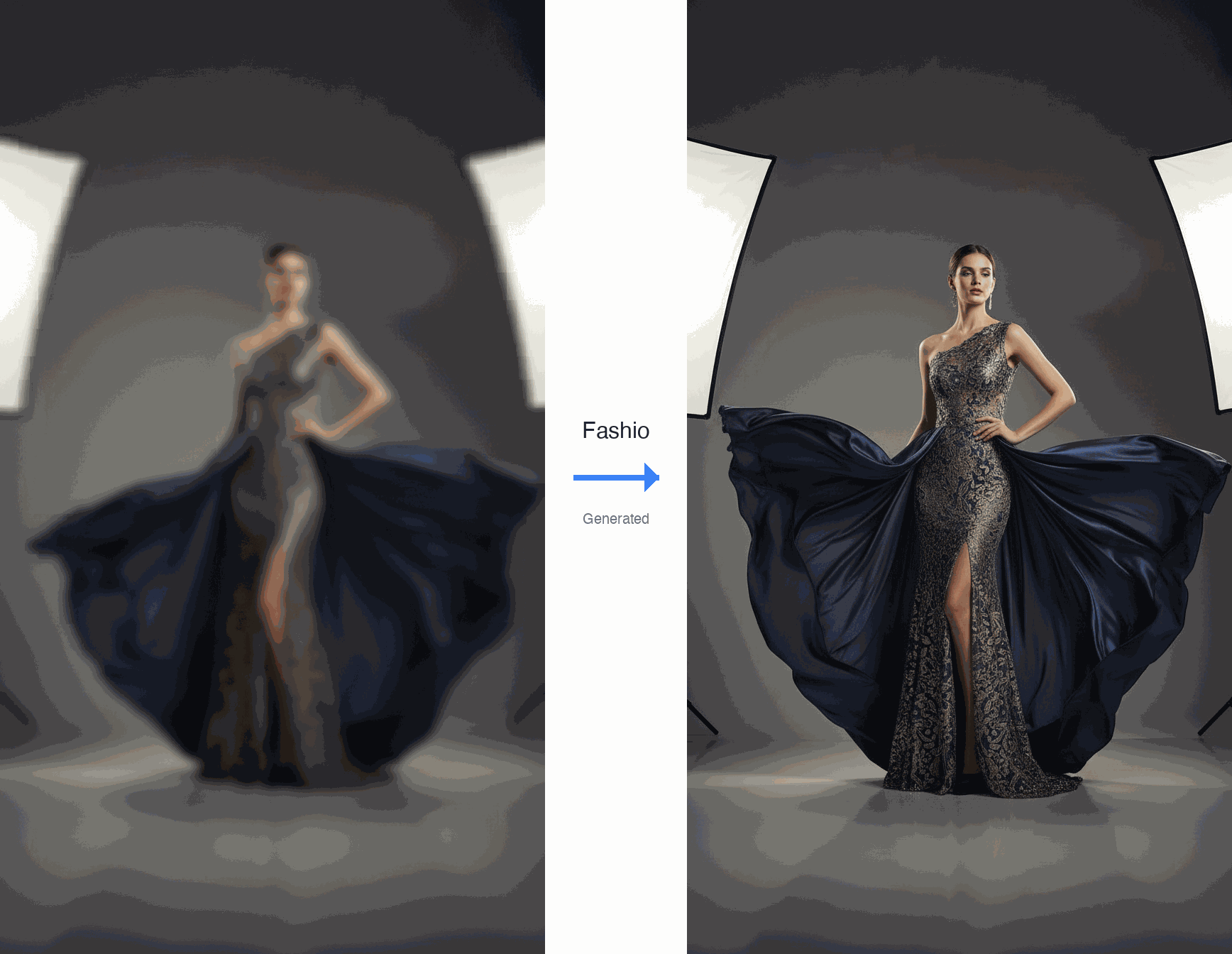
Transform blurry, low-resolution images into crystal-clear 4K/8K quality with AI-powered enhancement.
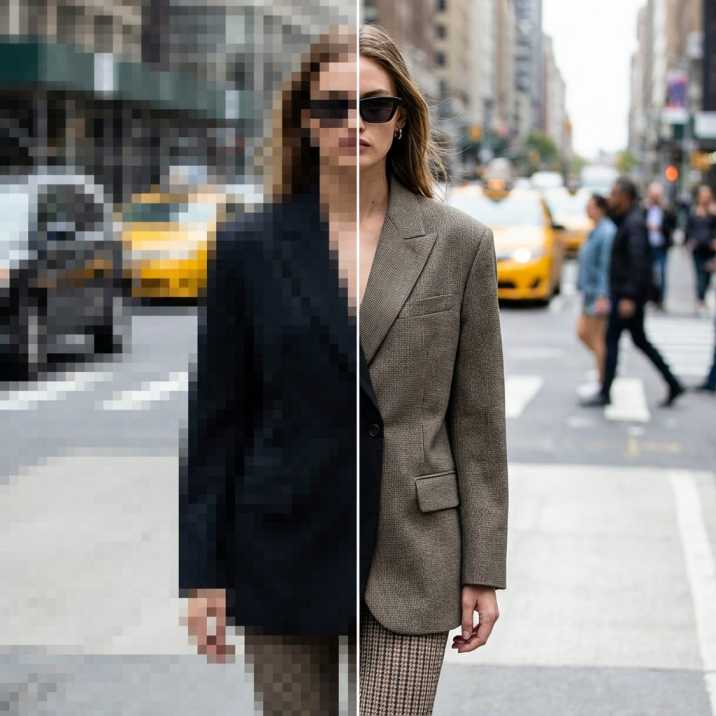
Upload your low-resolution fashion photos and watch as our AI transforms them into print-ready quality with enhanced details, sharp textures, and professional clarity.

Professional photographers and fashion brands use our AI upscaler for time-sensitive campaigns, archive restoration, and large-format print production.
Why pay $50+ per image and wait days when AI can deliver professional results instantly?
Our fashion-specific AI model is trained on millions of high-resolution garment images, learning to recognize and reconstruct authentic fabric textures, weaves, and patterns.

Magazine advertisements, billboard campaigns, in-store posters, and trade show displays.
Luxury brand lookbooks, print catalogs, coffee table books, and gallery prints.
Revive old campaign photos, modernize vintage imagery, update legacy content.
Brands rescuing archive images instead of reshooting them.
Our 2019 archive was shot at web resolution and unusable for print. Most of it is usable again, which saved an entire reshoot.
Marketplace image requirements went up and half our catalog fell below the minimum. This fixed it in an afternoon.
Fabric texture is the thing that usually dies in an upscale. Here the weave survived, which is what I actually care about.
The zero-budget path from one phone photo of a garment to a full set of on-model Shopify images, for stores that were never going to book a shoot in the first place.
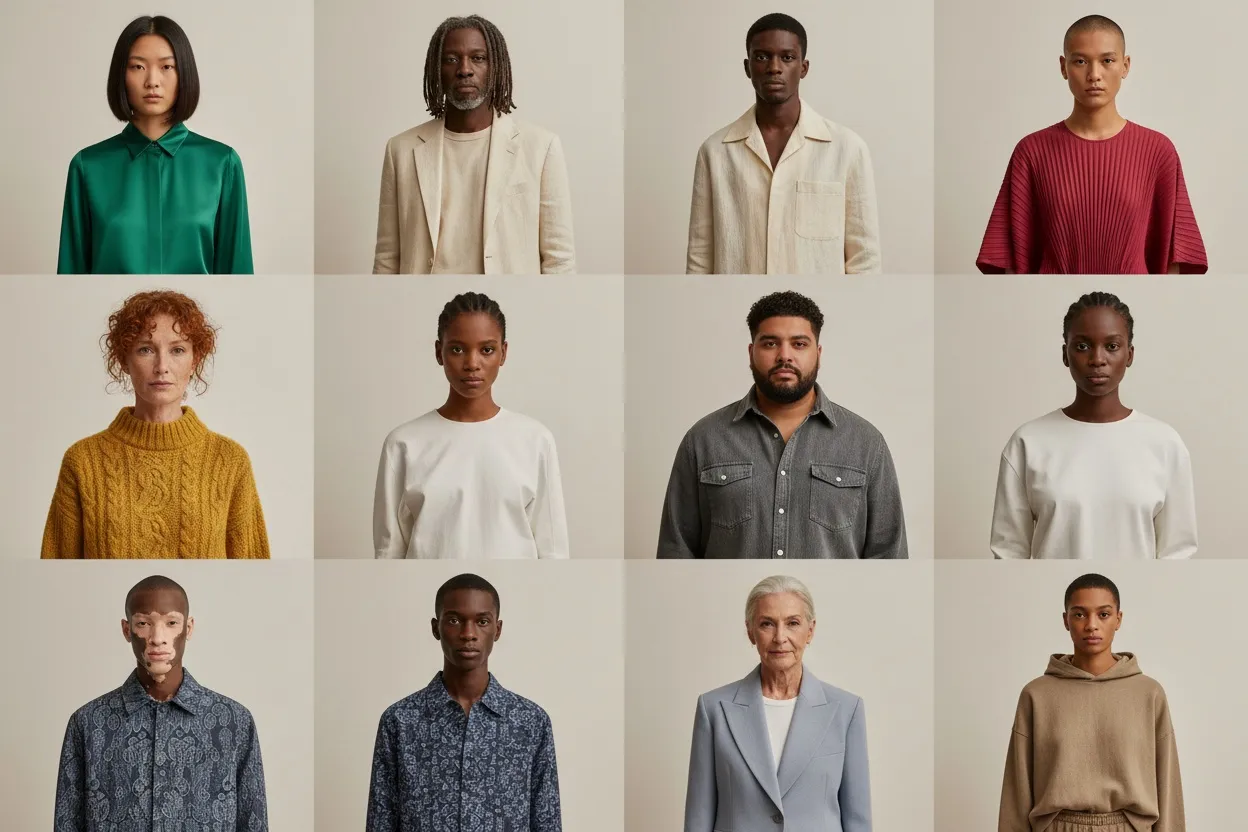
Hands-on review of the best AI image generators for fashion brands in 2026. Midjourney, DALL-E, Stable Diffusion vs fashion-trained alternatives — real outputs.
12 emerging AI fashion photography trends for 2027 — real-time generation, AR commerce, hyper-personalized models, video commerce. Forecast with industry data.
Double the resolution of low-resolution product photos — 1080p lands on a crisp 4K — with AI-powered detail reconstruction — built specifically for fashion brands.
If you have ever tried to blow up a product photo for a billboard or print catalog, you know what happens: blurry edges, muddy fabric textures, and colors that look nothing like the original garment. Generic image upscaling tools treat a silk blouse the same way they treat a landscape photo. The result? Flat, lifeless detail where there should be visible thread count and natural drape.
Fashion photography is uniquely demanding. A denim jacket has thousands of tiny woven fibers. A sequined dress catches light at hundreds of different angles. A knit sweater has a repeating texture that falls apart the moment you stretch the pixels. Standard upscalers — even good ones — were never trained to understand these materials. They guess, and they guess wrong.
That is where a fashion-specific AI image upscaler makes the difference. Fashio AI's upscaling model was trained on millions of high-resolution fashion images, so it knows how to reconstruct silk weaves, leather grain, lace patterns, and stitching details rather than simply enlarging what is already there. It costs 3 credits an image — about $0.56 on the Plus plan — and returns within a minute.
Getting from a low-res image to a print-ready file takes three simple steps. No design skills required.
Step 1: Upload Your Image Drag and drop your photo into the Fashio dashboard. We support JPEG, PNG, WebP, and TIFF formats. Whether it is a single hero shot or a batch of 500 catalog images, the uploader handles it all. You can also pair this with AI background removal or AI image editing before upscaling for a complete production workflow.
Step 2: Let the AI Do the Pass There is nothing to configure. The upscaler runs at a fixed 2x, so a 1080p product shot comes out at exactly 4K (3840x2160) for your e-commerce site. It is a purely technical enhancement — sharpening and detail reconstruction — so nothing about the composition or styling changes.
Step 3: Download Your Print-Ready File The pass typically finishes within a minute. Once complete, download your upscaled file with all fabric textures, garment details, and color accuracy intact. Every output is ready for commercial use — no additional editing needed.
The gap between a web-resolution photo and a print-ready asset used to require an expensive reshoot. Not anymore. Here is what the Fashio AI image upscaler can do for your business, at 3 credits an image:
E-Commerce Product Catalogs Take your product library from standard web resolution to crisp 4K. Shoppers zoom in on fabric texture, stitching, and hardware details before buying. Higher resolution means fewer returns and higher conversion rates. Pair upscaling with the AI catalog creator to build complete product pages from flat lay photos.
Billboard and Out-of-Home Advertising A 1080p campaign image will not hold up at billboard scale. Doubling it to 4K buys real headroom, and out-of-home artwork is normally supplied at reduced scale because it is read from a distance. Fashion brands running seasonal campaigns can repurpose existing product photography instead of booking costly new shoots.
Magazine and Editorial Spreads Print publications require 300 DPI minimum, and whether you clear it depends on your source, because the factor is 2x of whatever you upload. A 2000 x 2500 product shot doubles to 4000 x 5000, which is 13 x 17 inches at 300 DPI — comfortably past a full-page A4. A 16:9 image that doubles to 3840 x 2160 is 12.8 x 7.2 inches, which covers a landscape half-page but not a full A4 portrait. Check your own pixel dimensions against the placement rather than assuming.
Social Media and Digital Marketing Instagram, TikTok, and Pinterest reward high-quality visuals with better engagement. Upscale older content to match current platform standards, or enhance user-generated content into brand-quality assets. Combine upscaling with AI photo enhancement to turn customer selfies into polished marketing material.
| Feature | Traditional Retouching | Fashio AI Upscaler |
|---|---|---|
| Cost per image | $15–$50+ | $0.10–$1 |
| Processing time | 1–3 business days | 10–60 seconds |
| Quality consistency | Varies by editor | Identical every time |
| Maximum resolution | Limited (can't add real detail) | 2x the input resolution |
| Cost at volume | Expensive at scale | Flat 3 credits per image, whatever the volume |
| Fabric detail reconstruction | Manual, time-intensive | Automatic, fashion-trained AI |
The bottom line: AI upscaling gives you better consistency at a fraction of the cost. For teams processing hundreds of images per season, the time and budget savings add up fast.
E-Commerce Brands and DTC Labels Online retailers with catalogs of hundreds or thousands of SKUs need every product image sharp and zoomable. Upscaling existing photography is dramatically cheaper than reshooting, especially for seasonal collections that rotate quickly. Many brands combine the upscaler with the AI fashion model generator to create complete product visuals without a full studio setup.
Creative Agencies and Production Houses Agencies juggling multiple fashion clients need fast turnaround on print-ready assets. When a client sends over low-res selects from a shoot, the AI upscaler bridges the gap between what was delivered and what the campaign actually needs — without burning hours of retoucher time.
Professional Photographers and Studios Photographers use AI upscaling to extend the life of older work, prepare portfolio pieces for large-format printing, and meet client resolution requirements that exceed what was originally captured. It is also a practical backup when a shoot was done at lower settings by mistake.
Heritage and Luxury Brands Brands with decades of archive photography can bring vintage campaign images into the modern era. Double the resolution of classic editorial shots for retrospective campaigns, museum exhibitions, or anniversary collections — all without losing the character of the original image.
AI photo upscaling uses machine learning to intelligently increase image resolution while reconstructing lost details. Unlike traditional upscaling that simply stretches pixels (causing blur and pixelation), the AI analyzes image content and generates new pixels based on patterns learned from millions of high-resolution images. For fashion photography, it specifically reconstructs fabric textures, garment details, and fine patterns. Fashio's upscaler runs at a fixed 2x, which takes a 1080p source to a print-ready 4K (3840x2160).
Yes. The upscaler doubles resolution, so 1080p (1920x1080) comes out at exactly 4K (3840x2160). It reconstructs missing detail rather than just enlarging pixels, so fabric texture and garment detail survive. It will not go beyond 2x — there is no 8K output — and starting from a higher-resolution original is still better than upscaling a small one.
Absolutely. Professional photographers, fashion brands, and advertising agencies use AI upscaling for print production — especially for time-sensitive campaigns or when reshoots are not feasible. Fashio's fashion-optimized AI is built for print applications, reconstructing fabric textures and garment details at the quality level required for magazines, billboards, catalogs, and large-format prints.
The fashion-specific AI model was trained on millions of high-resolution fashion images. It learned to recognize and reconstruct fabric weaves, textures, patterns, and garment construction details. During upscaling, it generates realistic fabric textures, preserves pattern details, enhances stitching, and reconstructs fine garment features. This makes it far more accurate than general-purpose upscalers for materials like silk, denim, knitwear, and leather.
Traditional professional retouching and upscaling services charge $15–$50+ per image with 1–3 day turnaround times. Reshooting for higher resolution costs hundreds to thousands of dollars. Fashio AI upscaling costs $0.10–$1 per image and completes in seconds. For businesses processing hundreds or thousands of images, the savings are substantial — often 95%+ cheaper than traditional methods while maintaining professional quality.
Yes. The batch processing feature allows you to upscale entire product catalogs, photo shoots, or image libraries at once. Upload multiple images and they will be processed with consistent quality across every file. This is ideal for e-commerce brands updating product photography, agencies preparing campaign materials, or photographers enhancing portfolio archives at scale.
Ready to upscale your fashion photography? Try Fashio AI Free →