

Looking for a Modelia.ai Alternative? Here's Why Fashio AI Wins in 2026
If you've been exploring AI fashion photography tools, you've probably come across Modelia.ai — a platform that converts flat-lay photos into on-model images using AI. It's a decent tool, but it comes with real limitations: watermarked free outputs, a 2-month minimum commitment on paid plans, limited garment type support, and video generation that burns through credits fast.
Fashio AI is an AI fashion photography platform with a pipeline built for garment photos: on-model images, try-on, editing and video in one place, from $14 a month.
That's where Fashio AI comes in. With a fashion-specialised set of generation and editing tools, the full AI model library (its make-up by ethnicity, body type, age band and skin tone is published on Fashio AI by the numbers), and a pipeline built for garment photos, Fashio AI covers most of what Modelia does and adds more — though Modelia still wins in a few places, which we list below.
In this guide, we'll break down every difference between the two platforms so you can make an informed decision.
Fashio AI vs Modelia.ai — Quick Overview
Before diving into the details, here's a high-level comparison of both platforms:
| Feature | Fashio AI | Modelia.ai |
|---|---|---|
| Total AI Tools | A fashion-specialised set of generation and editing tools | ~10 tools |
| Free Tier | No free plan; setting up a shot needs no account | 20 credits/month, watermarked, non-commercial only |
| Output Resolution | Standard web resolution (a 3:4 frame is 768×1024); fixed 2x upscaler takes 1080p to 4K | 2K free, up to 4K on paid plans |
| AI Model Generation | Full AI model library (10 ethnicities, 10 body types), consistent characters | Customizable but limited garment types |
| Virtual Try-On | Full garment try-on with fabric accuracy | Basic try-on available |
| Video Generation | Photo-to-Video (15 credits) + UGC Video (20/40 credits) | 5-10 sec videos (25-40 credits each) |
| Background Removal | Dedicated tool, 2 credits, one image at a time | Basic background removal |
| Ghost Mannequin | Dedicated tool with auto neck joint | Mannequin to model only |
| Photo Upscaling | 2x upscale (1080p to 4K), fabric detail enhancement | Up to 4K upscaling |
| Pose Variation | Precision texture-mapped pose control | Repose feature available |
| Minimum Commitment | No minimum commitment | 2-month minimum on Basic/Pro |
| Batch Processing | One image at a time (no batch queue) | Available on paid plans |
| API Access | Yes — REST API (docs.fashiolabs.com) and an MCP server on every plan; free self-serve key, calls bill the account's credits | API on Basic+ plans only |
What Modelia.ai Does Well — And Where It Falls Short
Let's be fair to Modelia. It's a legitimate AI fashion tool that can produce decent on-model photography from flat-lay images. Their Flatlay to Model tool works reasonably well for standard garments, and the Consistent Character feature lets you maintain model identity across images — though it costs 4 credits per use.
Their Shopify integration makes it accessible for e-commerce brands, and the diverse model customization options (age, gender, ethnicity, body type) are a positive step toward inclusive representation.
But here's where Modelia starts to fall behind:
Modelia.ai Limitations to Consider
- The free plan is essentially unusable for real work. 20 credits/month with watermarks and non-commercial restrictions? That's a demo, not a free tier. You can't use those images in your store or marketing.
- Limited garment type support. Modelia works best with standard tops and outerwear. Tank tops, sleeveless items, swimwear, trousers, skirts, and shorts are listed as "future updates" — meaning they're not reliably supported yet.
- Video generation is expensive. A single 5-second video costs 25 credits, and a 10-second video costs 40. On the Basic plan ($35/month for 250 credits), that's just 6-10 videos per month — nowhere near enough for a social media strategy.
- 2-month minimum lock-in. The Basic ($35/mo) and Pro ($85/mo) plans require a 2-month minimum commitment. If the tool doesn't work for your products, you're stuck paying for a second month regardless.
- Output quality depends heavily on input quality. Multiple users report that results "occasionally require minor adjustments" and that poor source photos lead to poor AI outputs — which is true for any AI tool. Complex garments are where the differences between platforms show up, so test your hardest SKUs during a trial rather than your easiest.
Why Fashio AI Is a Strong Alternative to Modelia
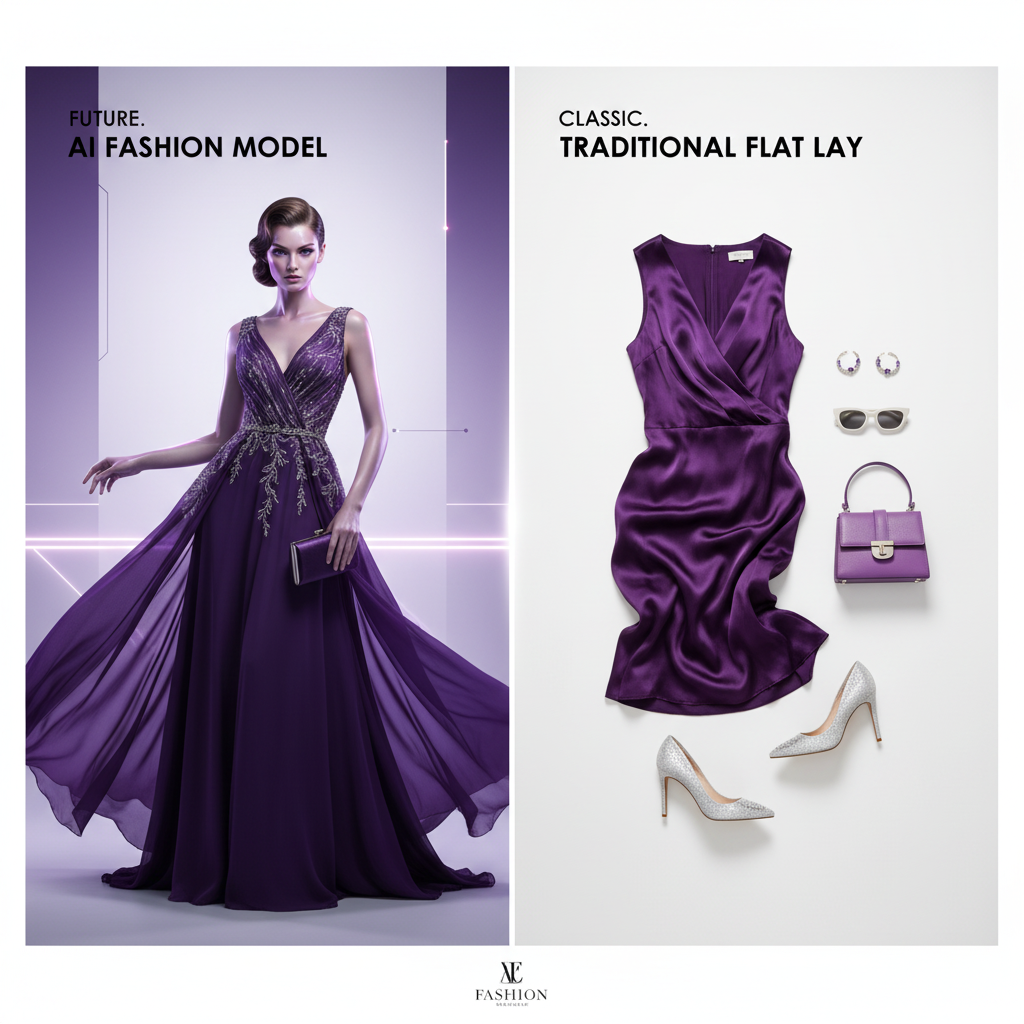
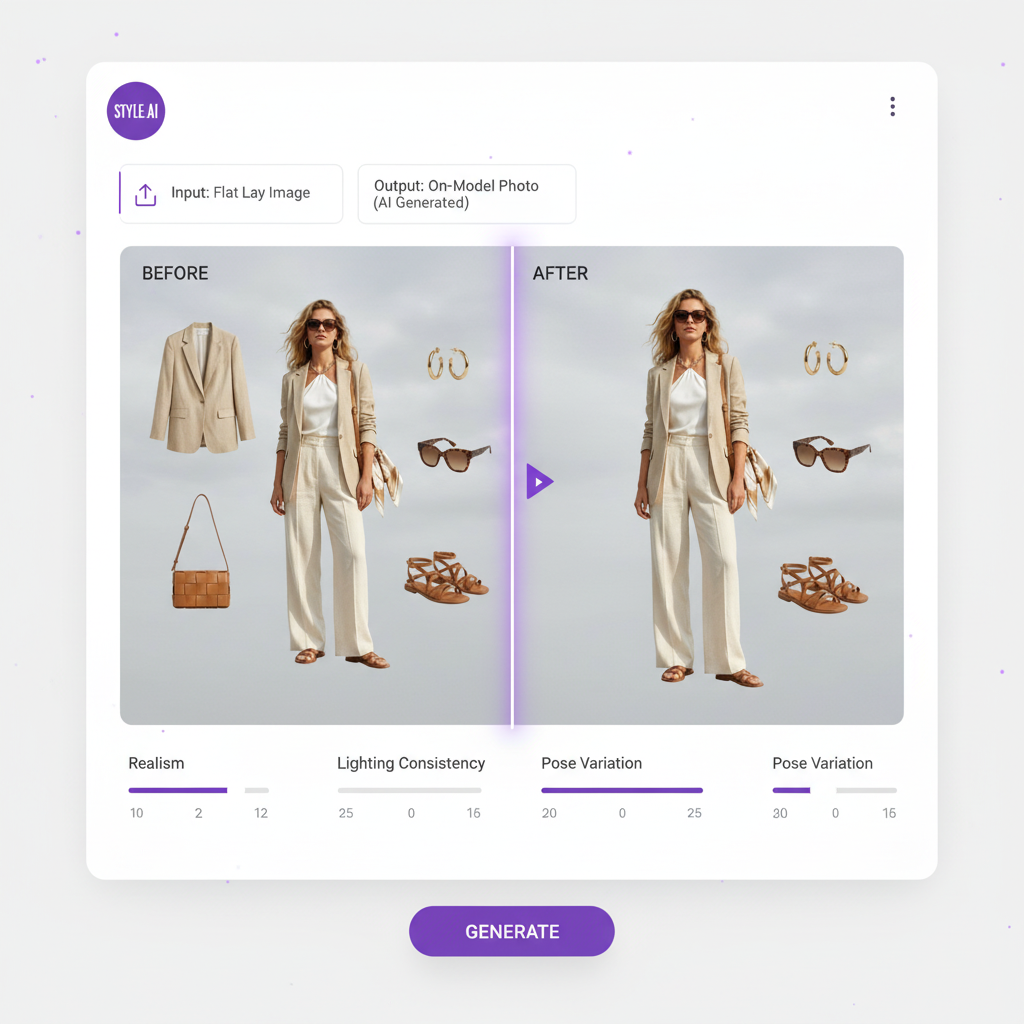
Where Modelia gives you a toolkit, Fashio AI gives you an entire production studio. Here's what sets it apart:
1. A Fashion-Specialised Tool Set in One Platform
Fashio AI isn't just a flat-lay-to-model converter. It's a complete AI fashion photography suite with a fashion-specialised set of generation and editing tools, all running on a pipeline built for garment photos. Judge fabric rendering and detail on your own hardest SKUs — that is where any two platforms differ.
Here's the full Fashio AI toolkit:
| Category | Tool | What It Does |
|---|---|---|
| Creation | Virtual AI Fashion Try-On | Dress any model in any garment with photorealistic accuracy |
| Creation | AI Fashion Model Generator | Create consistent AI models of any demographic |
| Creation | Pose Variation | Generate new poses from a single photo |
| Creation | Photo to Video | Transform stills into TikTok/Reels-ready videos |
| Creation | Flat Lay to Catalog | Catalog/lookbook packs: 4 consistent shots for 12 credits |
| Creation | UGC Video | AI-generated user-generated content style videos |
| Editing | Remove Background | Clean background removal (2 credits) |
| Editing | Mannequin to Flat Lay | Ghost mannequin effect with auto neck joint |
| Editing | Product to Model | Turn product shots into editorial model photography |
| Editing | Amateur to Professional | Elevate smartphone shots to magazine quality |
| Editing | Fashion Photo Upscale | Fixed 2x upscaling (1080p to 4K, 3 credits) with fabric detail enhancement |
| Editing | Photo Reframe | Smart reframing for all social platforms |
| Editing | Image Editing | Text-prompt-based add/remove/change capabilities |
Modelia offers around 10 tools — but several of them (color changing, inpainting, expression modification) are basic editing features, not purpose-built fashion production tools. Fashio AI's toolset covers the entire content lifecycle: from raw product photo to published social video.
2. Free Options Compared: Free Plan vs Free Trial
Modelia has a free plan, and Fashio AI does not. Modelia's free plan gives you 20 credits/month with watermarked outputs that are restricted to non-commercial use. You can't use them in your store, on social media, or in ads.
There is no free plan on the web. You can upload a photo and set up the shot without an account; generating needs a membership from $14 a month. A fashion image costs 4 credits. Every Fashio AI plan and credit pack gives you the full tool set with watermark-free outputs and commercial use rights, so you can use the results in your business from day one.
| Free Option | Fashio AI | Modelia.ai |
|---|---|---|
| What You Get | No free plan; setting up a shot needs no account | Free plan, 20 credits/month |
| Watermark | No watermark | Watermarked |
| Commercial Use | Commercial use of every output on every plan and pack, no royalties | Non-commercial only |
| Tools Available | Full tool set | Limited selection |
| Max Resolution | Standard web resolution; fixed 2x upscaler (1080p to 4K) | Up to 2K |
| Video Generation | Included (15 credits per video) | Not available on free plan |
3. AI Model Generation Compared
Both platforms let you generate AI fashion models, but the control differs. Fashio AI's AI Fashion Model Generator produces photorealistic models with:
- Wide diversity — the full AI model library across 10 ethnicities and 10 body types, both genders, with age and facial features to choose from
- Consistency mode — create a model "family" that keeps a consistent identity across your catalog
- Full commercial use rights — AI-generated models, no model releases, commercial use of every output with no royalties
- Built for garment photos — the pipeline is set up around fabric drape, garment structure, seam placement and texture; test it on your hardest SKU
Modelia's model generation is respectable for standard garments but struggles with complex items. Their consistent character feature costs 4 credits each time (vs. no extra charge in Fashio AI), and garment coverage gaps mean some product categories produce unreliable results.
4. Video Generation Costs Compared
Video content is non-negotiable for fashion brands in 2026. TikTok, Reels, and YouTube Shorts drive discovery, and UGC-style content is a staple of fashion social feeds.
Modelia charges 25 credits for a 5-second video and 40 credits for 10 seconds. On their Basic plan (250 credits/month), you get a maximum of 10 short videos — barely enough for a week of social media posting.
Fashio AI offers two dedicated video tools — Photo to Video and UGC Video — with aspect ratio support (9:16, 16:9, 1:1), music sync capability, and brand kit integration. A Photo-to-Video clip costs a stated 15 credits: about $4.20 on Starter, $2.81 on Plus and $1.50 on Pro, against $3.50-$5.60 per video on Modelia's Basic plan. Plus (160 credits) covers about 10 videos a month, Pro (500 credits) about 33; clip lengths differ between the two tools, so compare like for like.
5. Complete Image Editing Pipeline
Modelia focuses primarily on model generation and flat-lay conversion. If you need background removal, ghost mannequin processing, upscaling, or format reframing, you'll need additional tools — each with its own subscription and learning curve.
Fashio AI includes all of these in one platform:
Background Removal
Background removal for 2 credits that handles hair, fur, and transparent fabrics, one image at a time, with marketplace compliance (Amazon, Shopify)
Ghost Mannequin Generator
Auto neck joint reconstruction, volume retention, symmetry correction, and transparent export
Fashion Photo Upscale
Fixed 2x upscaling with fabric detail enhancement — 1080p comes out at 4K (3840×2160), 3 credits
Amateur to Professional
One-click enhancement that transforms smartphone shots into studio-quality images
Photo Reframe
Intelligent reframing for every social platform with face detection and smart composition
AI Image Editing
Text-prompt-based generative fill, object removal, color changes, and lighting adjustments
Having the entire pipeline under one roof eliminates subscription stacking, maintains output consistency, and dramatically simplifies team workflows.
Detailed Feature Comparison: Fashio AI vs Modelia.ai
| Capability | Fashio AI | Modelia.ai | Winner |
|---|---|---|---|
| Flat Lay to Model | Built for garment photos, all garment types | Good for standard garments, limited categories | Fashio AI |
| AI Model Diversity | Full AI model library, 10 ethnicities, 10 body types | Customizable age, gender, ethnicity, body type | Tie |
| Consistent Characters | Included, consistent across catalog | 4 credits per use | Fashio AI |
| Virtual Try-On | Full garment try-on with fabric accuracy | Basic virtual try-on | Fashio AI |
| Pose Control | Precision texture-mapped, curated library | Repose feature | Fashio AI |
| Video Generation | 2 dedicated tools; AI video 15 credits | 1 tool, 25-40 credits per video | Fashio AI |
| Background Removal | Dedicated tool, marketplace compliant | Basic background removal | Fashio AI |
| Ghost Mannequin | Auto neck joint, volume retention, 4 credits | Mannequin to model conversion only | Fashio AI |
| Photo Upscaling | 2x upscale (1080p to 4K), fabric detail enhancement | Up to 4K | Tie |
| Catalog Creation | Lookbook packs (4 shots for 12 credits) with consistent styling | Not available | Fashio AI |
| UGC Video | Dedicated UGC-style video creator | Not available | Fashio AI |
| Sketch to Image | Not available | Convert design sketches to realistic images | Modelia |
| Facial Expression Edit | Included in Image Editing tool | Dedicated feature | Tie |
Fashio AI wins 9 out of 13 categories, with 3 ties and Modelia winning on sketch-to-image functionality.
Pricing Comparison: Fashio AI vs Modelia.ai
Price matters — especially when you're scaling product photography across hundreds or thousands of SKUs. Here's how the two platforms compare:
| Plan | Fashio AI | Modelia.ai |
|---|---|---|
| Free | No free plan; setting up a shot needs no account | 20 credits/mo, watermarked, non-commercial |
| Entry Paid | $14/mo Starter (50 credits), or $59.99/yr billed yearly; no minimum commitment | $35/mo (250 credits), 2-month minimum |
| Pro | Plus $29.99/mo (160 credits); Pro $49.99/mo (500 credits) | $85/mo (750 credits), 2-month minimum |
| Business/Enterprise | Pro $49.99/mo is the top published plan; REST API and MCP server on every plan | $300/mo (3,000 credits), 1-month minimum |
| Video Cost | 15 credits per video — about $4.20 on Starter, $2.81 on Plus, $1.50 on Pro | 25-40 credits per 5-10 second video |
| Annual Discount | Annual plans: Starter $59.99/yr, Plus $99.99/yr, Pro $199.99/yr | 20% discount on yearly |
The bottom line: Fashio AI delivers more tools, a deeper fashion pipeline and a lower entry price ($14 against $35) — with no minimum commitment. Modelia keeps the advantage of a free plan, if watermarked, non-commercial output is enough for testing.
See the Difference for Yourself
Plans start at $14 a month (Starter, 50 credits). You can upload a photo and set up the shot before signing up; generating needs a membership from $14 a month.
Start creating →Who Should Use Modelia.ai?
Modelia isn't a bad tool. It's a reasonable choice if:
- You only need flat-lay-to-model conversion for standard garments (tops, outerwear)
- You want Shopify-native integration with minimal setup
- You need sketch-to-image functionality for design workflows
- You're comfortable with the 2-month minimum commitment and credit-based pricing
But if you need a complete production pipeline, diverse garment support, affordable video generation, and a pipeline you can actually build a catalogue on — Fashio AI is the clear winner.
Who Should Use Fashio AI?
Fashio AI is a good fit for:
Fashio AI Is Ideal For
- Fashion brands of any size — from solo creators to enterprise operations
- E-commerce teams scaling product photography across large catalogs
- Social media teams that need video content at scale (TikTok, Reels, YouTube Shorts)
- Brands wanting one platform instead of subscribing to 3-5 separate tools
- Budget-conscious teams that need commercially usable outputs from day one
- Anyone who has outgrown a watermarked free plan and needs output they can use commercially
The Verdict: Fashio AI Is the Best Modelia.ai Alternative in 2026
Modelia.ai is a competent tool for basic AI fashion model generation. But when you stack it against Fashio AI — a fashion-specialised tool set, no per-tool upsell, no minimum commitments, a $14 Starter entry, and a stated 4 credits per fashion image and 15 per video — the choice becomes obvious.
Fashio AI doesn't just match Modelia's core capabilities. It wraps them in a complete production ecosystem that eliminates the need for multiple subscriptions, handles every garment type, and scales from startup to enterprise.
Stop paying for watermarked previews. Start with a $14 Starter month.
Ready to Switch from Modelia?
Plans start at $14 a month (Starter, 50 credits). You can upload a photo and set up the shot before signing up; generating needs a membership from $14 a month.
Start creating →FAQ: Fashio AI vs Modelia.ai
Is Fashio AI really free to use?
Not on the web: a new web account starts with 0 credits. You can upload a photo and set up the shot without an account; generating needs a membership from $14 a month. Plans start at $14 a month (Starter, 50 credits); Plus is $29.99 (160 credits) and Pro $49.99 (500 credits). One fashion image costs 4 credits, about $1.12 on Starter. Unlike Modelia's free plan, which watermarks images and restricts commercial use, every Fashio AI output is watermark-free, with commercial use on every plan and pack.
What is the best alternative to Modelia.ai?
Fashio AI is a strong alternative to Modelia.ai in 2026. It offers more tools (a fashion-specialised set against Modelia's ~10), a lower entry price ($14 Starter against Modelia's $35 Basic) with no minimum commitment, and covers the fashion content workflow from image generation to video creation. Modelia wins on sketch-to-image, on having a free plan, and on direct output resolution (up to 4K on its paid plans).
How does Fashio AI compare to Modelia.ai for AI fashion models?
Both platforms generate AI fashion models. Fashio AI adds consistent character creation at no extra charge, pose variation control, and a model library covering 10 ethnicities and 10 body types. Its images come out at standard web resolution, with a fixed 2x upscaler (1080p to 4K, 3 credits); Modelia's paid plans output up to 4K directly. Test your hardest garments on both before deciding.
Does Modelia.ai have a free plan?
Modelia offers a free plan with 20 credits per month, but outputs are watermarked, limited to 2K resolution, and restricted to non-commercial use only. Fashio AI has no free plan on the web; every Fashio AI plan and credit pack gives watermark-free outputs with commercial use, no royalties, across the full tool set.
Can Fashio AI create fashion videos like Modelia?
Yes. Fashio AI offers both Photo-to-Video and UGC Video tools that convert product photos into engaging short-form videos for TikTok, Reels, and YouTube Shorts. A Fashio AI video costs 15 credits — about $2.81 on Plus or $1.50 on Pro, against 25-40 credits ($3.50-$5.60) per video on Modelia's Basic plan; on Fashio's Starter plan it is about $4.20.
Which platform is better for Shopify stores?
Both platforms integrate with Shopify, but Fashio AI provides a broader toolset covering the entire product content lifecycle — from background removal and ghost mannequin processing to AI model generation, pose variation, and video creation — all within one platform.
Is Modelia.ai worth the price?
Modelia's paid plans start at $35/month for 250 credits with a 2-month minimum commitment. Fashio AI starts lower, at $14 a month (Starter, 50 credits) with no minimum commitment, and one fashion image costs 4 credits (about $1.12 on Starter, $0.40 on Pro). Modelia does have a free plan, which Fashio AI does not.
