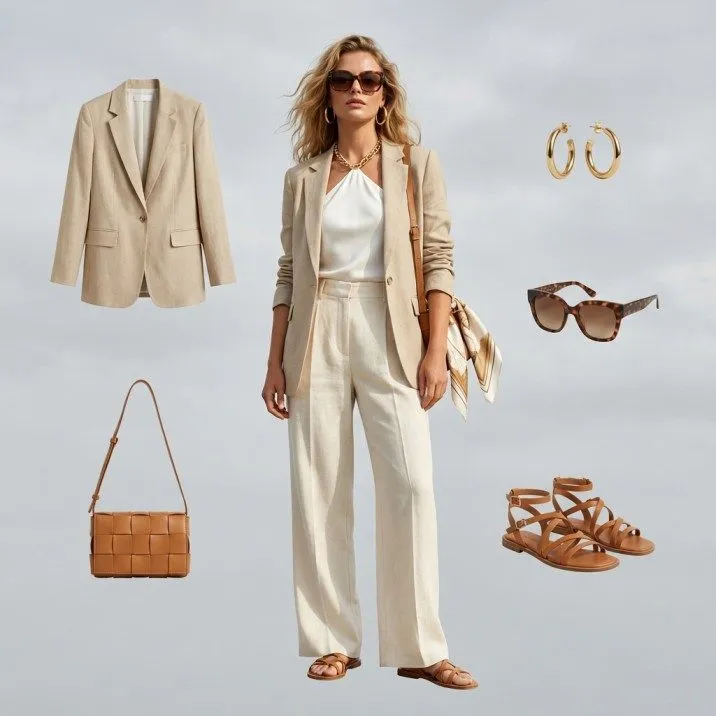
Online fashion has a returns problem, and the number-one reason a garment goes back is always the same — "it didn't look like I expected." Virtual try-on AI attacks that reason directly, letting shoppers see how a garment looks on a body before they buy. ASOS added virtual try-on in 2026 as one part of a wider returns programme that also covers clearer sizing guidance, product video and 360-degree imagery, and has not published a figure isolating try-on's own effect.
Expectation mismatch has a second, duller source that try-on does not solve on its own: the size label itself. Alpha sizing is not standardised, and the same XXXL maps to different numbers in the US, the UK, the EU, Japan and India — our XXXL and XXXXL size chart sets out the conversions and includes a converter shoppers can use against their own measurements. A try-on image and an accurate size table answer two different halves of the same question.
Virtual try-on AI directly addresses the #1 reason shoppers return clothing online — expectation mismatch. ASOS, one of the largest deployments in the market, folded try-on into a wider returns programme in 2026 rather than publishing a try-on-specific reduction figure.
This guide covers everything ecommerce operators need to know about virtual try-on AI in 2026 — how the technology works under the hood, the business case backed by real data, which platforms are leading adoption, the different types of virtual try-on available, how to implement it in your own store, and what the future looks like. Whether you run a Shopify brand doing $500K/year or a marketplace processing millions of orders, this is the guide that will help you make the right decision.
What Is Virtual Try-On AI and How Does It Actually Work?
Virtual try-on AI is technology that digitally places a garment onto a person's image — making it look like they are actually wearing the product. Unlike simple photo overlays from a decade ago, modern virtual try-on uses deep learning models that understand human body shape, fabric physics, and garment construction to produce photorealistic results.
The technology pipeline involves three core stages:
- Body Estimation and Pose Detection — The AI analyzes the input image, identifies body landmarks (shoulders, elbows, hips, knees), constructs a skeletal map, and estimates body dimensions including torso length and shoulder width.
- Garment Warping and Deformation — The garment is segmented, its structure identified, and then warped to match the target body using diffusion models that simulate natural fabric drape, fold, and crease.
- Rendering and Compositing — The warped garment is composited onto the person's image with proper occlusion, lighting consistency, and edge blending to produce a photorealistic result in 2-10 seconds.
1. Body Estimation and Pose Detection
The system first analyzes the input image — whether it is a shopper's selfie, a model photo, or a live camera feed. Using pose estimation models (typically based on architectures like OpenPose or MediaPipe), the AI identifies key body landmarks: shoulders, elbows, wrists, hips, knees, and ankles. It constructs a skeletal map and estimates body dimensions including torso length, shoulder width, and limb proportions. Advanced systems also generate a dense body mesh — a 3D-like surface map — that captures the body's contours even from a 2D image.
2. Garment Warping and Deformation
Once the body is mapped, the garment image is processed separately. The AI segments the garment from its original background or mannequin, identifies its structure (sleeves, collar, hemline, closures), and then warps it to match the target body's pose and proportions. This is where modern diffusion-based models excel over older GAN-based approaches. Instead of simply stretching a flat image, the AI generates new pixels that simulate how the fabric would naturally drape, fold, and crease on the specific body shape. Pattern alignment, button placement, and seam lines are preserved throughout the transformation.
3. Rendering and Compositing
The final stage composites the warped garment onto the person's image. The AI handles occlusion (what goes in front of what), lighting consistency (matching shadows and highlights to the original photo), and edge blending (ensuring no visible seams between the garment and the person). The output is a single photorealistic image that looks like the person was photographed wearing the garment. Processing time for modern systems ranges from 2-10 seconds per image.
Tools like Fashio AI's virtual try-on use state-of-the-art diffusion models trained specifically on fashion datasets, which means they handle edge cases that general-purpose AI cannot — translucent fabrics, complex prints, layered outfits, and accessories.
The Business Case: Why Virtual Try-On Is No Longer Optional
Virtual try-on is past the pilot stage: several of the largest fashion retailers have run it at scale for years. Published figures are thinner than vendor marketing suggests, so the table below describes the direction of the effect and the mechanism behind it rather than benchmark numbers we cannot stand behind.
Returns Drop
Returns are the single biggest margin killer in fashion ecommerce. Every return carries pick-pack, shipping, and inspection cost, plus the lost revenue on items that cannot be resold at full price. Virtual try-on directly attacks the root cause: uncertainty about how a product will look and fit.
Returns are the single biggest margin killer in fashion ecommerce — and virtual try-on is the only technology that attacks the root cause at scale.
| Metric | Direction of Effect | Mechanism |
|---|---|---|
| Return Rate | Down | ASOS added virtual try-on in 2026 as one part of a wider returns programme that also covers clearer sizing guidance, product video and 360-degree imagery; it has not published a figure isolating try-on's own effect. |
| Conversion Rate | Up | Seeing the garment on a body removes the main reason shoppers stall on add-to-cart |
| Average Order Value | Up | Shoppers who try one item on tend to try and buy complementary pieces |
| Time on Product Page | Up | Try-on turns a static page into something the shopper interacts with |
| Customer Satisfaction | Up | Fewer orders that arrive looking different from what was expected |
Purchase Hesitation Drops
When shoppers can see themselves wearing a product, purchase hesitation drops significantly. The psychology is straightforward: virtual try-on creates a sense of ownership before the transaction. Behavioral research shows that the "endowment effect" — valuing something more once you feel you own it — activates when shoppers see a product on their own body, even digitally. This translates directly to higher add-to-cart rates, lower cart abandonment, and more completed purchases.
Higher Average Order Value
The mechanism is simple: when a shopper tries on one item and likes how it looks, they are more likely to try — and buy — complementary pieces. Virtual try-on turns product pages from static catalogs into interactive styling sessions, which is why brands tend to see basket size move alongside conversion.

Who Is Already Using Virtual Try-On at Scale
Virtual try-on has moved well beyond pilot programs. The largest fashion retailers in the world have deployed it across millions of products.
ASOS — "See My Fit"
ASOS introduced its "See My Fit" feature in 2020, letting shoppers view the same garment on models of different body types and sizes rather than on a single sample-size model. It is a model-selection tool rather than a shopper-photo try-on, and it was one of the earliest deployments of the idea at marketplace scale. ASOS added virtual try-on in 2026 as one part of a wider returns programme; it has not published a figure isolating try-on's own effect.
ASOS "See My Fit" — launched 2020, showing garments on models across a range of body types and sizes. ASOS added virtual try-on in 2026 as one part of a wider returns programme that also covers clearer sizing guidance, product video and 360-degree imagery; it has not published a figure isolating try-on's own effect.
Zalando — AI-Powered Size and Fit
Zalando has invested in size and fit as part of its broader AI strategy, since returns run high across European fashion e-commerce generally. Its body measurement tool, combined with virtual visualization, is aimed squarely at helping shoppers pick the right size on the first attempt and cutting "wrong size" returns.
Zalando AI Fit Strategy — Tackled a ~50% return rate in key markets by combining body measurement tools with virtual visualization. Result: measurably fewer "wrong size" returns and significant lift in post-purchase satisfaction scores.
Google Shopping — Virtual Try-On in Search
Google Shopping introduced virtual try-on directly in search results, allowing shoppers to see how garments from partner brands look on diverse body types without visiting individual store pages. This signals that virtual try-on is becoming part of the shopping infrastructure itself — not just a feature on individual brand websites.
Other Notable Deployments
- Walmart — Acquired Zeekit for virtual try-on across its fashion marketplace
- Nike — AR-based foot scanning and shoe try-on via the Nike app
- Warby Parker — One of the earliest virtual try-on successes in eyewear
- Gucci and Burberry — Luxury brands using AR try-on for shoes and accessories via Snapchat and native apps
- Amazon Fashion — Virtual try-on for shoes and eyewear with expanding apparel support
Types of Virtual Try-On Technology: Which One Is Right for You?
Not all virtual try-on is the same. The three primary approaches differ in accuracy, implementation complexity, and cost. Here is how they compare:
If you want to build image-based try-on yourself, our comparison of 19 open-source virtual try-on models covers IDM-VTON, CatVTON, OOTDiffusion and the rest, including which licences allow commercial use.
Image-Based Virtual Try-On
The shopper uploads a photo (or selects a model), and the AI generates a new image with the garment digitally applied. This is the most common and accessible approach. It works on any device, requires no special hardware, and produces the most photorealistic results for detailed garments.
- Best for: Apparel, tops, dresses, outerwear, full outfits
- Pros: Highest visual quality, works on any device, no app required
- Cons: Not real-time, requires processing time per image
- Example tools: Virtual Try-On AI, Google Virtual Try-On, Zeekit
AR-Based Virtual Try-On (Augmented Reality)
The shopper points their device camera at themselves, and garments are overlaid in real-time on the live video feed. This provides the most interactive experience but requires more computational power and is typically limited to simpler garment visualizations.
- Best for: Eyewear, accessories, shoes, hats, makeup
- Pros: Real-time interaction, high engagement, memorable experience
- Cons: Lower detail for complex garments, may require app, device-dependent performance
- Example tools: Snap AR, Apple ARKit solutions, Banuba
3D-Based Virtual Try-On
The garment is modeled as a 3D object and draped onto a 3D body model. The shopper can rotate, zoom, and view the garment from any angle. This is the most technically demanding approach but offers the deepest level of interaction.
- Best for: Footwear, structured garments, luxury products requiring 360-degree visualization
- Pros: Full rotation and zoom, most detailed fit visualization, can simulate fabric physics
- Cons: Expensive to produce 3D assets, longer setup per product, heavier page load
- Example tools: CLO3D, Browzwear, Style.me
| Feature | Image-Based | AR-Based | 3D-Based |
|---|---|---|---|
| Visual Realism | Highest | Medium | High |
| Real-Time | No | Yes | Yes |
| Setup Cost per Product | Low | Medium | High |
| Device Requirements | Any | Camera-enabled | Any (WebGL) |
| Best Product Categories | All apparel | Accessories, eyewear | Footwear, structured items |
| Scalability | High | Medium | Low |
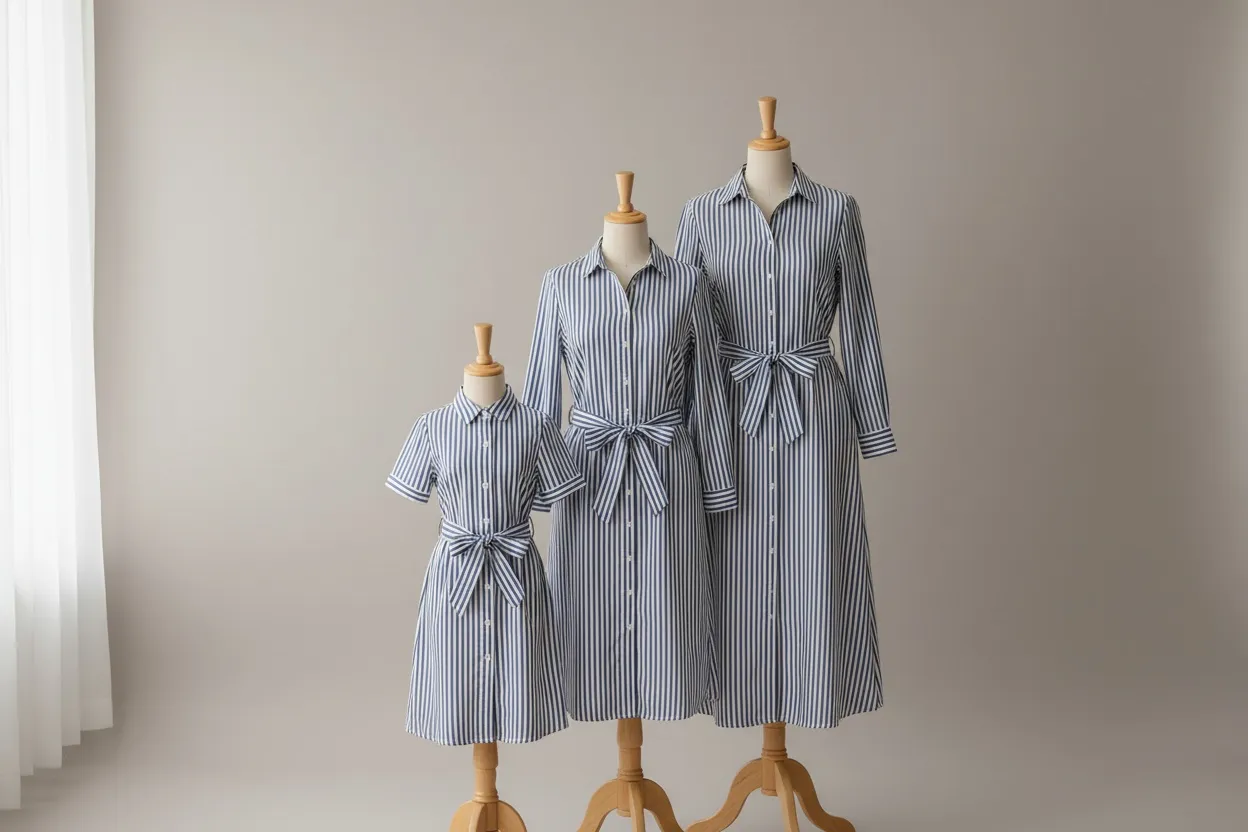
Best Virtual Try-On Tools for Ecommerce in 2026
The virtual try-on market has matured rapidly. Here are the leading solutions worth evaluating, including how they compare on the metrics that matter most for ecommerce operations.
Fashio AI
Virtual Try-On AI is a purpose-built fashion AI platform that includes virtual try-on as part of a broader visual commerce toolkit. Unlike standalone try-on tools, Fashio AI combines virtual try-on with AI model generation, pose variation, background removal, and catalog production — all trained specifically on fashion data.
- Type: Image-based (diffusion model)
- Strengths: Fashion-specific training, photorealistic output, handles complex fabrics and patterns, batch processing, full visual commerce pipeline
- Integration: API, Shopify, custom ecommerce
- Best for: Ecommerce brands that need try-on plus full catalog production
Google Virtual Try-On
Integrated into Google Shopping, this solution allows shoppers to see garments on models of various body types directly in search results. Limited to partner brands and Google's ecosystem.
- Type: Image-based
- Strengths: Massive reach via Google Shopping, diverse model options
- Limitations: Brand must be a Google Shopping partner, limited customization
- Best for: Large brands already in the Google Shopping ecosystem
Zeekit (Walmart)
Acquired by Walmart, Zeekit powers virtual try-on for Walmart's fashion marketplace. Users upload a photo and see garments placed on their own body.
- Type: Image-based
- Strengths: User photo upload, good body diversity support
- Limitations: Primarily available within Walmart ecosystem, limited third-party access
- Best for: Walmart marketplace sellers
Vue.ai
An enterprise AI platform offering virtual try-on as part of a broader retail automation suite including automated tagging and personalization.
- Type: Image-based
- Strengths: Enterprise-grade, integrates with PIM systems, strong analytics
- Limitations: Enterprise pricing, longer onboarding
- Best for: Large retailers with complex technology stacks
Style.me
A 3D-based virtual fitting room that creates a 3D avatar from body measurements and shows how garments fit in a full 3D environment.
- Type: 3D-based
- Strengths: True 3D visualization, detailed fit analysis, avatar customization
- Limitations: Requires 3D garment assets, more complex setup
- Best for: Brands investing in 3D fashion pipeline
| Tool | Type | Fashion-Specific | Self-Photo Upload | API Available | Shopify Integration | Pricing |
|---|---|---|---|---|---|---|
| Fashio AI | Image | Yes | Yes | Yes | Yes | From $49/mo |
| Google VTO | Image | Partial | No | No | No | Free (partner) |
| Zeekit | Image | Yes | Yes | Limited | No | Walmart ecosystem |
| Vue.ai | Image | Partial | Yes | Yes | Yes | Enterprise |
| Style.me | 3D | Yes | Avatar | Yes | Yes | From $299/mo |
Virtual Try-On Tools at a Glance
- Virtual Try-On AI — Full visual commerce platform with fashion-specific try-on, AI model generation, and batch processing. From $49/mo.
- Google Virtual Try-On — Integrated into Google Shopping for partner brands. Free but limited to Google's ecosystem.
- Zeekit (Walmart) — User photo upload, good body diversity. Primarily Walmart marketplace.
- Vue.ai — Enterprise-grade retail AI platform with PIM integration and analytics.
- Style.me — 3D-based virtual fitting room with avatar customization. From $299/mo.
Implementation Guide: Adding Virtual Try-On to Your Ecommerce Store
Implementing virtual try-on ranges from a 30-minute widget installation to a multi-month enterprise integration. Here is the step-by-step process for the most common scenarios.
Shopify Stores
- Choose your provider. Select a virtual try-on solution with native Shopify support. Fashio AI offers a Shopify-optimized integration.
- Install the app or embed script. For app-based solutions, install directly from the Shopify App Store. For script-based integrations, add the provider's JavaScript snippet to your theme's product template (typically
product.liquidor the corresponding section in Shopify 2.0 themes). - Map product images. Configure which product images should be used for virtual try-on. Best results come from flat lay or mannequin shots on clean backgrounds — not lifestyle images.
- Configure the try-on button. Position the "Try It On" button on your product page. Best practice: place it directly below the main product image or alongside the "Add to Cart" button for maximum visibility.
- Test across devices. Virtual try-on must work on mobile (where 70%+ of fashion ecommerce traffic originates). Test on iOS Safari, Chrome Android, and desktop browsers.
- Launch and measure. Run the feature for 30 days and compare conversion rate, return rate, and AOV against your baseline. Most brands see positive ROI within the first billing cycle.
Add Virtual Try-On to Your Shopify Store in 30 Minutes
Fashio AI integrates with Shopify out of the box. Upload your product images, configure the try-on button, and start reducing returns today.
Start creating →Custom Ecommerce (WooCommerce, Magento, Headless)
- API integration. Use the provider's REST API to send product images and receive try-on results. Typical API flow: POST product image + model image, receive rendered try-on image URL.
- Frontend widget. Build or use the provider's pre-built widget component. Most providers offer a React/Vue component or vanilla JavaScript embed that handles the user interface — photo upload, model selection, and result display.
- CDN and caching. Cache generated try-on images on your CDN. The same product-model combination produces the same result, so caching eliminates redundant API calls and improves load times.
- Analytics integration. Track try-on usage events in your analytics platform. Key events: try-on initiated, try-on completed, add-to-cart after try-on, purchase after try-on.
Technical Requirements
| Requirement | Minimum | Recommended |
|---|---|---|
| Product Image Resolution | 512 x 512 px | 1024 x 1024 px or higher |
| Image Format | JPEG, PNG | PNG (transparent background) |
| Product Image Type | Flat lay | Mannequin or flat lay, clean background |
| API Latency Budget | 10 seconds | 3-5 seconds |
| CDN | Optional | Recommended for caching results |
- Use flat lay or ghost mannequin shots — not lifestyle images
- Ensure the full garment is visible with no edge cropping
- PNG with transparent background gives the cleanest output
- Minimum 1024x1024 px resolution for photorealistic rendering
- Consistent lighting across your catalog improves batch results

Virtual Try-On for Different Product Categories
Virtual try-on performance varies by product category. Here is what to expect and how to optimize for each.
Clothing (Tops, Dresses, Outerwear)
This is the primary use case and where virtual try-on delivers the highest impact. Upper-body garments are the easiest to visualize accurately because pose estimation is most reliable for the torso. Dresses and full-body garments require full-body pose estimation but still produce excellent results with modern models. Optimization tip: Use flat lay or ghost mannequin product images. Ensure the garment is fully visible — no cropping at edges.
Pants and Bottoms
Lower-body garments present more variability due to leg pose diversity and the challenge of visualizing fabric behavior around the hips and thighs. Results are strong for structured bottoms (jeans, trousers) and improve with each model generation. Optimization tip: Provide front-facing product images with consistent background. Pair with a full-body model image for best results.
Accessories (Eyewear, Hats, Jewelry)
Accessories are ideally suited for AR-based try-on because they occupy a small, well-defined area of the body. Eyewear virtual try-on is the most mature category — Warby Parker proved the model over a decade ago. Optimization tip: For AR try-on, provide high-resolution product images with precise edge definitions. For image-based, ensure accessories are photographed against a transparent background.
Footwear
Shoe virtual try-on is advancing rapidly, driven by 3D scanning and AR capabilities. Nike's foot-scanning technology set the benchmark, and newer solutions are bringing similar capabilities to mid-market brands. Optimization tip: 3D-based solutions work best for footwear. If using image-based try-on, provide multiple angles (front, side, top-down).
Key Takeaway
Virtual try-on works across nearly all fashion categories in 2026. Upper-body apparel delivers the highest accuracy, accessories benefit most from AR, and footwear is best served by 3D solutions. For most catalogs, 80-90% of products are well-suited for virtual try-on today.
Platform Compliance and Consumer Trust
Virtual try-on involves processing personal images, which brings privacy and compliance responsibilities. Getting this right is not optional — it is a legal requirement and a trust-building opportunity.
Data Privacy (GDPR, CCPA)
If your virtual try-on feature processes user-uploaded photos, you are collecting biometric-adjacent data. Key compliance requirements:
- Explicit consent: Users must actively opt in before their photo is processed. A "Try It On" button click qualifies as active consent, but you must disclose what happens to the image.
- Data retention: State clearly how long uploaded images are stored. Best practice is to process and delete immediately, storing only the output image if needed.
- Right to deletion: Users must be able to request deletion of their images. Ensure your provider supports this.
- Third-party processing: If a third-party API processes the images, disclose this in your privacy policy and ensure the provider is GDPR-compliant.
Building Consumer Trust
Virtual try-on is still new enough that some shoppers are cautious about uploading their photos. Brands that address this proactively see higher adoption rates:
- Display a clear privacy notice next to the try-on button: "Your photo is processed securely and deleted immediately after use."
- Offer a model-based option for shoppers who prefer not to upload their own photo. Let them select a model that matches their body type.
- Show real try-on results in product reviews and marketing to normalize the feature.
- Make the try-on experience fast and frictionless — every extra step reduces adoption.
ROI Calculator: Virtual Try-On Investment vs. Return Cost Savings
The math on virtual try-on ROI is straightforward. Here is a framework for calculating it based on your store's specific numbers.
Cost of Returns Without Virtual Try-On
| Variable | Example Value | Your Store |
|---|---|---|
| Monthly orders | 5,000 | — |
| Average order value | $85 | — |
| Return rate | 30% | — |
| Returns per month | 1,500 | — |
| Cost per return (shipping + processing + restock) | $12 | — |
| Lost revenue on unsellable returns (10%) | $12,750 | — |
| Total monthly return cost | $30,750 | — |
Impact of Virtual Try-On
| Improvement | Conservative (30%) | Moderate (35%) | Aggressive (40%) |
|---|---|---|---|
| Returns prevented per month | 450 | 525 | 600 |
| Processing cost saved | $5,400 | $6,300 | $7,200 |
| Lost revenue saved | $3,825 | $4,463 | $5,100 |
| Total monthly savings | $9,225 | $10,763 | $12,300 |
Additional Revenue from Conversion Lift
Model this on your own numbers rather than ours: take your current monthly orders, apply whatever conversion lift your own A/B test produces, and multiply by your AOV. We are not going to supply a lift percentage — the honest answer is that it varies by catalog and no credible cross-industry average exists.
The cost side is knowable in advance. Fashio AI's Plus plan is $29.99/month for 160 credits, about $0.75 per generated image at 4 credits per generation, and there is no free tier, so the first month is the test on your own products first.
Key Takeaway
For a mid-market store with 5,000 monthly orders, virtual try-on saves $9,000-$12,000/month in return costs alone — before counting the revenue lift from higher conversions. At $500-$1,500/month for the technology, the payback period is under 30 days.
The Future of Virtual Try-On: What Is Coming Next
Virtual try-on technology is evolving fast. Here is what ecommerce operators should prepare for in the next 12-24 months.
AR Glasses and Spatial Commerce
Apple Vision Pro, Meta's Ray-Ban smart glasses, and the next generation of AR wearables will transform virtual try-on from a phone screen experience to a spatial one. Imagine walking through a physical store and seeing how items look on you without entering a fitting room — or browsing a virtual store from your living room. Brands building virtual try-on capabilities now are laying the foundation for spatial commerce readiness.
Real-Time Video Try-On
Current image-based try-on produces static results. The next generation will render garments on live video in real-time with full movement — walking, turning, sitting. This requires significant computational power but is already demonstrated in research labs and early-stage products. Expect mainstream availability by late 2026 to early 2027.
Multi-Garment and Outfit Try-On
Today, most solutions handle one garment at a time. The future is full outfit visualization — top, bottom, shoes, and accessories rendered together in a single try-on session. This unlocks virtual styling experiences where shoppers build and visualize complete outfits, dramatically increasing items per transaction.
Size Recommendation Fusion
Virtual try-on will merge with size recommendation engines. Instead of just showing how a garment looks, the system will also tell you which size will fit best based on body measurements extracted from the same photo. This combination addresses both the "look" and "fit" concerns that drive returns.
Social Try-On
Shoppers will share virtual try-on results directly to social media and messaging apps for feedback from friends before purchasing. This social validation loop mirrors how people shop in physical stores — asking friends "how does this look?" — and will drive significant referral traffic for brands that enable it.
Frequently Asked Questions About Virtual Try-On AI
What is virtual try-on AI?
Virtual try-on AI is technology that uses computer vision, body estimation, and generative AI to digitally place clothing or accessories onto a person's image or live video feed. It allows online shoppers to see how products look on them — or on a model matching their body type — before purchasing. Modern virtual try-on uses diffusion-based AI models trained on fashion datasets to produce photorealistic results, accurately rendering fabric drape, texture, and fit.
How accurate is virtual try-on technology in 2026?
Modern virtual try-on AI renders fabric drape, texture, pattern alignment, and body-specific fit convincingly enough for catalog and product-page use. Leading solutions like Virtual Try-On AI use diffusion models trained on large fashion datasets. Quality varies by garment complexity — structured items like jackets and blazers hold up best, while flowing fabrics like chiffon and silk are harder and show more artefacts. The technology has improved substantially over early GAN-based approaches and continues to advance with each model generation.
Does virtual try-on really reduce ecommerce returns?
Yes. ASOS added virtual try-on in 2026 as one part of a wider returns programme; it has not published a figure isolating try-on's own effect. The primary mechanism is that shoppers make better-informed purchase decisions when they can visualize how a garment looks on a body similar to theirs. For fashion ecommerce, where "it didn't look like I expected" is the top return reason, this directly addresses the root cause.
Can I add virtual try-on to my Shopify store?
Yes. Several virtual try-on solutions offer Shopify integrations, either as native Shopify apps or via JavaScript embed codes added to your product template. Fashio AI provides a Shopify-compatible integration that can be configured in under 30 minutes. The setup typically involves installing the app or adding a script tag to your theme, mapping product images to the try-on system, and positioning the try-on button on your product page.
How much does virtual try-on cost for an ecommerce store?
Pricing varies widely. Fashio AI's Plus plan is $29.99/month (or $99.99/year) for 160 credits, and at 4 credits per generation that works out to roughly $0.75 per generated image;. Enterprise virtual try-on platforms run into the thousands per month. Free tiers and trials are available from most providers, so you can validate the impact on your own catalog before committing.
What is the difference between image-based and AR-based virtual try-on?
Image-based virtual try-on processes a static photo — uploaded by the shopper or selected from a model gallery — and generates a new image with the garment digitally rendered onto the body. It produces the highest visual quality and works on any device. AR-based virtual try-on uses the device camera to overlay garments in real-time on a live video feed, creating an interactive mirror-like experience. Image-based is better for detailed apparel; AR-based excels for accessories, eyewear, and quick engagement. Many brands deploy both depending on the product category.
Is virtual try-on suitable for all fashion product categories?
Virtual try-on works best for apparel (tops, dresses, outerwear, pants), eyewear, and accessories. It is increasingly effective for footwear with 3D-based solutions. Jewelry, watches, and hats are well-served by AR-based try-on. Categories with complex layering, very loose or oversized fits, or heavy customization (e.g., bespoke tailoring) are more challenging but improving rapidly. For most fashion ecommerce catalogs, the bulk of the assortment is well-suited to virtual try-on as it exists today.
Ready to Add Virtual Try-On to Your Store?
See how Fashio AI's virtual try-on works on your own product images. Cancel any time.
Start creating →Does virtual try-on really reduce returns?
Yes. ASOS added virtual try-on in 2026 as one part of a wider returns programme; it has not published a figure isolating try-on's own effect. The primary driver is that shoppers make better-informed purchase decisions when they can visualize fit and style before buying.
How much does virtual try-on cost for ecommerce?
Pricing varies widely by provider and delivery model. Fashio AI's Plus plan is $29.99/month (or $99.99/year) for 160 credits — roughly $0.75 per generated image at 4 credits per generation —. Enterprise platforms run considerably higher. Free tiers and trials are available from most providers including Fashio AI.
Is virtual try-on suitable for all product categories?
Virtual try-on works best for apparel (tops, dresses, outerwear, pants), eyewear, and accessories. It is increasingly effective for footwear with 3D-based solutions. Categories like jewelry and watches also benefit. Products with complex layering or very loose fits can be more challenging but modern AI handles most scenarios well.