The Problem Every Fashion Brand Hits with AI Models
You generate your first AI fashion model image. It looks stunning — editorial quality, photorealistic, exactly what you wanted. Then you generate the second one for a different product. It's good, but something is slightly off. The third looks different again. By product number 50, your catalog is a collection of beautiful but visually incoherent images that don't feel like they belong to the same brand.
Realism is solved. Consistency is the real work.
This is the consistency problem — and it's the most common mistake brands make when adopting AI fashion models for the first time. This guide covers both: how to generate AI fashion models that look genuinely photorealistic, and how to maintain that quality and visual identity coherently across hundreds or thousands of SKUs.
What Actually Makes an AI Fashion Model Look Real
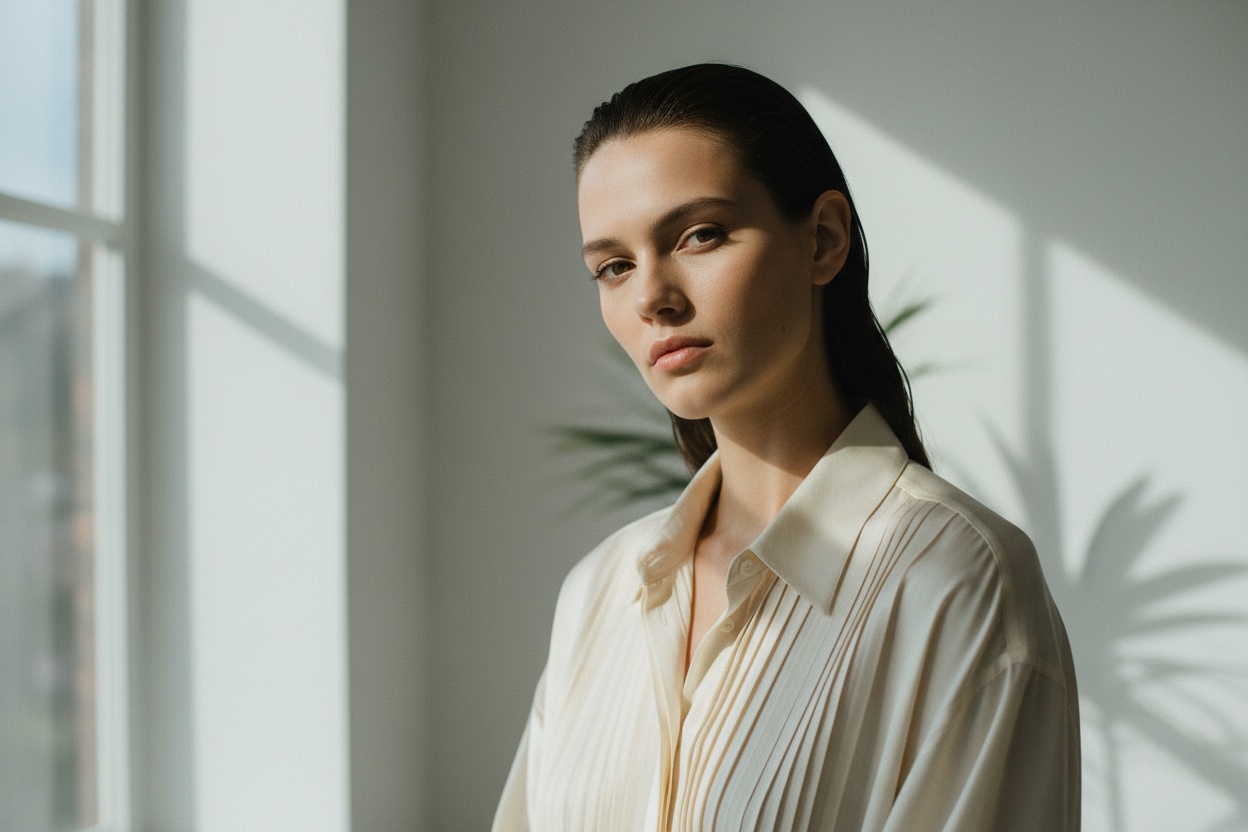
Before touching any tool, it's worth understanding the five factors that separate AI fashion photography that looks real from AI that looks generated. These apply whether you're using a dedicated fashion AI platform or any other AI image tool.
| Factor | What "Fake" Looks Like | What "Real" Looks Like |
|---|---|---|
| Fabric Drape | Stiff, flat, or unnaturally smooth fabric | Natural gravity, creases where they belong, weight-appropriate draping |
| Skin Rendering | Overly smooth, plastic-looking, no pores or texture | Subtle texture, realistic subsurface scattering, natural imperfections |
| Lighting Coherence | Shadows pointing in multiple directions, flat even illumination | Single consistent light source with matching shadows on model and clothing |
| Garment Fit | Floating fabric, misaligned seams, wrong size on model body | Garment sits naturally on the body with correct tension points |
| Pose Naturalism | Symmetrical or robotic posture, unnatural weight distribution | Slight weight shift, natural hand placement, relaxed but engaged posture |
Tip for Photorealism
General AI tools like Midjourney or DALL-E get some of these right some of the time. Fashion-trained models get all five right consistently — because they've been optimized on real fashion photography datasets where these elements are present in every training image. Always choose a fashion-specific AI tool for the best results.
The Two Approaches to AI Fashion Models
There are fundamentally two ways to create AI fashion models for your brand, and choosing the right one depends on your workflow and source material:
Approach 1: Product-First (Recommended for Most Brands)
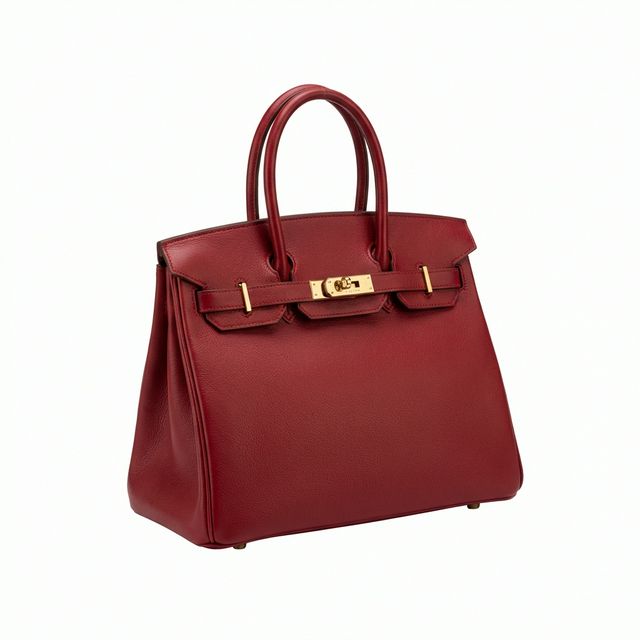
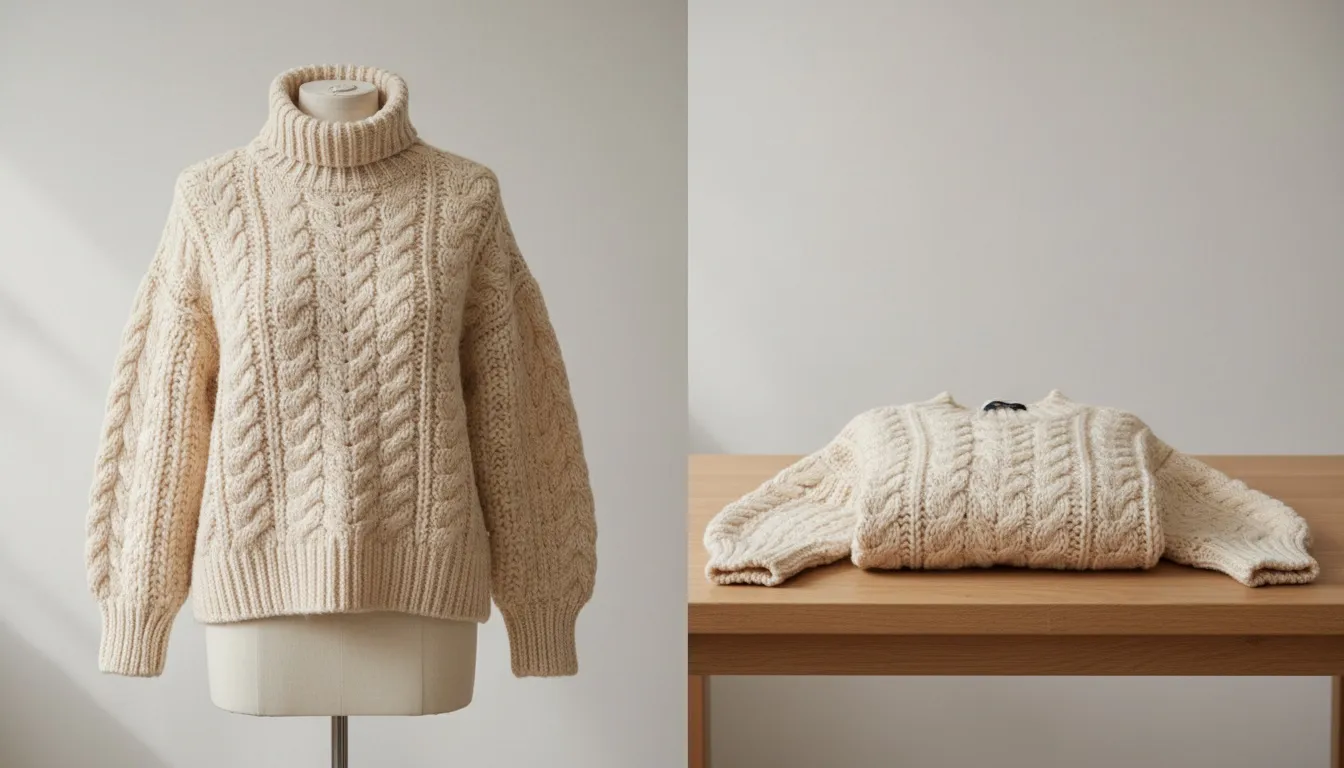
You start with your product image — flat lay, mannequin, or hanger shot — and the AI generates a model wearing your specific garment. The output is tied to your actual product, meaning garment accuracy is guaranteed. This is the approach used by AI Fashion Model Generator and Product to Model tool, and it's the recommended workflow for e-commerce catalog production.
Approach 2: Model-First (For Campaign & Editorial Use)
You define the model first — appearance, pose, setting — and then apply products to that model via virtual try-on. This gives you more creative control over the overall aesthetic and is better suited for brand campaigns and lookbooks. Fashio AI's Virtual Try-On enables this workflow, letting you dress any defined model in any garment.
Product-First vs. Model-First
| Product-First | Model-First | |
|---|---|---|
| Best for | E-commerce catalog, marketplace listings | Campaigns, lookbooks, editorial content |
| Input required | Product photo (flat lay / mannequin) | Model reference + product |
| Garment accuracy | Very high — product defines the output | High — with good input quality |
| Scale potential | Fully batchable — thousands of SKUs/day | Per-product setup required |
| Consistency across SKUs | High with standardized input workflow | Very high — model identity is fixed |
Step-by-Step: Creating Your First Realistic AI Fashion Model
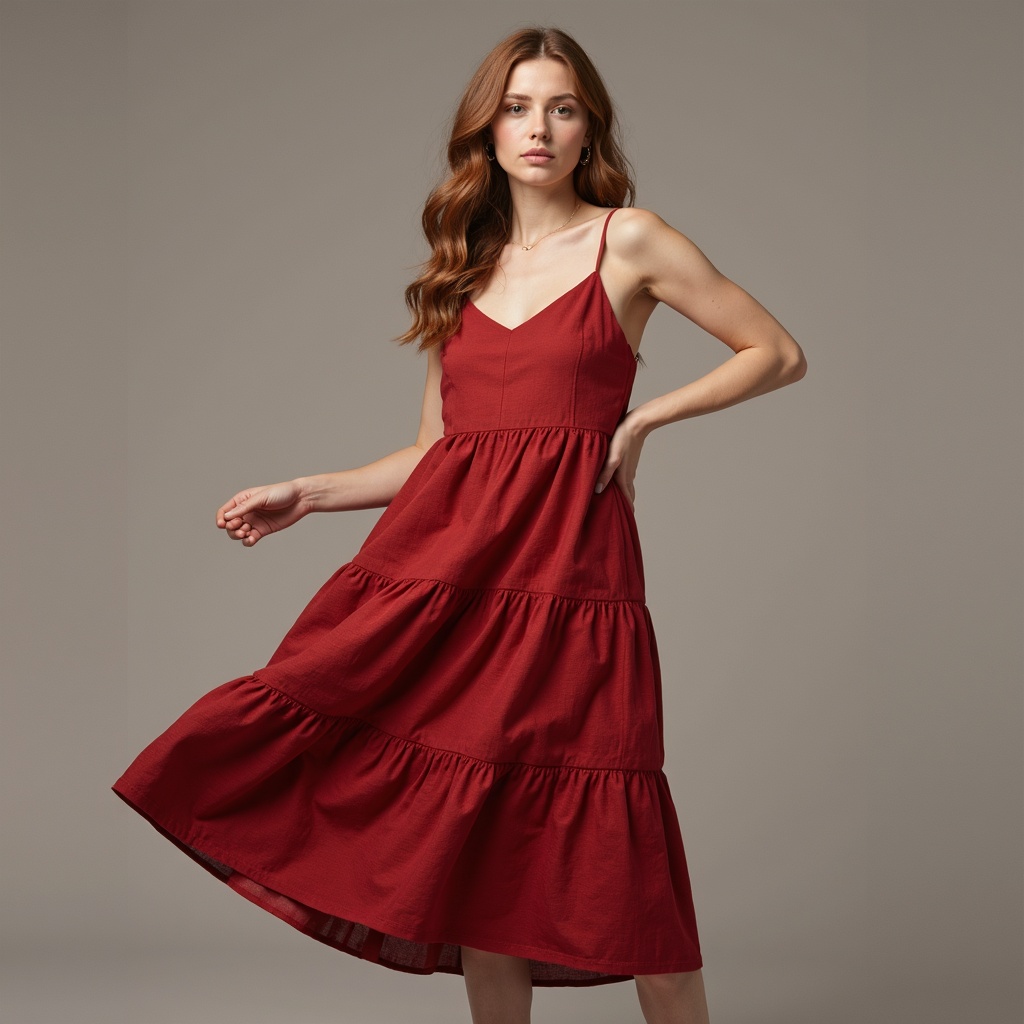
-
Step 1: Prepare Your Product Image
This is the most overlooked step and the biggest predictor of output quality. The AI model image will be only as good as your product input. Here's the standard for input images that produce excellent AI model output:
- Background: Pure white or very light neutral gray — no gradients, no props
- Lighting: Even, shadow-free illumination — no harsh single-source shadows
- Garment preparation: Steamed and wrinkle-free — any wrinkles in the input will transfer to the AI output
- Framing: Garment fills 70–80% of the frame with visible edges on all sides
- Resolution: Minimum 1000px on the long edge — 2000px+ for best results
- Format: JPEG at 90%+ quality or PNG — no heavy compression artifacts
If your existing product photos don't meet these standards, use Amateur to Professional to automatically correct lighting, background, and quality before feeding into the model generator.
-
Step 2: Choose Your Model Characteristics
Before generating, define your model identity. This is what you'll lock in and use across your entire catalog for consistency. Key decisions:
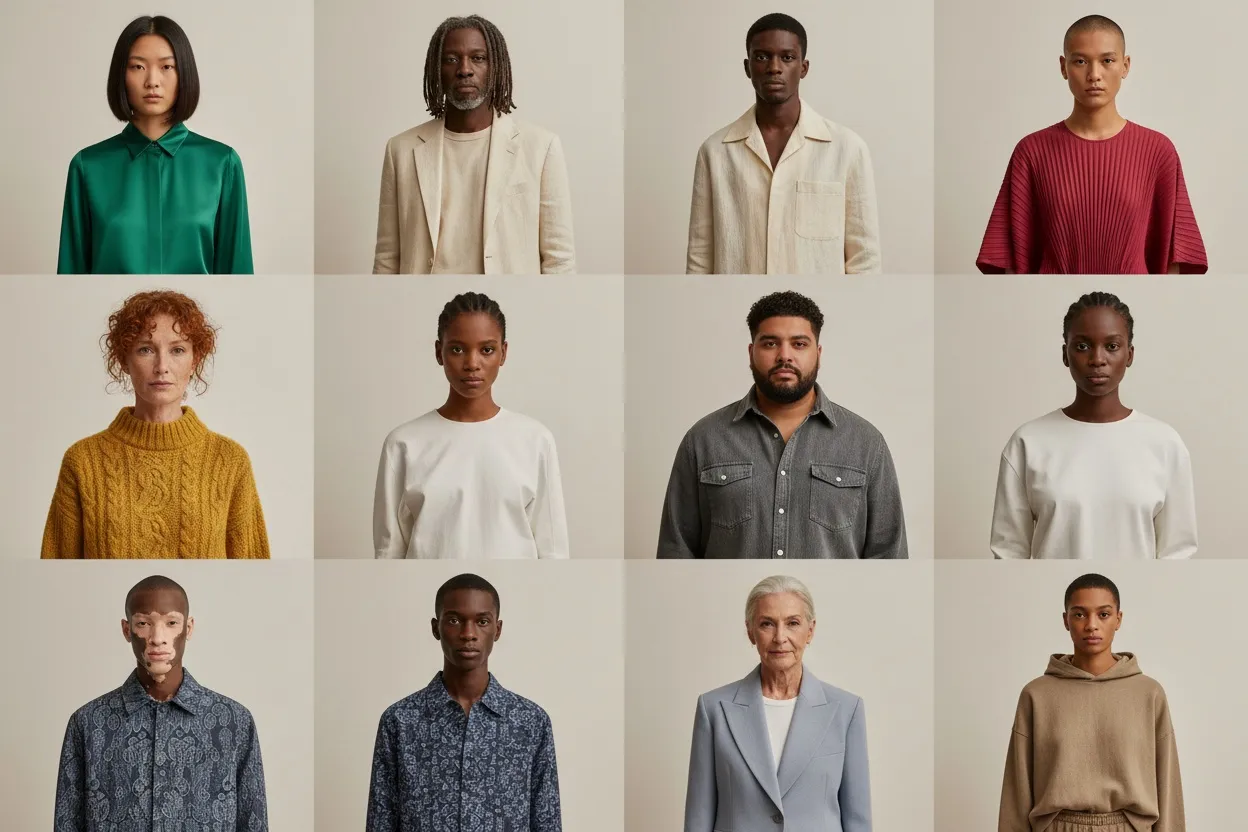
- Demographic: Age range, ethnicity, body type — decide what represents your brand and customers
- Aesthetic: Commercial catalog style (clean, neutral) vs. editorial (personality, energy)
- Expression: Neutral professional, soft smile, confident — pick one and stick with it
- Background: White studio, light gray, lifestyle setting — standardize across your catalog
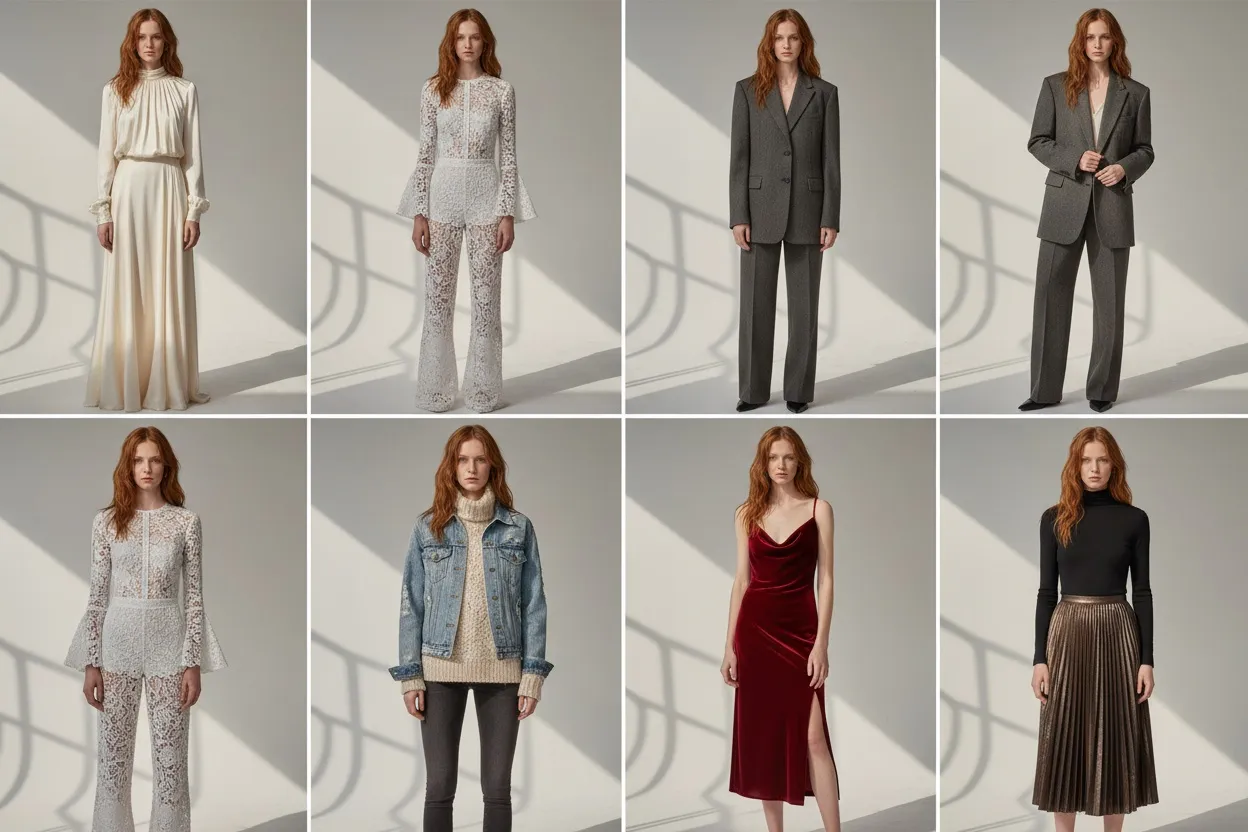
Document these decisions and apply them consistently to every product in your range. The most professional-looking catalogs use the same 1–3 defined model identities across all product categories.
-
Step 3: Generate the Base Model Image
With your input image and model specifications ready, use Fashio AI's AI Fashion Model Generator to produce your base image. The first pass establishes the look — review it against your five realism factors (fabric drape, skin, lighting, fit, pose) before proceeding.
If something is off:
- Drape issues: Check your input image — is the garment properly laid out or photographed?
- Fit issues: The model size specification may need adjustment to match your garment's sizing
- Lighting mismatch: Your input image may have strong directional shadows that are conflicting
- Pose feels stiff: Select a different pose style — natural/candid settings tend to outperform "fashion pose" presets for catalog use
-
Step 4: Generate Multiple Poses
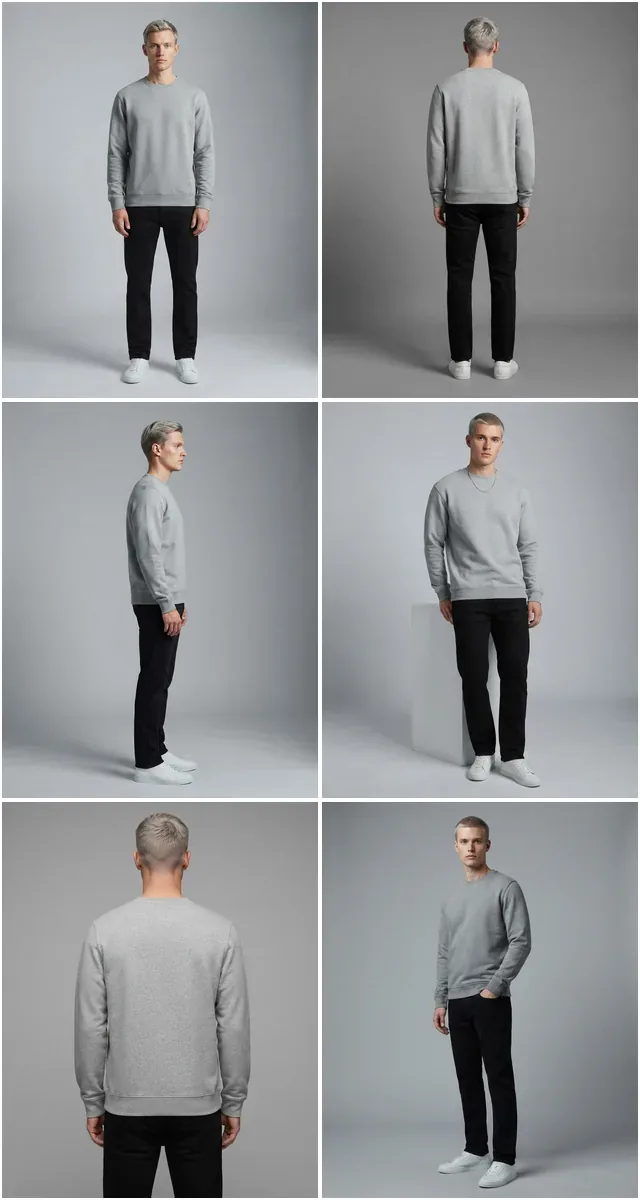
One model image per product is a minimum. Three to five is the standard for high-converting product pages. Once you have your approved base model image, use Pose Variation to generate front, three-quarter, and side views — maintaining consistent model identity and garment appearance across all angles.
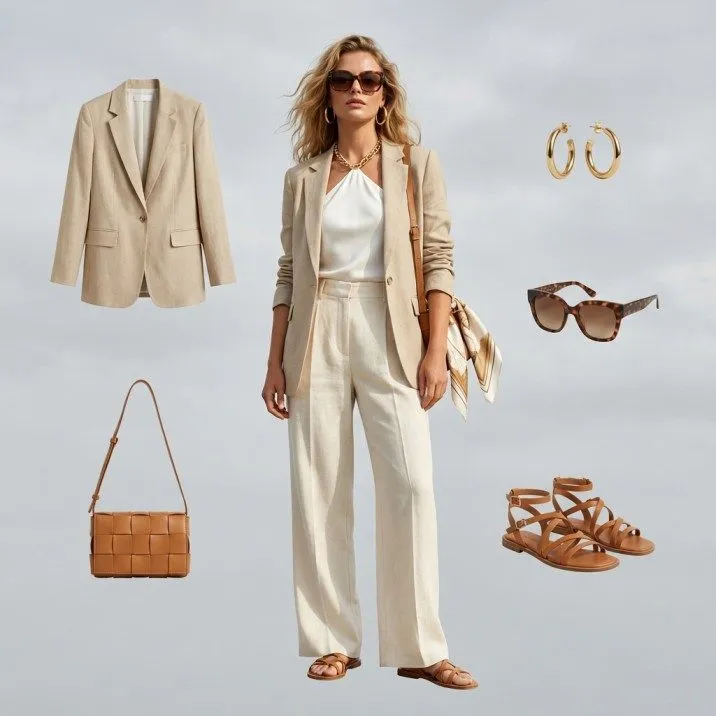
For catalog production, a standard set of 3 images per product (front, three-quarter front, three-quarter back) is achievable from a single input image and represents the minimum for a professional product page.
-
Step 5: Quality Review and Fine-Tuning
Before publishing, review each image against this checklist:
Checkpoint What to Look For Fix If Needed Garment accuracy Does the garment match the actual product color, pattern, and details? Re-generate with higher-quality input image Background consistency Is the background the same shade/style as other products in the catalog? Use background standardization or re-generate with same settings Model identity consistency Does this model look the same as the model in your other product images? Check your model specifications are identical across all generations Lighting direction Are shadows consistent with other catalog images? Use AI Image Editing for lighting correction Resolution Is the image sharp at full zoom? Use Fashion Photo Upscaler if needed -
Step 6: Process Your Full Catalog
Once your workflow is validated on 5–10 products, you're ready to batch process. Fashio AI supports batch operations across all tools — submit your full product library and get consistent model imagery back without manual intervention on each SKU.
Ready to Create Your First AI Fashion Model?
Generate photorealistic, consistent model imagery from your product photos in minutes — no studio, no photographer, no scheduling.
Start creating →The Consistency Framework: How to Keep It Uniform at Scale
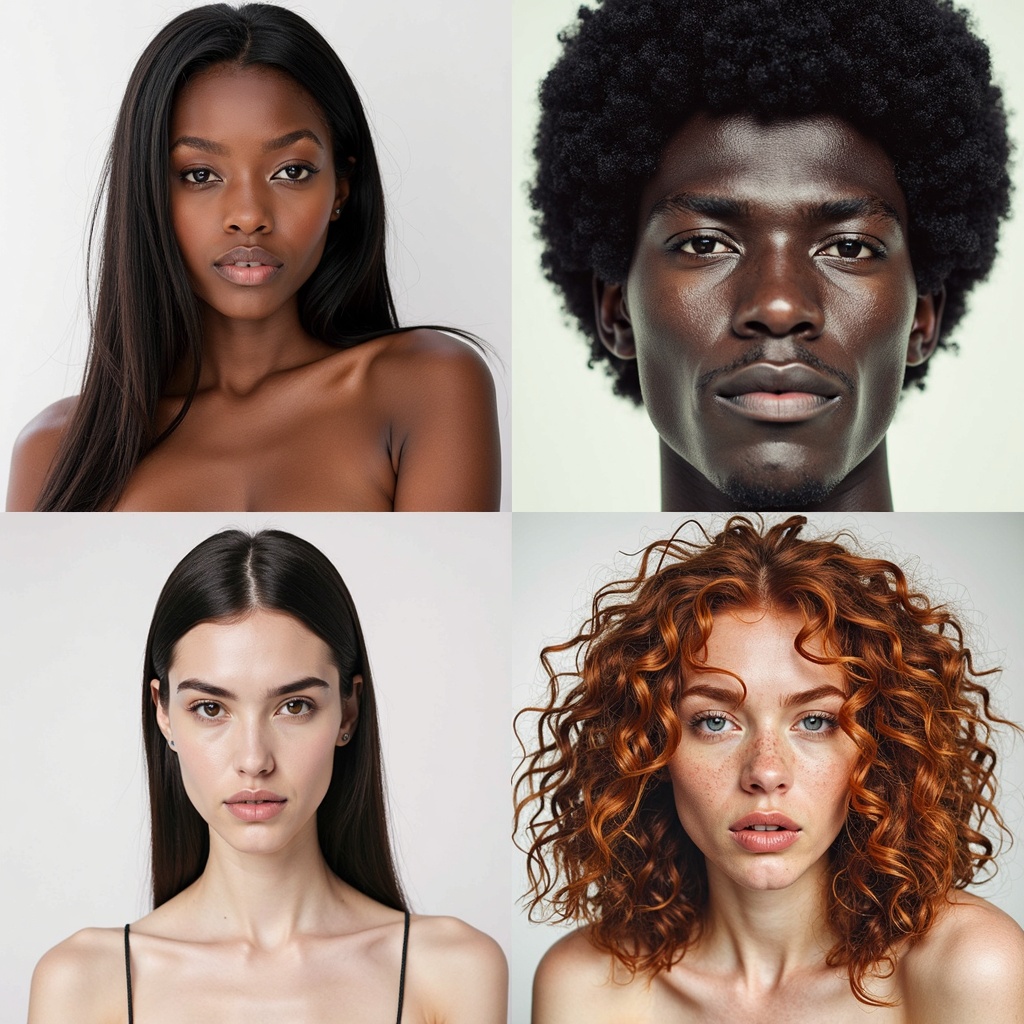
Consistency at scale comes from systematizing your workflow before you start, not fixing problems after. Here's the framework that leading fashion brands use:
1. Standardize Your Input Photography
All source product images should be shot (or processed) with identical settings: same background, same lighting setup, same distance from subject, same angle. If you're receiving images from multiple suppliers, run them through Amateur to Professional with a standardization preset before generating models from them.
2. Lock Your Model Identity
Define 1–3 model identities for your brand and document the exact settings for each. Apply the same identity consistently — never vary the model settings mid-catalog. If you want to introduce a new model look, do it across an entire collection simultaneously, not per-product.
3. Use the Same Background Standard
Pick one background for product catalog images and use it for every SKU. White studio is the safest for marketplace compatibility. If you want lifestyle backgrounds, create a separate lifestyle tier and process all products in that tier together. Mixing standards within a category creates a visually incoherent store.
4. Build a Style Reference Library
Keep your approved model images as reference files. When generating new products, compare outputs against your reference library before publishing. This human quality check takes seconds per image but prevents the subtle drift that accumulates when AI outputs are approved in isolation.
Consistency Checklist
- All product input photos use the same background, lighting, and framing
- Model identity settings are documented and locked — no mid-catalog changes
- 1–3 defined model identities maximum across your full catalog
- Single background standard per catalog tier (catalog vs. lifestyle)
- Style reference library maintained and checked against before publishing
- New model looks introduced per-collection, never per-product
AI Models vs. Traditional Models vs. Generic AI: A Real Comparison
Traditional Photography vs. Generic AI vs. Fashion-Specific AI
| Factor | Traditional Photography | Generic AI (Midjourney etc.) | Fashion-Specific AI (Fashio AI) |
|---|---|---|---|
| Realism quality | Highest (real humans) | Variable — often uncanny | Photorealistic — indistinguishable |
| Garment accuracy | Perfect | Poor — hallucination common | Very high — product-driven output |
| Consistency across catalog | Medium — depends on booking same team | Very low | Very high — locked model identity |
| Cost per image | $15–$100 | Low but production overhead high | Cents at scale |
| Turnaround time | Days to weeks | Fast but requires heavy prompt iteration | Minutes — batch capable |
| Scale ceiling | Low — shoot days are finite | Medium — but quality drops at scale | Unlimited — fully automated |
| Diversity & representation | Costly to achieve | Limited — inconsistent output | Any demographic at no extra cost |
| Marketplace compliance | Fully compliant | Inconsistent — may fail standards | E-commerce optimized output |
Key Statistics
The 6 Most Common Mistakes That Destroy AI Model Realism
Common Mistakes to Avoid
| Mistake | What Happens | The Fix |
|---|---|---|
| Using wrinkled or poorly photographed product images | Wrinkles and lighting problems transfer directly to the AI output | Steam garments before shooting; use Amateur to Professional for cleanup |
| Using a general AI tool (Midjourney, SD) for fashion | Hallucinated garment details, wrong patterns, plastic skin | Use a fashion-specific AI trained on real garment photography |
| Changing model settings between products | Catalog looks like different models throughout, incoherent brand identity | Lock model specifications and document them — never deviate mid-catalog |
| Publishing without quality review | Occasional garment inaccuracies or artifacts slip through to live store | 5-point checklist review for every batch before publishing |
| Mixing AI and traditional photography without standardization | Jarring quality and style inconsistency across the product range | Either standardize both to the same aesthetic, or clearly separate by collection |
| Skipping background standardization | Different background shades and styles per product destroy catalog uniformity | Use Background Removal to standardize to a single background across all SKUs |
Building an AI Model Workflow for Your Catalog Type
Workflow A: New Collection Launch (50–500 SKUs)
- Day 1: Photograph all garments with standardized flat lay setup
- Day 1: Run all images through Amateur to Professional for quality standardization
- Day 2: Batch generate model images via AI Fashion Model Generator
- Day 2: Generate 3 poses per product via Pose Variation
- Day 3: Quality review batch — flag any regeneration needs
- Day 3: Publish
Workflow B: Retroactive Catalog Upgrade (Existing Store)
- Week 1: Audit existing product images — identify which need quality improvement first
- Week 1: Run full catalog through Background Removal to standardize backgrounds
- Week 2: Batch generate model images for high-priority categories first
- Week 3–4: Roll out remaining categories
- Ongoing: New products follow the standardized workflow before publishing
Workflow C: Marketplace Seller (High Volume, Simple Format)
- Shoot or receive flat lay product image
- Auto-process via Product to Model API integration
- White background model image published automatically
- Zero manual steps after initial API setup
Frequently Asked Questions
How do I make an AI model for fashion that looks real?
The most reliable approach is to use a purpose-built fashion AI tool like Fashio AI's AI Fashion Model Generator. Start with a high-quality product image (flat lay or mannequin, white background, even lighting), specify your model characteristics, and the AI generates a photorealistic on-model image. Fashion-specific AI produces far more realistic results than general tools because it's trained on garment data and understands fabric physics, fit, and lighting.
Why do my AI fashion model images look inconsistent across products?
Inconsistency has three main causes: varying model specifications between generations, inconsistent input product photography, or using a tool that doesn't maintain model identity across outputs. Fix this by: standardizing your product photo format, locking your model identity settings, and using a tool designed for catalog-scale consistency. Document your model specifications and treat them like brand guidelines — never deviate from them without intention.
What is the best AI tool for generating fashion models?
Fashio AI's AI Fashion Model Generator is built specifically for fashion brands. Unlike general AI tools, it's trained on fashion photography, understands garment structure and fabric behavior, and maintains consistent model identity across your full catalog. For on-body imagery from flat lay inputs, Product to Model is the fastest route. For virtual try-on workflows where you dress a fixed model in different garments, Virtual AI Fashion Try-On is the right tool.
Can I use the same AI model across all my products?
Yes — and this is the recommended approach for catalog production. Using a consistent model identity across your range creates brand coherence, makes your store look professional, and helps customers understand sizing consistently. Define 1–3 model identities, document their specifications, and apply them consistently across all product generations.
How do I make AI fashion models look less artificial?
The biggest factors: clean, well-lit input product images; fashion-specific AI rather than general models; natural pose selections over stylized "AI poses"; and avoiding over-processing. AI models that look artificial typically have one of two problems — either the source input was low quality (transferring problems to the output), or a general AI tool was used that wasn't trained on real fashion photography and garment physics.
How many images should I generate per product?
The e-commerce standard is 3–5 model images per product: front view, three-quarter front, and either three-quarter back or side view as a minimum. For high-converting PDPs, adding a detail close-up and a lifestyle shot rounds out the set. Pose Variation generates multiple angles from your base model image automatically — you don't need to re-generate from scratch for each view.
What input format works best for generating AI fashion models?
Flat lays on white backgrounds consistently produce the best AI model outputs. Ghost mannequin shots are also excellent. Hanger shots work but may produce slightly less natural drape simulation. The non-negotiables: even lighting with no harsh shadows, a clean background with no props or distractions, and the garment steamed and wrinkle-free. Any imperfections in the input will appear in the AI output.
Do I need separate AI model images for different marketplaces?
Different marketplaces have different image requirements (square vs. portrait, white background vs. lifestyle, resolution minimums). The best practice is to generate your base model images at maximum resolution with a white background, then use AI Image Editing and Photo Reframe to create the specific crops and format variations each channel requires from a single source. This eliminates the need for separate shoots per channel.
Can I use the same AI model across all my products for a consistent look?
Yes, and this is actually the recommended approach. Using the same AI model identity across your catalog creates a cohesive brand aesthetic, makes your store look professional, and helps customers understand sizing consistently. Fashio AI's platform lets you define a model with specific characteristics and apply them consistently across your entire product range.
How do I make AI fashion models look more natural and less artificial?
The biggest factors for natural-looking AI fashion models are: starting with high-quality, well-lit product images; using fashion-specific AI rather than general image generators; choosing natural, catalog-appropriate poses rather than extreme angles; and ensuring the garment input image is clean and wrinkle-free. AI tools trained on real fashion photography inherently produce more natural-looking results than general models.
How many AI model images can I generate from a single product photo?
From a single product photo, you can generate multiple model images in different poses, backgrounds, and model characteristics. Using Fashio AI's Pose Variation generator in combination with the model generator, brands typically produce 5–8 distinct model images per product from a single source shot — front view, three-quarter view, lifestyle setting, detail close-up, and more.
Do AI fashion models look good enough for professional e-commerce stores?
Yes — today's fashion-specific AI models produce imagery that is indistinguishable from traditional model photography in most e-commerce contexts. Top fashion brands are already using AI-generated model imagery for their main product catalogs. The quality has crossed the threshold for professional use, with the key being to use a purpose-built fashion AI tool and start with quality product input images.
What input image format works best for AI fashion model generation?
The best inputs for AI fashion model generation are: flat lay images on a white background, ghost mannequin shots, or clean hanger shots — all with consistent, even lighting and no shadows. The garment should fill most of the frame. Wrinkles and folding artifacts in the input image will appear in the AI output, so steaming or ironing before shooting produces better AI results.
The Right Foundation Makes Everything Else Easy
Creating AI fashion models that look real and stay consistent isn't complicated once you understand the fundamentals — quality inputs, standardized workflow, locked model identity, and fashion-specific tools. The brands that get this right don't have better taste or bigger budgets. They have a better process that they follow consistently.
Fashio AI's platform gives you every tool in this workflow in one place: model generation, virtual try-on, pose variation, background standardization, quality enhancement, and image editing. The tools are designed to work together, which means your consistency isn't something you have to engineer — it's built into the pipeline by default.
Start Generating AI Fashion Models Today
From flat lay to photorealistic on-model imagery in minutes. Model generation, pose variation, background standardization — all in one platform.
Start creating →