

Why Fashion Brands Are Moving Beyond VModel AI in 2026
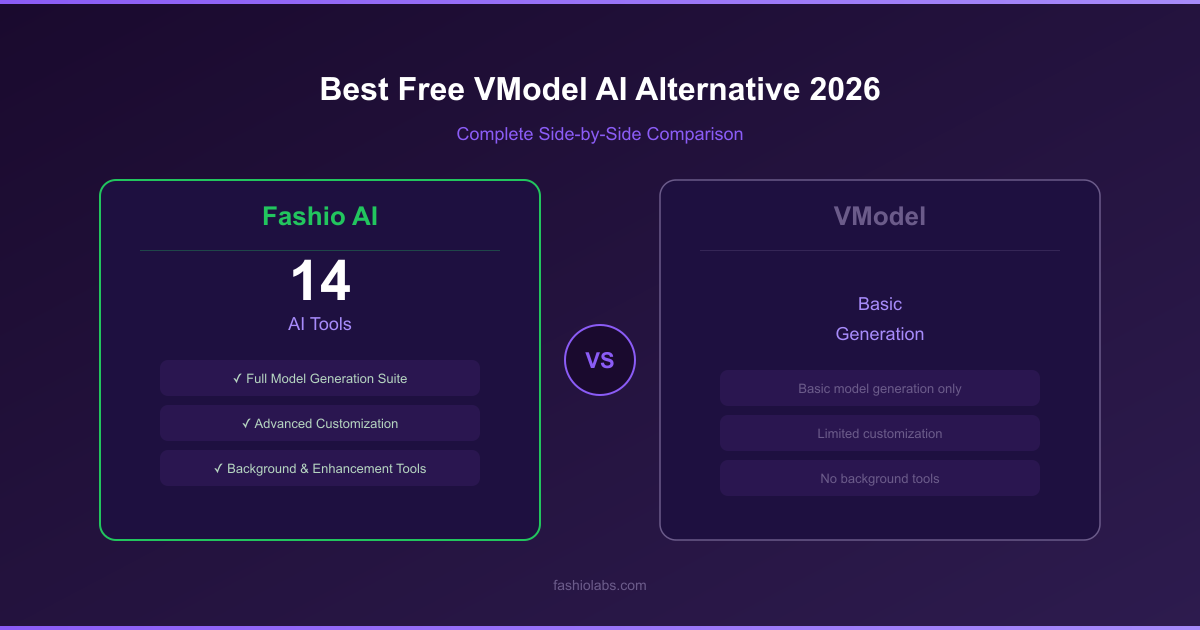
Most teams that outgrow VModel are not looking for better model generation — they are looking for the rest of the pipeline: try-on, video, background work, and upscaling in one place.
VModel AI entered the AI fashion model generation space with a simple promise: use artificial intelligence to create model photography without hiring real models. The concept resonated. But basic model generation is only one step of a catalog workflow, and VModel's approach is no longer enough for fashion brands that need a complete production platform.
VModel handles basic model generation, but its limited feature set leaves fashion brands scrambling for additional tools. No virtual try-on. No ghost mannequin processing. No dedicated background removal. No UGC video creation. No photo upscaling. For brands that need more than a one-trick platform, VModel is a starting point — not a solution.
Enter Fashio AI: a complete AI fashion photography platform with a fashion-specialised set of generation and editing tools, the full AI model library (its make-up by ethnicity, body type, age band and skin tone is published on Fashio AI by the numbers), and a pipeline built for garment photos across every garment type and product category.
Here's the full breakdown of where Fashio AI is the stronger VModel alternative in 2026.
Fashio AI vs VModel — At a Glance
| Feature | Fashio AI | VModel AI |
|---|---|---|
| Total AI Tools | A fashion-specialised set of generation and editing tools | Limited tool set (basic model generation) |
| Free Tier | No free plan; setting up a shot needs no account | Limited free access |
| Pricing Model | $14/mo Starter (50 credits), or $59.99/yr billed yearly; 4 credits per fashion image | Paid plans required for full access |
| Product Support | All garments + accessories + jewelry + footwear | Primarily clothing-focused |
| AI Model Customization | Choose from the model library or describe a new model in text | Basic generation options |
| Output Resolution | Standard web resolution; a fixed 2x upscale turns a 1080p source into 4K | Standard resolution |
| Video Generation | 2 tools: Photo-to-Video + UGC Video | Not available |
| Background Removal | Dedicated tool, marketplace ready | Not offered as standalone tool |
| Ghost Mannequin | Dedicated tool with auto neck joint | Not available |
| Photo Upscaling | 2x upscale (1080p to 4K), fabric detail enhancement | Not available |
| Virtual Try-On | Full garment try-on with fabric accuracy | Not available |
| Pose Variation | Precision texture-mapped pose control | Limited pose options |
| Batch Processing | One image at a time (no batch queue) | Limited or no batch capabilities |
| Public API | Yes — REST API (docs.fashiolabs.com) and an MCP server on every plan; free self-serve key, calls bill the account's credits | Not compared here |
VModel's Biggest Problems — And Why Brands Are Switching
No virtual try-on. No ghost mannequin processing. No dedicated background removal. No UGC video creation. No photo upscaling. When your platform does one thing and your brand needs fourteen, the math doesn't work.
VModel isn't without merit. It introduced many fashion brands to AI model generation and proved the concept works. But with 49 listed alternatives and counting, the market is clearly telling us that VModel's basic approach isn't meeting real production needs. Here are the key gaps:
1. A Basic Tool in a Multi-Tool World
This is VModel's fundamental limitation. The platform focuses on basic AI model generation — putting garments onto AI-generated models. That's one capability out of the dozen-plus that modern fashion brands need daily. There's no background removal, no ghost mannequin processing, no photo upscaling, no virtual try-on, no video creation, no flat lay conversion, and no advanced image editing.
When your platform does one thing and your brand needs fourteen, the math doesn't work. You end up subscribing to multiple tools, managing multiple workflows, and paying multiple bills — all because your primary platform lacks breadth.
2. Limited Model Customization
VModel offers basic model generation, but the customization options are limited. You can't describe your ideal model through detailed text prompts, create persistent brand characters that maintain pixel-perfect consistency across hundreds of product images, or generate unlimited demographic variations on demand. For fashion brands that need to represent diverse audiences and build a recognizable visual identity, basic generation falls short.
3. No Video Content Creation
In 2026, video isn't optional — it's the primary content format for social commerce. TikTok, Instagram Reels, YouTube Shorts, and Pinterest Idea Pins all demand short-form video content. VModel doesn't offer any video creation tools, forcing brands to use separate platforms (and budgets) for their video needs. That's a massive gap in a market where social video drives the majority of fashion discovery.
4. No Accessory or Jewelry Support
VModel's basic model generation is designed primarily for clothing. If your brand sells jewelry, watches, handbags, shoes, belts, scarves, or sunglasses, you'll likely find the platform inadequate. Fashion brands that sell complete looks or multi-category collections need a tool that handles every product type — not just garments.
5. Limited Batch Processing
Fashion brands process entire collections — hundreds or thousands of SKUs — not individual products. VModel's limited batch capabilities make it impractical for brands with large catalogs that need consistent, high-volume output. Processing items one at a time when you have 500 SKUs to photograph is a recipe for missed deadlines and production bottlenecks.
To be clear, Fashio AI does not fix this one: it also runs one generation at a time, with no batch queue. What it changes is the number of separate tools those SKUs have to pass through.
6. Standard Output Quality
VModel produces standard resolution outputs. For brands that need high-resolution images for print catalogs, large-format displays, or high-DPI e-commerce pages, standard resolution isn't enough. There's no photo upscaling tool to enhance outputs, and no fabric detail enhancement to ensure garment textures look production-ready at any size.
Why Fashio AI Is the Stronger VModel Alternative
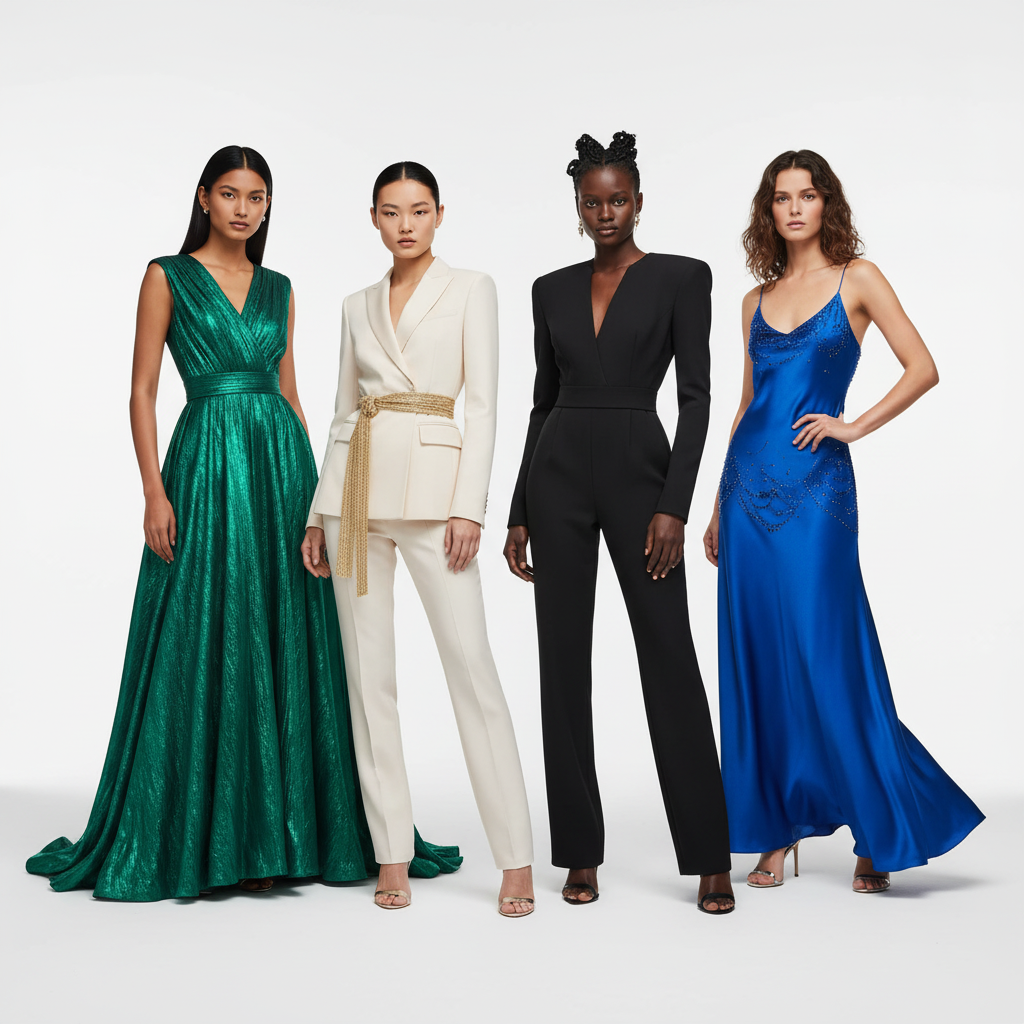
Fashio AI covers most of VModel's gaps (not batch processing — it also runs one generation at a time) and adds capabilities the platform doesn't offer:
1. A Full Tool Set vs VModel's Limited Set
VModel gives you basic model generation. Fashio AI gives you a fashion-specialised set of generation and editing tools — all under one platform, one subscription, one workflow:
| Category | Fashio AI Tool | VModel Equivalent |
|---|---|---|
| Model Generation | AI Fashion Model Generator | Basic AI Model Generation |
| Virtual Try-On | Virtual AI Fashion Try-On | Not available |
| Flat Lay Conversion | Flat Lay to Catalog Creator | Not available |
| Mannequin Processing | Mannequin to Flat Lay | Not available |
| Pose Control | Pose Variation | Limited pose options |
| Photo to Video | Photo to Video | Not available |
| UGC Video | UGC Video Creator | Not available |
| Background Removal | Remove Background | Not available |
| Product to Model | Product to Model | Not available |
| Photo Enhancement | Amateur to Professional | Not available |
| Photo Upscaling | Fashion Photo Upscale | Not available |
| Photo Reframing | Photo Reframe | Not available |
| Image Editing | AI Image Editing | Not available |
That's twelve tools in this table that VModel doesn't offer — each one purpose-built for fashion production workflows. A platform that covers only a fraction of the workflow leaves you assembling the rest from other subscriptions.
2. All Product Types — Not Just Clothing
While VModel is primarily designed for clothing, Fashio AI handles the full spectrum of fashion products:
- Clothing — all garment types including tops, bottoms, dresses, outerwear, swimwear, activewear, and lingerie
- Jewelry — rings, necklaces, earrings, bracelets, watches via the Product to Model tool
- Accessories — bags, belts, scarves, hats, sunglasses, and more
- Footwear — shoes, boots, sneakers, and sandals
For fashion brands that sell complete looks or multi-category collections, this is the difference between using one platform and needing three or four.
3. Model Customization vs Basic Generation
VModel gives you basic model generation with limited customization. You get what the system gives you — and that's it.
Fashio AI's AI Fashion Model Generator lets you:
- Describe any model via text prompts — specify exact age, ethnicity, body type, hair, facial features, and expression
- Create consistent characters that keep the same identity across your catalog and campaign
- Generate variations — different poses, expressions, and settings with the same model identity
- Full commercial use rights — commercial use of every output, no model releases, no royalties, on every plan and pack
The difference between basic generation and full creative control is the difference between generic product images and a cohesive brand visual identity that converts.
4. Dedicated Video Creation — A Complete Gap in VModel
VModel offers zero video creation capabilities. In a market where TikTok, Instagram Reels, and YouTube Shorts drive the majority of fashion product discovery, that's not a minor omission — it's a critical gap.
Fashio AI offers two dedicated video tools:
- Photo to Video — convert product stills into polished short-form videos with AI animation, music sync, and multiple aspect ratios (9:16 for TikTok/Reels, 16:9 for YouTube, 1:1 for Instagram)
- UGC Video Creator — generate authentic user-generated content style videos that consistently outperform polished brand content on social platforms
Photo to Video costs 15 credits per clip and a UGC video 20 credits (40 on pro), one video per run. You can power an entire social video strategy from one platform — something VModel simply cannot do.
5. Fewer Steps per Product Image
Fashio AI produces an on-model image in one run, without a photoshoot: upload your product image, set up the shot, and generate. It runs one generation at a time, so a seasonal collection is still produced image by image, but in minutes, not the weeks a shoot takes.
| Metric | Fashio AI | VModel |
|---|---|---|
| Cost per Image | 4 credits, stated — $1.12 on Starter, $0.75 on Plus, $0.40 on Pro | Varies by plan |
| Revision Time | Re-generate in a new run (4 credits) | Re-process from scratch |
| Batch Processing | One image at a time (no batch queue) | Limited or no batch support |
| Time-to-Publish | No photoshoot to book | Multiple sessions for large catalogs |
6. Output Quality Tools VModel Does Not Offer
VModel produces standard resolution outputs suitable for basic web use. Fashio AI generates at standard web resolution too, and adds tools to improve what you have:
- Fashion Photo Upscale — a fixed 2× upscale (3 credits): a 1080p source becomes 4K (3840×2160), with fabric detail enhancement that preserves weave, texture, and print accuracy
- Amateur to Professional — upgrade smartphone photos to studio-quality output with professional lighting, color correction, and composition
- Photo Reframe — optimize images for any platform's aspect ratio without cropping quality
For brands that need larger images for high-DPI e-commerce pages, the 2× upscaler is the step VModel has no equivalent for.
See Why Brands Are Switching from VModel
Plans start at $14 a month (Starter, 50 credits). You can upload a photo and set up the shot before signing up; generating needs a membership from $14 a month.
Start creating →Pricing Comparison: Fashio AI vs VModel
Let's talk numbers. Fashion brands need to know exactly what they're paying and what they're getting:
| Comparison | Fashio AI | VModel AI |
|---|---|---|
| Free Tier | No free plan; setting up a shot needs no account | Limited free access |
| Pricing Model | Starter $14/mo (50 credits), Plus $29.99 (160), Pro $49.99 (500); annual $59.99 / $99.99 / $199.99 | Paid plans for full access |
| Tools Included | Every tool on every plan | Limited tool set |
| Video Creation Cost | Included — 2 dedicated video tools (15 credits per AI video, 20/40 per UGC video) | Not available (separate tool needed) |
| Cost at Scale (500+ images) | 4 credits per fashion image, stated — $0.40 on Pro, $0.43 via the 1,200-credit pack | Expensive for large volumes |
| Commercial Rights | Commercial use of every output on every plan and pack, no royalties | Varies by plan |
| Annual Plans | $59.99 / $99.99 / $199.99 per year | Varies |
The difference is coverage and a stated price: Fashio AI puts more of the workflow on one plan at 4 credits per fashion image. When you factor in the cost of supplementing VModel with separate tools for video, background removal, upscaling, and other needs, the total cost of a VModel-based workflow far exceeds Fashio AI's all-in-one pricing.
Detailed Feature Face-Off
| Capability | Fashio AI | VModel AI | Winner |
|---|---|---|---|
| On-Model Photography | Built for garment photos, all garment types + accessories | Basic model generation, clothing-focused | Fashio AI |
| Model Diversity | Model library plus custom models described in text | Limited customization options | Fashio AI |
| Brand Consistency | Consistent character system | No persistent character system | Fashio AI |
| Flat Lay Conversion | Flat lay to styled catalog (12 credits for 4 shots) | Not available | Fashio AI |
| Mannequin Processing | Ghost mannequin with auto neck joint, symmetry correction | Not available | Fashio AI |
| Virtual Try-On | Full garment try-on with fabric accuracy | Not offered | Fashio AI |
| Pose Variation | Precision texture-mapped pose control | Limited pose options | Fashio AI |
| Background Removal | Dedicated tool (2 credits), marketplace-ready cutouts | Not offered as standalone | Fashio AI |
| Photo Upscaling | 2x upscale (1080p to 4K), fabric detail enhancement | Not available | Fashio AI |
| Photo to Video | Multi-format, music sync, brand kit | Not available | Fashio AI |
| UGC Video | Dedicated UGC creator for social performance | Not available | Fashio AI |
| Batch Processing | One generation at a time (no batch queue) | Limited or no batch capabilities | Neither |
| Accessories Support | Jewelry, bags, shoes, watches, accessories | Primarily clothing | Fashio AI |
| Photo Enhancement | Amateur-to-professional upgrade tool | Not available | Fashio AI |
| Photo Reframing | Multi-platform aspect ratio optimization | Not available | Fashio AI |
Fashio AI covers 14 of these 15 categories; on batch processing neither tool has a real queue.
Score: Fashio AI leads on 14 of 15 categories, and neither offers batch processing. The gap is breadth: VModel covers one step of the workflow, Fashio AI covers most of it.
Who Should Still Consider VModel?
In fairness, VModel may still be suitable for a narrow set of use cases:
- You only need basic AI model generation for a very small catalog and have no other production needs
- You're experimenting with AI fashion photography for the first time and want the simplest possible tool before upgrading
- You have a very small budget and only need to generate a handful of images per month without video or advanced features
- You already use separate dedicated tools for background removal, upscaling, video, and editing — and only need VModel for the model generation step
For brands that need more of the pipeline than model generation, Fashio AI is the stronger fit.
Who Should Use Fashio AI?
Fashio AI fits best for:
- Fashion brands selling clothing AND accessories — one platform for the full product range
- E-commerce teams with 100+ SKUs that need catalog consistency and a stated per-image cost (one generation at a time, no batch queue)
- Social-first brands that need video content at scale for TikTok, Reels, and YouTube Shorts
- Budget-conscious startups that want a $14 Starter entry, a stated 4-credit cost per image, and credit packs that never expire
- Teams without a photoshoot budget that need production-ready images in minutes, not weeks
- Brands wanting creative control — custom AI models, precision pose control, diverse models across 10 ethnicities and 10 body types, and consistent brand characters
- Teams tired of juggling multiple tools — one platform for everything from model generation to video creation to photo upscaling
The Verdict: Fashio AI vs VModel in 2026
VModel proved AI fashion model generation is viable. But viability isn't enough in 2026 — fashion brands need a complete, fast, affordable production platform.
VModel proved that AI fashion model generation is viable. But viability isn't enough in 2026. Fashion brands need more than basic model generation — they need a complete, fast, affordable production platform that handles every product type, scales to any catalog size, and produces content for every channel.
- A fashion-specialised set of generation and editing tools vs VModel's limited set
- A stated 4-credit cost per image, $14 Starter entry
- Dedicated video creation tools (Photo-to-Video + UGC Video)
- Full product support: clothing, accessories, jewelry, footwear
- Model customization from the library or by text description
- Watermark-free outputs with commercial use rights on every plan and pack
Brands that leave VModel are consistently after the same thing: more of the pipeline in one place. Fashio AI delivers that — with a fashion-specialised set of generation and editing tools, model customization, dedicated video creation, full accessory support, and full commercial use rights on every output. It still runs one generation at a time, so plan large catalogs image by image.
Make the switch. Your catalog — and your budget — will thank you.
Ready to Replace VModel?
Plans start at $14 a month (Starter, 50 credits). You can upload a photo and set up the shot before signing up; generating needs a membership from $14 a month.
Start creating →FAQ: Fashio AI vs VModel
What is the best free alternative to VModel AI?
Fashio AI is not free on the web: a new web account starts with 0 credits. You can upload a photo and set up the shot without an account; generating needs a membership from $14 a month. The reason to pick it over VModel is coverage at a stated price: a fashion-specialised set of generation and editing tools (virtual try-on, ghost mannequin, background removal, photo upscaling, photo-to-video and UGC video) at 4 credits per fashion image, about $1.12 on Starter, with commercial use of every output on every plan and pack. VModel is enough if you only need basic model generation and its limited free access covers your volume.
How does Fashio AI compare to VModel for AI fashion model generation?
Fashio AI covers more of the workflow: a fashion-specialised set of generation and editing tools vs VModel's limited feature set, a model library you can filter or extend by describing a new model vs basic generation, two dedicated video creation tools, and support for all product types including accessories and jewelry — not just clothing. It runs one generation at a time; there is no batch mode.
Is VModel AI free to use?
VModel offers limited free access, but full capabilities and advanced features require paid plans. Fashio AI has no free plan either: a new web account starts with 0 credits; you can upload a photo and set up the shot without an account, and generating needs a membership from $14 a month. Plans start at $14 a month (Starter, 50 credits), and every plan carries every tool, watermark-free outputs and commercial use of every output, with no royalties.
Why are users looking for VModel alternatives?
Users seek VModel alternatives due to its limited feature set, basic model generation capabilities, lack of video creation tools, no accessory or jewelry support, and the need to use multiple separate platforms for a complete fashion production workflow.
Does Fashio AI offer more tools than VModel?
Yes. Fashio AI offers a fashion-specialised set of generation and editing tools, including AI Fashion Model Generator, Virtual Try-On, Flat Lay to Catalog, Ghost Mannequin, Pose Variation, Photo-to-Video, UGC Video, Background Removal, Product to Model, Amateur to Professional, Photo Upscale, Photo Reframe, and AI Image Editing. VModel offers a much more limited set focused primarily on basic model generation.
Can Fashio AI handle accessories and jewelry unlike VModel?
Yes. Fashio AI's Product to Model tool handles jewelry, accessories, bags, shoes, watches, and more — converting product shots into editorial model photography. VModel's basic model generation is primarily designed for clothing, making Fashio AI the better choice for accessory and jewelry brands.
Which platform is better for scaling fashion content production?
Fashio AI covers more of a scaling workflow: a fashion-specialised set of generation and editing tools under one platform, two dedicated video creation tools, a stated 4 credits per fashion image ($1.12 on Starter, $0.40 on Pro) and credit packs that never expire. It runs one generation at a time, with no batch mode, so a large catalog is still produced image by image, but without adding separate subscriptions for the steps VModel does not cover.
