

What is the best free alternative to WearView?
Fashio AI is not free on the web either: a new web account starts with 0 credits. You can upload a photo and set up the shot without an account; generating needs a membership from $14 a month. WearView has no free tier at all and starts at $29/month for its Lite plan. Fashio AI's Starter plan is $14/month for the same 50 credits, a fashion image costs a stated 4 credits (about $1.12 on Starter), and it ships a fashion-specialised set of generation and editing tools against WearView's narrower product-to-model and video set. WearView wins on native output resolution (HD, 2K and 4K).
Fashio AI: from $14/mo, 50 credits WearView: no free tier, from $29/mo Full tool set vs product-to-model + video 4 credits per image, $1.12 on Starter
WearView's entry plan is $29/month ($24/month billed annually) for 50 generation credits. Fashio AI has no free plan on the web; plans start at $14 a month (Starter, 50 credits); Plus is $29.99 (160 credits) and Pro $49.99 (500 credits). One Fashio AI fashion generation costs 4 credits; upscaling costs 3; video starts at 15. WearView pricing checked July 2026.
WearView carved out a niche in the AI fashion photography space with its product-to-model tool, HD and 4K output capabilities, and fashion video generators. The platform has built solid blog content and a recognizable brand among e-commerce sellers looking to convert product shots into on-model imagery. But as the AI fashion tool market has matured rapidly, WearView's limitations have become increasingly apparent.
The core issue? WearView offers a narrower feature set compared to what modern fashion brands actually need. While it handles basic product-to-model conversion and video generation well enough, brands that need virtual try-on, ghost mannequin processing, background removal, photo upscaling, UGC content, and pose variation are forced to piece together multiple tools — adding cost, complexity, and workflow friction.
Enter Fashio AI: a complete AI fashion photography platform with a fashion-specialised set of generation and editing tools, the full AI model library (its make-up by ethnicity, body type, age band and skin tone is published on Fashio AI by the numbers), and a pipeline built for garment photos across every garment type and product category.
Here's the full breakdown of where Fashio AI is the stronger WearView alternative in 2026, and where WearView wins.
How do Fashio AI and WearView compare at a glance?
| Feature | Fashio AI | WearView |
|---|---|---|
| Total AI Tools | A fashion-specialised set of generation and editing tools | Limited tool count |
| Free Tier | No free plan; setting up a shot needs no account | Credit-based trial |
| Pricing Model | $14/mo Starter (50 credits), or $59.99/yr billed yearly; 4 credits per fashion image | Credit-based pricing |
| Product Support | All garments + accessories + jewelry + footwear | Primarily clothing-focused |
| AI Model Customization | Choose from the model library or describe a new model in text | Limited preset options |
| Output Resolution | Standard web resolution; a fixed 2x upscale turns a 1080p source into 4K | HD/4K |
| Video Generation | 2 tools: Photo-to-Video + UGC Video | Fashion video generators |
| Background Removal | Dedicated tool, marketplace ready | Not offered as standalone tool |
| Ghost Mannequin | Dedicated tool with auto neck joint | Not available |
| Photo Upscaling | 2x upscale (1080p to 4K), fabric detail enhancement | Not available |
| Virtual Try-On | Full garment try-on with fabric accuracy | Not available |
| Pose Variation | Precision texture-mapped pose control | Limited options |
| Batch Processing | One image at a time (no batch queue) | Limited batch capabilities |
| Public API | Yes — REST API (docs.fashiolabs.com) and an MCP server on every plan; free self-serve key, calls bill the account's credits | Not compared here |
What are WearView's biggest limitations?
WearView isn't without merit. Its product-to-model conversion works, the HD/4K output quality is decent, and the fashion video generators are a useful addition. The blog content shows the team understands fashion e-commerce. But the platform has significant gaps that become more apparent as your brand scales:
Narrow feature set (no background removal, ghost mannequin, upscaling, virtual try-on, or UGC video), credit-based pricing that scales poorly, limited model customization, no accessory/jewelry support, missing production tools, and limited batch processing for large catalogs.
1. Is WearView's feature set too narrow?
This is WearView's fundamental limitation. While the platform handles product-to-model conversion and video generation, it lacks the breadth of tools that modern fashion brands need for a complete production workflow. There's no dedicated background removal tool, no ghost mannequin processing, no photo upscaling, no virtual try-on, no UGC video creation, and no advanced pose variation.
For brands that need these capabilities — and most do — WearView forces you to subscribe to multiple platforms, manage multiple workflows, and pay multiple bills. That's the opposite of efficient.
2. Does WearView's credit pricing get expensive at scale?
WearView uses a credit-based pricing model that seems reasonable at first glance. But for brands processing hundreds or thousands of product images per month, credits burn through quickly. Video generation consumes even more credits per output. As your catalog grows, so does your monthly bill — often without a proportional increase in value.
For a brand with 500+ SKUs that needs multiple angles, seasonal updates, and regular social video content, credit-based pricing becomes a significant ongoing expense that eats into margins.
Fashio AI is credit-based too. The difference is where the curve starts: 50 credits cost $14 on Fashio AI Starter against $29 on WearView Lite, and a fashion image is a stated 4 credits ($0.40 on Pro). On WearView's Advanced plan an HD image works out to about the same $0.40, so at high volume the gap narrows.
3. How customizable are WearView's models?
WearView offers limited options for customizing AI models. You can't describe your ideal model via text prompts, build a consistent brand character across your entire catalog, or generate unlimited demographic variations. For fashion brands that need to represent diverse audiences and maintain a unique visual identity, this lack of customization is a creative constraint.
4. Does WearView handle accessories and jewelry?
WearView's product-to-model tool is primarily designed for clothing. If you sell jewelry, watches, handbags, shoes, belts, scarves, or sunglasses, the platform may not meet your needs. Fashion brands that sell complete looks or accessory-focused collections need a tool that handles every product category — not just garments.
5. Which production tools does WearView not have?
Production-ready fashion photography requires more than just putting a garment on a model. You need background removal for marketplace compliance, ghost mannequin shots for clean product pages, photo upscaling for print and high-res digital, and reframing for different platform aspect ratios. WearView doesn't offer these tools, pushing brands to stitch together multiple subscriptions for a complete workflow.
6. Can WearView batch-process a large catalog?
Fashion brands don't photograph one item at a time — they process entire collections. WearView's batch capabilities are limited compared to platforms built for high-volume production. When a collection has to go through with consistent quality and settings, a platform built for repeatable batch runs saves manual work.
Fashio AI does not fix this one: it also runs one generation at a time, with no batch queue.
Why is Fashio AI a strong WearView alternative?
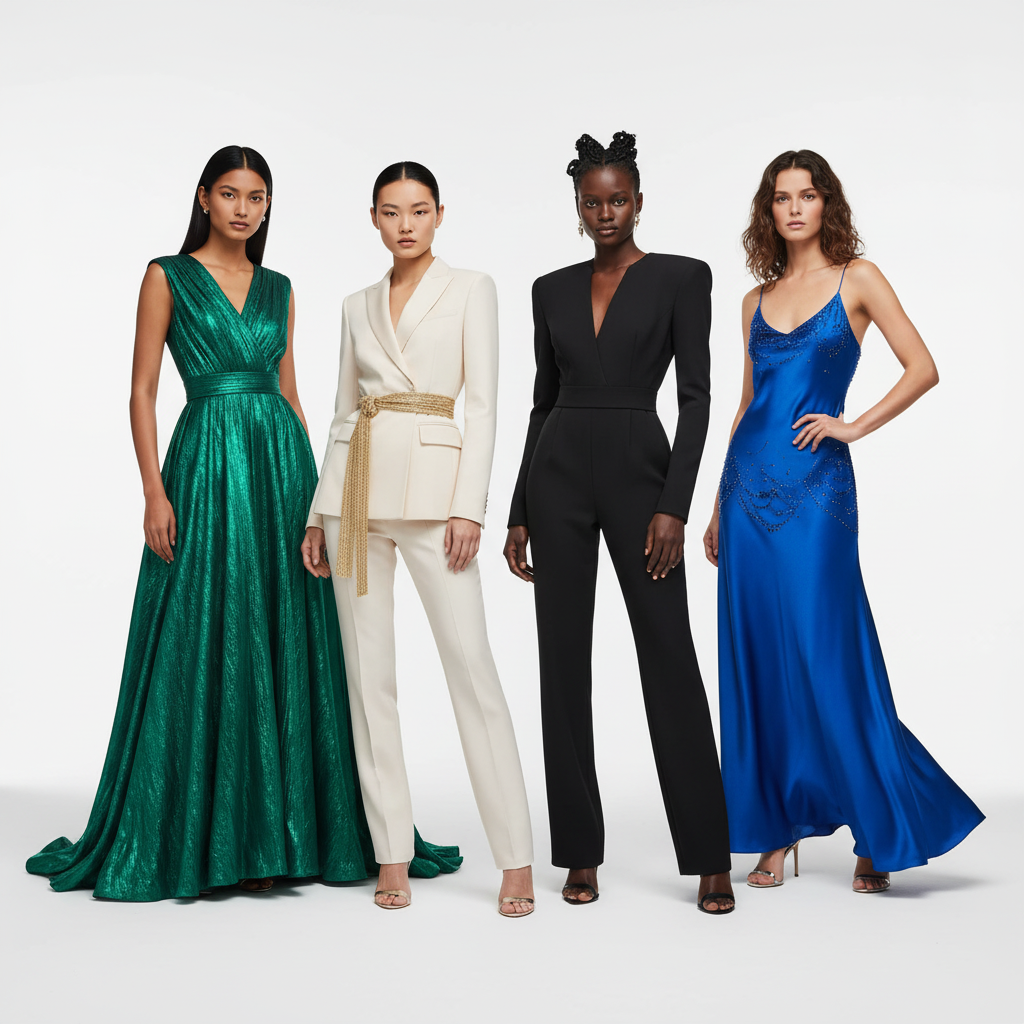
Fashio AI covers most of WearView's gaps (not batch processing, and not native 4K output) and adds capabilities the platform doesn't offer:
1. How many tools does each platform offer?
WearView covers the basics — product-to-model conversion and video generation. But modern fashion brands need far more than basics. Fashio AI gives you a fashion-specialised set of generation and editing tools — all under one platform, one subscription, one workflow:
| Category | Fashio AI Tool | WearView Equivalent |
|---|---|---|
| Model Generation | AI Fashion Model Generator | Product-to-Model |
| Virtual Try-On | Virtual AI Fashion Try-On | Not available |
| Flat Lay Conversion | Flat Lay to Catalog Creator | Not available |
| Mannequin Processing | Mannequin to Flat Lay | Not available |
| Pose Control | Pose Variation | Limited options |
| Photo to Video | Photo to Video | Fashion Video Generators |
| UGC Video | UGC Video Creator | Not available |
| Background Removal | Remove Background | Not available |
| Product to Model | Product to Model | Basic product-to-model |
| Photo Enhancement | Amateur to Professional | Not available |
| Photo Upscaling | Fashion Photo Upscale | Not available |
| Photo Reframing | Photo Reframe | Not available |
| Image Editing | AI Image Editing | Not available |
That's over 10 additional tools that WearView doesn't offer — each one purpose-built for fashion production workflows.
Explore Fashio AI's Tools
2. Which product types are supported?
While WearView is primarily focused on clothing, Fashio AI handles the full spectrum of fashion products:
- Clothing — all garment types including tops, bottoms, dresses, outerwear, swimwear, activewear, and lingerie
- Jewelry — rings, necklaces, earrings, bracelets, watches via the Product to Model tool
- Accessories — bags, belts, scarves, hats, sunglasses, and more
- Footwear — shoes, boots, sneakers, and sandals
For fashion brands that sell complete looks or multi-category collections, this is the difference between using one platform and needing three.
3. How much model customization do you get?
WearView gives you limited options for AI model generation. You can't fully describe your ideal model or create a consistent character identity that carries across your entire catalog.
Fashio AI's AI Fashion Model Generator lets you:
- Describe any model via text prompts — specify exact age, ethnicity, body type, hair, facial features, and expression
- Create consistent characters that keep the same identity across your catalog and campaign
- Generate variations — different poses, expressions, and settings with the same model identity
- Full commercial use rights — commercial use of every output, no model releases, no royalties, on every plan and pack
The difference between choosing from presets and creating exactly what you envision is the difference between compromise and creative control.
4. What does a revision cost?
Fashio AI produces an on-model image in one run, without a photoshoot: upload your product image, set up the shot, and generate. Every run, including a revision, costs a stated 4 credits. For brands working on tight launch timelines, that is minutes, not the weeks a shoot takes.
| Metric | Fashio AI | WearView |
|---|---|---|
| Cost per Image | 4 credits, stated — $1.12 on Starter, $0.75 on Plus, $0.40 on Pro | 2 credits HD, 3 for 2K, 5 for 4K |
| Revision Time | Re-generate in a new run (4 credits) | Additional processing time per revision |
| Batch Processing | One image at a time (no batch queue) | Limited batch capabilities |
| Time-to-Publish | No photoshoot to book | Depends on queue and plan tier |
5. How does video creation compare?
WearView's fashion video generators are a useful feature, but they're limited in scope and constrained by credit-based pricing. For a brand posting daily Reels or TikToks, credits deplete rapidly — leaving you without content before the month is over.
Fashio AI offers two dedicated video tools:
- Photo to Video — convert product stills into polished short-form videos with AI animation, music sync, and multiple aspect ratios (9:16 for TikTok/Reels, 16:9 for YouTube, 1:1 for Instagram)
- UGC Video Creator — generate authentic user-generated content style videos that consistently outperform polished brand content on social platforms
Photo to Video costs 15 credits per clip and a UGC video 20 credits (40 on pro), one video per run. WearView charges 10 credits for a 720p video and 20 for 1080p, so compare per finished clip on the plan you would actually buy.
6. Does either platform batch-process a catalog?
Fashion brands need to photograph entire collections — hundreds or thousands of SKUs — with consistent quality, lighting, and styling.
Fashio AI has no batch mode: it runs one generation at a time, in the dashboard, the apps and the API. What keeps a collection consistent is reusing the same model, scene and settings for every product, not a queue.
How much does WearView cost compared to Fashio AI?
WearView has no free tier and starts at $29/month (Lite, 50 credits). Fashio AI has no free plan on the web either; it starts at $14/month (Starter, 50 credits), with Plus at $29.99/month for 160 credits and Pro at $49.99/month for 500. At roughly the same price point Fashio AI Plus issues 160 credits per month against WearView Lite's 50 — but the two platforms charge credits differently per output type, so compare cost per finished image rather than headline credit counts.
| Plan | Monthly price | Annual price | Credits per month |
|---|---|---|---|
| Fashio AI Starter | $14 | $59.99/yr | 50 |
| Fashio AI Plus | $29.99 | $99.99/yr | 160 |
| Fashio AI Pro | $49.99 | $199.99/yr | 500 |
| WearView Lite | $29 | $24/mo billed annually | 50 |
| WearView Pro | $49 | $40/mo billed annually | 200 |
| WearView Advanced | $99 | $82/mo billed annually | 500 |
| WearView Enterprise | Custom | Custom | Custom |
WearView pricing read from wearview.co/pricing in July 2026; Fashio AI pricing from fashiolabs.com/pricing. Verify both before buying — plans change.
Credit consumption also differs. On Fashio AI one fashion generation costs 4 credits ($1.12 on Starter, $0.75 on Plus, $0.40 on Pro), the 2x upscale costs 3, and video generation starts at 15. WearView charges 2 credits for an HD image, 3 for 2K, 5 for 4K, 1 for a virtual try-on, and 10 (720p) or 20 (1080p) for video.
The remaining differences are structural rather than per-credit:
| Comparison | Fashio AI | WearView |
|---|---|---|
| Free Tier | No free plan; setting up a shot needs no account | Limited credit-based trial |
| Pricing Model | Credit-based plans: Starter $14 (50), Plus $29.99 (160), Pro $49.99 (500); packs that never expire | Credit-based pricing |
| Cost at Scale (500+ images) | 4 credits per fashion image, stated — $0.40 on Pro, $0.43 via the 1,200-credit pack | Credits deplete quickly, expensive at volume |
| Video Cost | 15 credits per AI video, 20/40 per UGC video | Multiple credits per video |
| Tools Included | Every tool on every plan | Limited tool set |
| Commercial Rights | Commercial use of every output on every plan and pack, no royalties | Commercial use on paid plans |
| Annual Plans | $59.99 / $99.99 / $199.99 per year | Varies |
The difference is entry price and coverage: Fashio AI starts at $14 for the same 50 credits WearView sells for $29, and the same credits cover try-on, ghost mannequin, background removal and UGC video. On WearView's larger plans the per-image cost of an HD image comes close to Fashio AI Pro, and WearView generates native 4K, which Fashio AI does not.
Which features does each platform actually have?
| Capability | Fashio AI | WearView | Winner |
|---|---|---|---|
| On-Model Photography | Built for garment photos, all garment types + accessories | Product-to-model, clothing-focused | Fashio AI |
| Model Diversity | Model library plus custom models described in text | Limited preset options | Fashio AI |
| Brand Consistency | Consistent character system | Limited character consistency | Fashio AI |
| Flat Lay Conversion | Flat lay to styled catalog (12 credits for 4 shots) | Not available | Fashio AI |
| Mannequin Processing | Ghost mannequin with auto neck joint, symmetry correction | Not available | Fashio AI |
| Virtual Try-On | Full garment try-on with fabric accuracy | Not offered | Fashio AI |
| Pose Variation | Precision texture-mapped pose control | Limited options | Fashio AI |
| Background Removal | Dedicated tool (2 credits), marketplace-ready cutouts | Not offered as standalone | Fashio AI |
| Photo Upscaling | 2x upscale (1080p to 4K), fabric detail enhancement | Not available | Fashio AI |
| Photo to Video | Multi-format, music sync, brand kit | Fashion video generators (credit-heavy) | Fashio AI |
| UGC Video | Dedicated UGC creator for social performance | Not available | Fashio AI |
| Native Output Resolution | Standard web resolution (2x upscale as a separate step) | HD, 2K or 4K per image | WearView |
| Accessories Support | Jewelry, bags, shoes, watches, accessories | Primarily clothing | Fashio AI |
| Photo Enhancement | Amateur-to-professional upgrade tool | Not available | Fashio AI |
| Photo Reframing | Multi-platform aspect ratio optimization | Not available | Fashio AI |
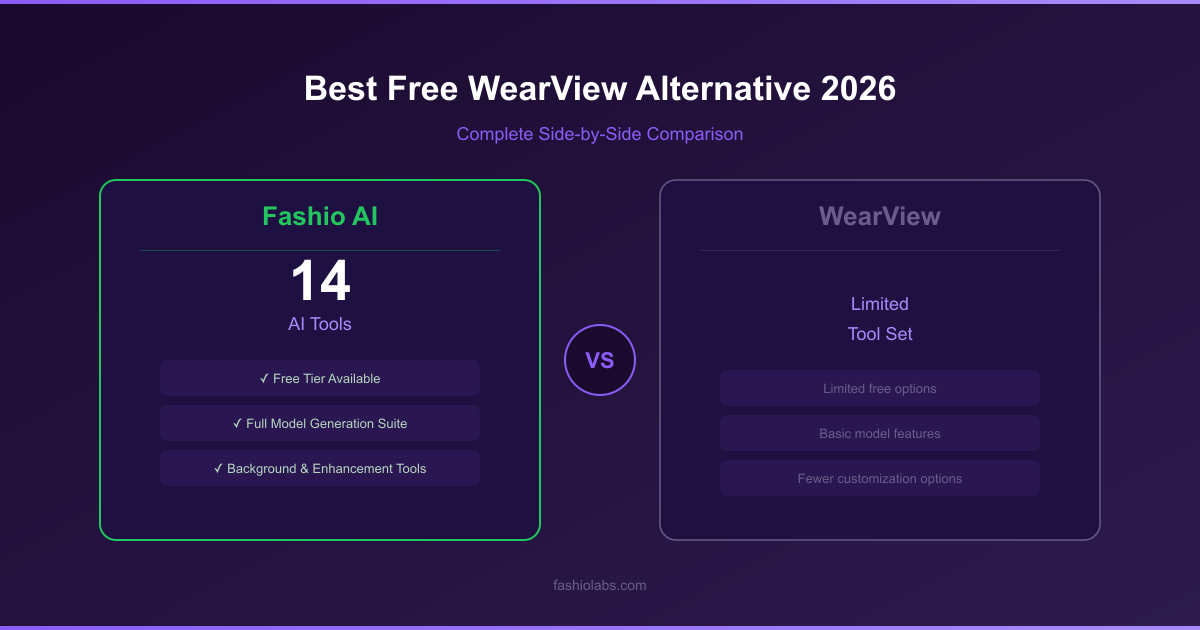
Fashio AI leads on 14 of these 15 categories; WearView wins on native output resolution.
Score: Fashio AI 14, WearView 1. The gap is breadth of tools; if native 4K generation is what you need, WearView is the better fit.
Who Should Still Consider WearView?
In fairness, WearView may still be suitable for a narrow set of use cases:
- You only need basic product-to-model conversion for a small clothing catalog and don't require additional tools
- You need native 4K output straight from generation rather than a separate 2x upscale
- You're already embedded in WearView's workflow and switching costs outweigh the benefits for your current scale
- You specifically value WearView's blog content and educational resources as part of your learning journey
- You have a very small catalog (under 50 items) and don't need video, accessories, or advanced features
For brands that need more of the pipeline than product-to-model, Fashio AI is the stronger fit.
Ready to Replace WearView?
Plans start at $14 a month (Starter, 50 credits). You can upload a photo and set up the shot before signing up; generating needs a membership from $14 a month.
Start creating →Who should use Fashio AI instead?
Fashio AI fits best for:
- Fashion brands selling clothing AND accessories — one platform for the full product range
- E-commerce teams with 100+ SKUs that need catalog consistency and a stated per-image cost (one generation at a time, no batch queue)
- Social-first brands that need video content at scale for TikTok, Reels, and YouTube Shorts from the same credit balance
- Budget-conscious startups that want a $14 Starter entry (half WearView Lite's $29 for the same 50 credits) and credit packs that never expire
- Teams without a photoshoot budget that need production-ready images in minutes, not weeks
- Brands wanting creative control — custom AI models, precision pose control, diverse models across 10 ethnicities and 10 body types, and consistent characters
- Teams tired of juggling multiple tools — one platform for everything from background removal to video creation to photo upscaling
Verdict: is Fashio AI or WearView the better choice in 2026?
In 2026, fashion brands need more than basic conversion capabilities — they need a complete, fast, affordable production platform that handles every product type, scales to any catalog size, and produces content for every channel.
WearView built a competent product-to-model tool with decent HD/4K output and useful video generators. But in 2026, fashion brands need more than basic conversion capabilities — they need a complete, fast, affordable production platform that handles every product type, scales to any catalog size, and produces content for every channel.
Fashio AI covers most of this — with a fashion-specialised set of generation and editing tools, model customization, dedicated video creation, full accessory support, and full commercial use rights on every output, from $14 a month. It runs one generation at a time at standard web resolution, so if native 4K is the requirement, WearView keeps that edge.
- A fashion-specialised set of generation and editing tools vs WearView's limited set
- All product types supported — clothing, jewelry, accessories, footwear
- AI model customization from the library or by text description
- A stated 4-credit cost per image, $14 Starter entry
- Watermark-free outputs with commercial use rights on every plan and pack
- Dedicated video tools: Photo-to-Video and UGC Video Creator
Make the switch. Your catalog — and your budget — will thank you.
Switch from WearView to Fashio AI Today
Plans start at $14 a month (Starter, 50 credits). You can upload a photo and set up the shot before signing up; generating needs a membership from $14 a month.
Start creating →FAQ: Fashio AI vs WearView
What is the best free alternative to WearView?
Fashio AI is not free on the web either: a new web account starts with 0 credits. You can upload a photo and set up the shot without an account; generating needs a membership from $14 a month. WearView has no free tier and starts at $29/month (Lite, 50 credits). The reason to pick Fashio AI is price and coverage: Starter is $14 a month for the same 50 credits, a fashion image costs a stated 4 credits (about $1.12 on Starter), and one plan covers virtual try-on, ghost mannequin, background removal, photo upscaling and UGC video, which WearView does not offer. WearView wins on native output resolution: it generates HD, 2K and 4K images, where Fashio AI generates at standard web resolution and upscales 2x as a separate step.
How does Fashio AI compare to WearView for AI fashion photography?
Fashio AI covers more of the workflow: a fashion-specialised set of generation and editing tools vs WearView's narrower product-to-model and video set, a model library you can filter or extend by describing a new model, dedicated photo-to-video and UGC video tools, and support for all product types including accessories and jewelry. Both are credit-based; Fashio AI's entry is $14 a month (Starter, 50 credits) against WearView's $29 Lite. WearView generates natively at up to 4K; Fashio AI runs one generation at a time at standard web resolution, with no batch mode.
Is WearView free to use?
No. As of July 2026 WearView lists no free tier on wearview.co/pricing — its entry plan is Lite at $29/month ($24/month billed annually) for 50 generation credits. Fashio AI has no free plan either: a new web account starts with 0 credits; you can upload a photo and set up the shot without an account, and generating needs a membership from $14 a month. Plans start at $14 a month (Starter, 50 credits); Plus is $29.99 (160 credits) and Pro $49.99 (500 credits), with watermark-free outputs and commercial use of every output on every plan and pack.
Why are users switching from WearView to Fashio AI?
Common reasons include WearView's narrower feature set, a $29 entry price against Fashio AI's $14 Starter for the same 50 credits, limited model customization options, lack of advanced capabilities like virtual try-on and UGC video, and the need to use multiple tools for a complete workflow that Fashio AI handles in one platform.
Does Fashio AI support fashion video generation like WearView?
Yes. While WearView offers fashion video generators, Fashio AI provides two dedicated video tools: Photo-to-Video (15 credits per clip) and UGC Video Creator (20 credits standard, 40 pro). Both support multiple aspect ratios (9:16, 16:9, 1:1), music sync and brand kit integration, one video per run.
Can Fashio AI handle accessories and jewelry?
Yes. Fashio AI's Product to Model tool handles jewelry, accessories, bags, shoes, watches, and more — converting product shots into editorial model photography. WearView's product-to-model tool is primarily clothing-focused, making Fashio AI the better choice for accessory and jewelry brands.
How much does WearView cost per month?
As of July 2026, WearView lists four tiers: Lite at $29/month ($24/month billed annually) for 50 credits, Pro at $49/month ($40 annually) for 200 credits, Advanced at $99/month ($82 annually) for 500 credits, and a custom-priced Enterprise plan. There is no free tier. Fashio AI's plans are Starter at $14/month ($59.99/year) for 50 credits, Plus at $29.99/month ($99.99/year) for 160 credits, and Pro at $49.99/month ($199.99/year) for 500 credits.
Which platform offers better value for large fashion catalogs?
It depends on the output you need. A Fashio AI fashion image costs a stated 4 credits: $1.12 on Starter, $0.75 on Plus, $0.40 on Pro, or $0.43 via the 1,200-credit pack. From WearView's listed prices an HD image (2 credits) works out to about $1.16 on Lite, $0.49 on Pro and $0.40 on Advanced, and a 4K image (5 credits) to about $0.99 on Advanced. Fashio AI adds try-on, ghost mannequin, background removal and UGC video on the same credits; WearView wins if you need native 4K output. Fashio AI has no batch queue: it produces one generation at a time.
