What AI Clothing Generators Can Do in 2026
The AI clothing generator landscape has evolved far beyond novelty. In 2026, these tools sit at the center of how fashion brands design, visualize, and sell their products. Whether you are a solo designer sketching your first collection or an established brand producing thousands of SKUs per season, AI clothing generators compress timelines that once stretched across months into days.
Here is what the current generation of AI clothing tools can actually deliver:
- Text-to-garment design: Describe a garment in natural language — "oversized linen blazer in sage green with patch pockets" — and receive rendered design concepts in seconds.
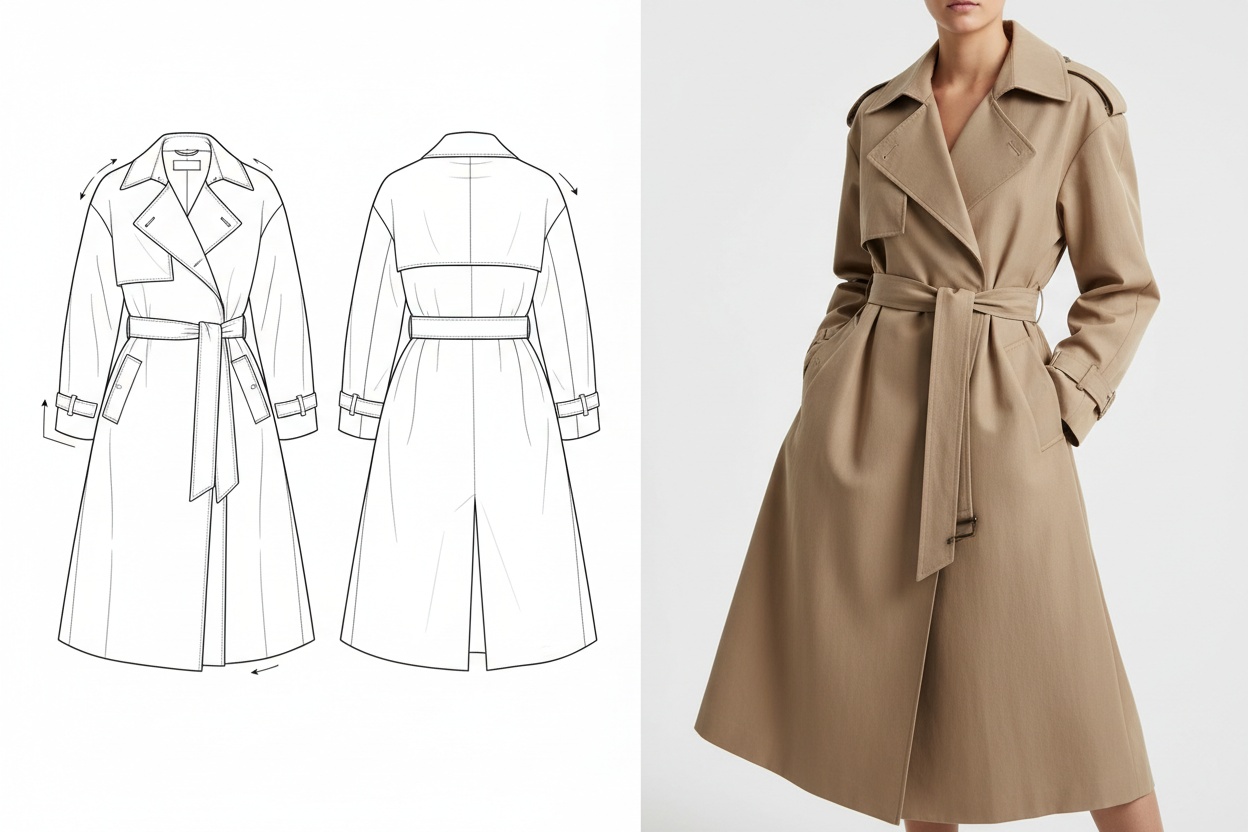
- Sketch-to-image conversion: Upload rough hand-drawn or digital sketches and transform them into polished, presentation-ready garment visuals with accurate fabric rendering.
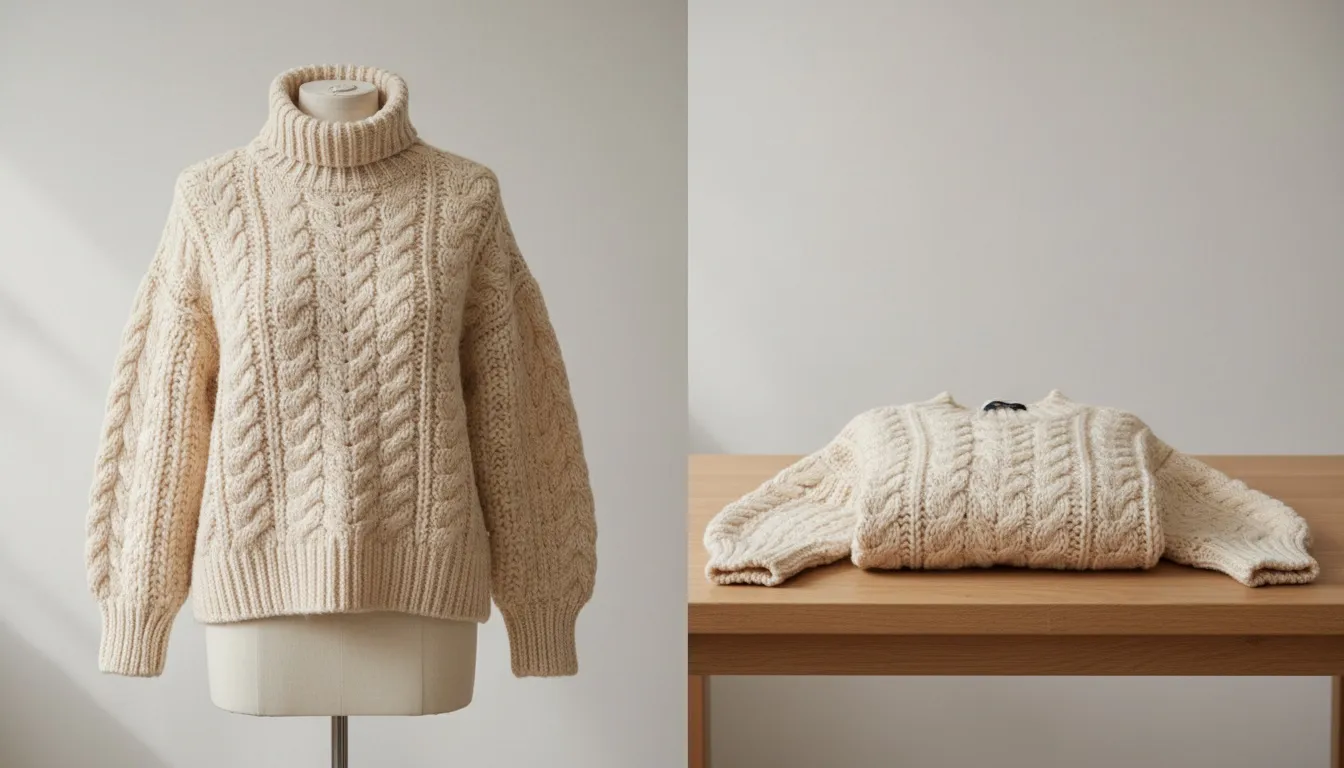
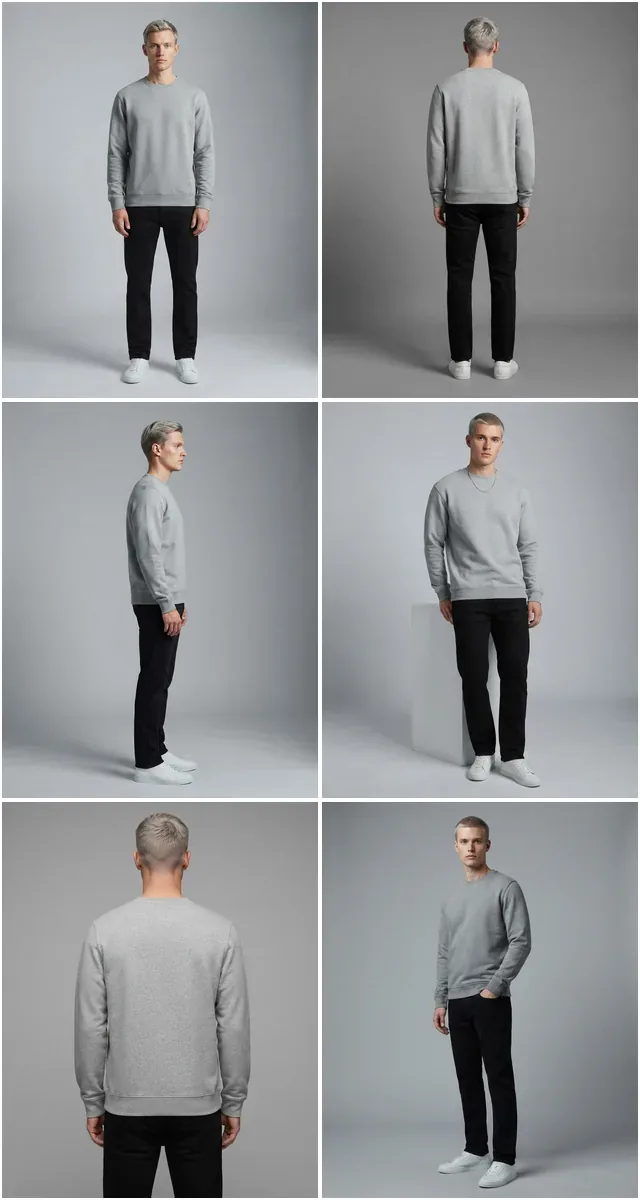
- Product-to-model photography: Take a flat lay or mannequin photo of a real garment and generate photorealistic images of diverse models wearing it — no studio, no casting, no shoot.
- Colorway and fabric variation: Generate dozens of color, pattern, and fabric variations from a single base design to accelerate collection planning.
- Virtual catalog production: Produce full e-commerce catalogs — model shots, lifestyle imagery, detail crops — entirely through AI, at a fraction of traditional cost.
- Collection visualization: See an entire capsule or seasonal collection rendered in consistent style before cutting a single sample.
The shift is measurable. Brands using AI clothes generators in their workflow move pre-production visualization from a per-shoot budget line to a per-image one: Fashio AI's Plus plan is $29.99/month for 160 credits — about $0.75 per generated image at 4 credits per generation. Concept-to-imagery time shortens because the bottleneck stops being the shoot calendar. The technology is no longer experimental — it is operational infrastructure.
Types of AI Clothing Generators: Design vs. Photography
Not all AI clothing generators solve the same problem. Understanding the distinction between the two main categories is essential for choosing the right tool for your workflow.
Design Generators (Sketch-to-Image)
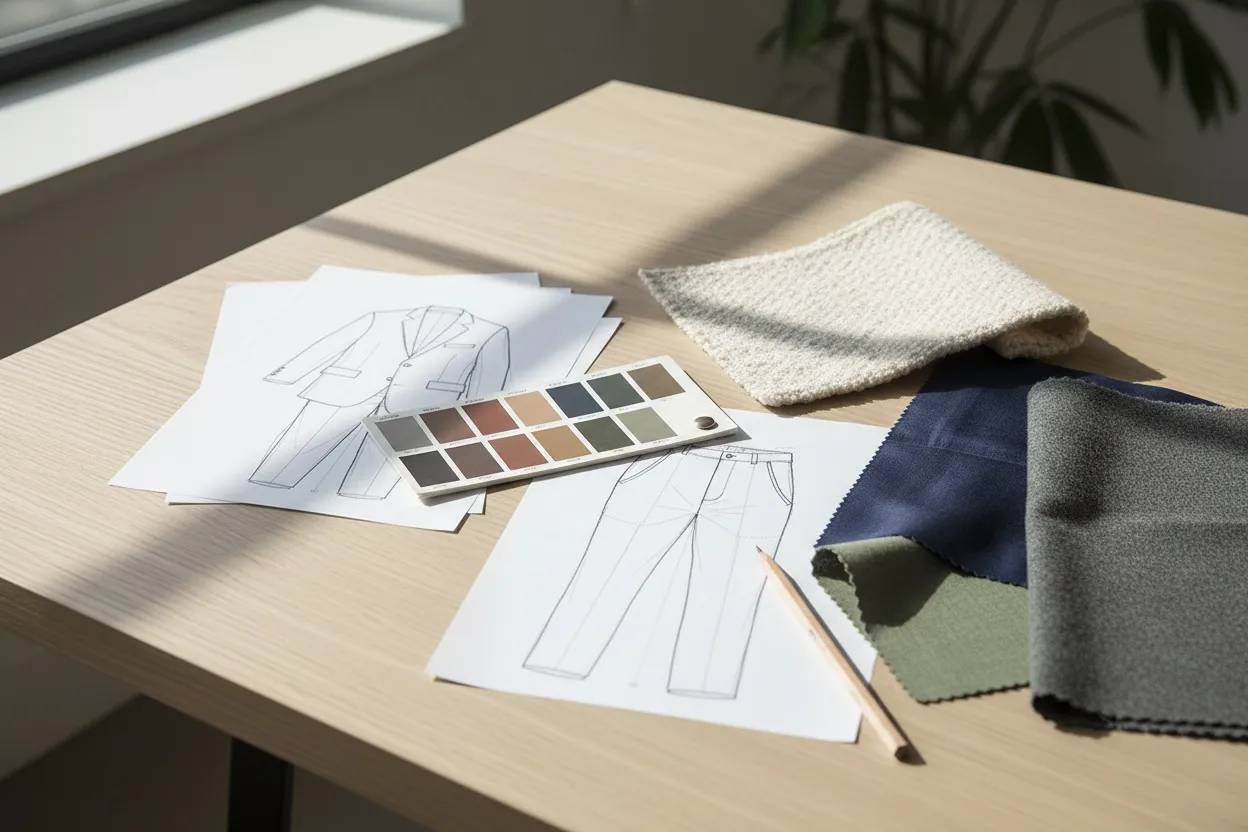
Design generators are ideation tools. They help fashion designers and creative directors explore concepts rapidly. You provide input — a text prompt, a rough sketch, a mood board reference — and the AI produces rendered garment visuals.
These tools are best for:
- Early-stage collection development and brainstorming
- Generating colorway and silhouette variations from a single concept
- Creating presentation-quality renders for buyers, investors, or internal review
- Exploring trend directions without committing to physical samples
Design generators excel at creative exploration but typically lack the precision needed for e-commerce product listings. The garments they produce are AI-imagined — not representations of your actual products.
Photography Generators (Product-to-Model)
Photography generators start with your real product and generate catalog-ready imagery around it. Upload a photo of your actual garment — on a hanger, flat lay, or mannequin — and the AI places it on a photorealistic model in a professional setting.
These tools are best for:
- E-commerce product photography at scale
- Generating diverse model representation without multiple casting calls
- Creating consistent catalog imagery across hundreds of SKUs
- Producing lifestyle and editorial-style content from simple product shots
AI Fashion Model Generator falls into this category — purpose-built for fashion brands that need production-quality photography from product images alone. The garment in the output is your real product, accurately preserved in every detail. For full campaign workflows beyond single shots, the AI Fashion Studio chains model generation with scene staging and pose variations.
Which Type Do You Need?
| Stage | Tool Type | Goal |
|---|---|---|
| Ideation & concept | Design generator | Explore silhouettes, colors, styles |
| Pre-production visualization | Design generator | Present collection to stakeholders |
| E-commerce catalog | Photography generator | Create product listings with model imagery |
| Marketing & ads | Photography generator | Produce lifestyle and campaign content |
| Full pipeline | Both | Design with AI, then photograph with AI |
Most serious fashion brands in 2026 use both types at different stages — AI design tools during collection development, and AI photography tools when it is time to sell.
Best AI Clothing Generator Tools Compared
The market for AI clothes design tools has matured significantly. Here is how the leading platforms stack up for fashion-specific use cases.
| Tool | Type | Best For | Fashion-Specific | Free Tier |
|---|---|---|---|---|
| Fashio AI | Photography generator | E-commerce catalogs, model generation, product photography | Yes — built for fashion | Free credits on signup |
| Midjourney | Design generator | Creative concept exploration, mood boards | No — general purpose | No |
| DALL-E 3 | Design generator | Text-to-image garment concepts | No — general purpose | Limited via ChatGPT |
| CLO 3D + AI | Design generator | Technical garment design and 3D visualization | Yes — pattern-level | Trial available |
| Stable Diffusion (custom) | Design generator | Custom-trained fashion models, open-source flexibility | With fine-tuning | Open source |
| Botika | Photography generator | Model generation for product photos | Yes | Limited |
| Fashn AI | Photography generator | Virtual try-on | Yes | Limited |
Key takeaway: General-purpose AI image generators are powerful for concept work, but they lack the garment accuracy, consistency, and batch processing capabilities that fashion e-commerce demands. For production use, choose fashion-specific tools like Fashio AI.
How to Use AI to Visualize a Clothing Collection Before Production
One of the most valuable applications of an AI fashion design generator is pre-production collection visualization. Instead of spending thousands on samples that may never make it to market, you can see your entire collection rendered digitally — and make decisions based on data rather than guesswork.
-
Define Your Collection Framework
Start with your collection brief: theme, target customer, price point, and key silhouettes. Document the core pieces — typically 15-30 styles for a capsule collection — along with your intended color palette and fabric choices.
-
Generate Base Designs with AI
Use a design generator to create initial garment concepts. Feed it your sketches or detailed text descriptions. The goal is not to produce final designs but to rapidly explore directions. Generate 5-10 variations of each key silhouette to see what works.
-
Refine and Select
Narrow your AI-generated concepts to the strongest options. Use AI image editing tools to adjust details — modify necklines, change pocket placement, swap colors. This iterative refinement replaces weeks of back-and-forth with pattern makers during the early concept phase.
-
Create Collection Presentation Boards
Compile your refined AI designs into presentation boards organized by delivery, category, or story. These AI-rendered visuals are polished enough for buyer presentations, pre-orders, and internal alignment meetings — all before a single physical sample exists.
-
Validate with Market Data
Share AI-generated collection visuals on social media, with focus groups, or through pre-order campaigns to gauge market interest. This data-driven validation step eliminates the risk of producing styles that underperform.
Brands that adopt this workflow report cutting sample production costs by 40-60% savings because they only produce physical samples for validated designs.
From Concept to Catalog: The Full AI Workflow
The most powerful application of AI clothing generators is not any single tool — it is chaining them into a complete production workflow. Here is how leading brands connect the dots from initial concept to published product listing.
Phase 1: Concept Generation
Use AI design generators to explore garment concepts. Input mood boards, fabric swatches, trend references, or text descriptions. Output: 50-100 concept renders covering your full collection vision.
Phase 2: Design Refinement
Select the strongest concepts and refine them through AI-assisted iteration — adjusting proportions, colors, details. Output: 15-30 finalized digital designs ready for technical development.
Phase 3: Sample Production
Produce physical samples only for validated designs. This is the one step that still requires traditional manufacturing — but you are now sampling 30 pieces instead of 100.
Phase 4: AI Product Photography
Photograph your samples once — a simple flat lay or mannequin shot is enough. Then use Fashio AI to generate the full range of catalog imagery you need:
Lifestyle imagery: Place products in contextual settings — street style, studio, outdoor — without location shoots.
Phase 5: Publish and Sell
Export your AI-generated catalog imagery directly to your e-commerce platform. With Fashio AI's batch processing, you can produce imagery for your entire collection in a single session.
This end-to-end AI workflow compresses what traditionally takes 8-12 weeks into 2-3 weeks — and costs a fraction of the traditional approach.
AI Clothing Generators for Startup Fashion Brands
If you are launching an AI clothing brand or a fashion startup with limited capital, AI clothing generators are not just helpful — they are foundational. Here is how to build a budget-friendly production pipeline from day one.
The Startup Budget Problem
Traditional fashion brand launch costs break down roughly like this:
- Sample production: $5,000-$20,000 for a small collection
- Photography: $3,000-$10,000 per shoot (studio, photographer, models, styling)
- Post-production: $500-$2,000 for retouching and editing
- Total visual content cost: $8,500-$32,000 before selling a single unit
The AI-Powered Alternative
With AI clothing generators, the same output costs dramatically less:
- AI design visualization: $0-$50/month (free tiers or basic plans)
- Sample production (reduced): $2,000-$8,000 (only validated designs)
- AI photography via Fashio AI: $50-$200/month (covers hundreds of product images)
- Total visual content cost: $2,050-$8,250
Startup Workflow Recommendations
- Validate before you produce: Use AI design generators to visualize your collection and test market interest before ordering samples.
- Start with flat lays: Photograph products yourself on a clean surface. Use Fashio AI's flat-lay-to-catalog tool to convert these into professional imagery.
- Generate diverse model content: Instead of booking models, use AI model generation to create inclusive, diverse representation across your catalog.
- Test with AI, scale with data: Use AI-generated visuals for your initial launch. Invest in traditional photography only for proven bestsellers.
- Leverage virtual try-on: Add AI try-on functionality to your store to boost conversion rates without any additional photography.
For founders building a fashion brand in 2026, AI clothing generators are the single biggest lever for reducing launch costs while maintaining professional visual quality.
Launch Your Fashion Brand with AI Photography
Skip the expensive studio shoots. Generate catalog-ready model imagery from simple product photos — free credits included on signup.
Start creating →Creating Consistent Brand Identity with AI-Generated Clothing Imagery
One of the biggest concerns brands have about AI clothes generators is consistency. Can AI-generated imagery maintain a cohesive brand look across hundreds of products? The answer is yes — but it requires intentional setup.
Establish Your Visual Standards
Before generating any imagery, define your brand's visual guidelines for AI output:
- Model aesthetic: Choose consistent model characteristics that match your brand identity — body types, styling, and energy that align with your target customer.
- Background and setting: Standardize your background choice — clean studio white, natural environments, urban settings — and apply it across all products.
- Lighting style: Define whether your brand uses soft studio lighting, natural daylight, or dramatic editorial lighting. Apply consistently.
- Pose library: Create a set of 5-10 standard poses that reflect your brand's personality. Use pose variation tools to replicate these across all products.
- Color grading: Apply consistent color treatment to all AI-generated images using image editing tools to ensure visual cohesion.
Batch Processing for Consistency
The key to brand consistency at scale is batch processing. Instead of generating images one at a time with potentially varying settings, process entire product categories together:
- Upload all products in a category (e.g., all dresses, all outerwear)
- Apply identical model, background, and pose settings to the entire batch
- Review and adjust as a set rather than individually
- Export with consistent naming and dimensions for your e-commerce platform
Fashio AI's batch processing is designed for exactly this workflow — maintaining visual consistency across hundreds of SKUs in a single session while preserving accurate garment detail for each product.
Building a Recognizable Look
Brands that stand out on e-commerce marketplaces and social media have a recognizable visual signature. AI tools make this easier, not harder. Because you control every variable — model, background, pose, lighting — you can achieve a level of visual consistency that is difficult and expensive to maintain with traditional photography across multiple shoots.
Tips for Getting Photorealistic Results from AI Clothing Generators
The quality of your AI-generated clothing imagery depends on your inputs and settings. Follow these eight practices to get results that are indistinguishable from traditional photography.
1. Start with High-Quality Input Images
AI output is only as good as the input. Photograph your products in even lighting on a clean background. Use at least 1500px width. Remove wrinkles and ensure the garment lays flat or sits properly on the mannequin.
2. Use Fashion-Specific AI Tools
General AI image generators hallucinate garment details — adding buttons that do not exist, distorting prints, or changing fabric texture. Fashion-trained tools like Fashio AI preserve your product accurately because they understand garment structure.
3. Match Model to Garment Size
If your product photo is a size S sample, generate model images that match. Mismatched sizing between garment and model body produces unnatural results.
4. Pay Attention to Fabric Type
Flowing fabrics like silk and chiffon behave differently than structured fabrics like denim or tweed. Choose poses that make sense for your fabric — dynamic movement for flowy materials, clean standing poses for tailored pieces.
5. Control Background Complexity
Simple backgrounds consistently produce better results than complex scenes. Start with clean studio backgrounds and graduate to lifestyle settings once you are confident in the output quality.
6. Generate Multiple Variations
Do not settle for the first output. Generate 3-5 variations of each product image and select the best. AI generation is fast enough that producing extras costs almost nothing in time or money.
7. Post-Process for Perfection
Even the best AI output benefits from minor post-processing. Adjust brightness, contrast, and color balance to match your brand standards. Remove any small artifacts. This final 5% of effort makes a significant difference in perceived quality.
8. Maintain Consistent Resolution
Always export at the highest resolution available. Upscale images if needed. E-commerce platforms benefit from 2000px+ images, and zoom functionality on product pages demands sharp detail at full size.
See AI Clothing Photography in Action
Upload a product photo and generate professional model imagery in minutes. No design skills required.
Start creating →Best Free AI Clothing Generators in 2026
Searching for an AI clothing generator free option? The market has expanded significantly in 2026, but not every free tool produces results that hold up on a real product page. Here are the AI clothing generators worth testing, organized by what they actually deliver.
1. Fashio AI — Best for Production-Quality Fashion Photography
Fashio AI starts at $29.99 a month for 160 credits — 40 fashion generations — making it the deepest fashion-specific toolset at its price. The AI is trained on millions of fashion-specific images, which means fabric drape, garment construction, and on-model fit look realistic — not the rubbery, distorted fabric you get from general image generators. Best for: ecommerce brands testing AI clothing generation for actual product pages.
2. Midjourney — Best for Concept Exploration
Midjourney is not a fashion-specific tool, but its general aesthetic quality is exceptional for concept-stage exploration. It produces beautiful editorial-style fashion imagery from text prompts, though it cannot preserve a specific real garment — the clothing it generates is invented from scratch. Best for: mood boarding and design inspiration, not product photography.
3. Stable Diffusion — Best Free Open-Source Option
If you have technical skills and decent GPU hardware, Stable Diffusion is genuinely free and infinitely customizable. The downside: setup takes hours, output quality requires significant prompt engineering, and fashion-specific models are scattered across the open-source community. Best for: developers and technical fashion creators who want full control.
4. Adobe Firefly — Best for Existing Adobe Users
Adobe Firefly's clothing generation is integrated into Photoshop and Illustrator, which makes it convenient if you already work in Creative Cloud. Output quality is solid for general clothing concepts, though it lacks the depth of training on fashion-specific datasets. Best for: teams already on Adobe Creative Cloud workflows.
5. Vmodel.ai, Botika, and Modelia — Specialized AI Clothing-on-Model Generators
Several smaller fashion-specific AI clothing generators have emerged in 2026. Each has its own strengths and weaknesses around model diversity, fabric handling, and output resolution. We have detailed comparisons of the leading ones — see Vmodel AI alternative, Botika alternative, and Modelia AI alternative for honest side-by-side reviews.
How AI Fashion Design Generators Differ From AI Clothing Generators
The terms AI fashion design generator, AI clothing generator, and AI fashion generator are often used interchangeably, but they describe slightly different tools with different use cases.
- AI fashion design generator — Tools focused on the early creative stage. Input a sketch, mood, or text prompt and get rendered design concepts. Output is typically inspirational rather than production-ready. Examples include Midjourney, Adobe Firefly, and dedicated fashion design AIs.
- AI clothing generator — A broader category that includes both design tools and photography tools. Can refer to anything that generates clothing imagery with AI.
- AI fashion model generator — Specifically refers to placing existing real garments onto AI-generated models for catalog photography. Examples include Fashio AI's Model Generator. The garment in the output is your real product, not an AI-invented design.
- AI generated clothing — Usually refers to the output, not the tool. Can mean either "clothing the AI invented from scratch" or "real clothing photographed onto an AI model."
For ecommerce production, the most useful tool is the AI fashion model generator — it preserves your real product while solving the photography production problem. For early-stage design and concept work, AI fashion design generators are more relevant.
AI-Generated Clothing Options for Different Use Cases
What AI-generated clothing options actually exist depends on what you are trying to accomplish. The right tool varies by use case:
Producing E-Commerce Catalog Photography
You have real garments and need on-model imagery without booking shoots. The right tool: AI Fashion Model Generator. The clothing in the output is your actual product, photographed onto a diverse set of AI-generated models. This is the production-quality use case where AI clothing generation has the highest ROI for fashion brands.
Visualizing Designs Before Production
You have a sketch or technical flat and want to see how the design looks rendered as a finished garment. The right tool: an AI fashion design generator (Midjourney, Adobe Firefly, dedicated design AIs). The output is inspirational — useful for buyer presentations, internal reviews, and pre-season marketing — but not a literal representation of how the production sample will look.
Generating Social Media and Marketing Content
You need lookbook-style imagery for social campaigns, ads, or email. The right tool: AI clothing generators that combine model generation with scene staging — like the AI Fashion Studio. These tools generate complete editorial-style scenes with your products styled into them, ready for marketing use.
Exploring Creative Concepts
You want to explore "what if" design directions without committing to physical samples. The right tool: text-to-image generators like Midjourney or Stable Diffusion. Cost per concept is essentially zero, and you can iterate dozens of design directions in an afternoon. Output is not production-ready but excellent for ideation.
Frequently Asked Questions
What is an AI clothing generator?
An AI clothing generator is a tool that uses artificial intelligence to create, modify, or visualize clothing designs. There are two main types: design generators that turn sketches or text prompts into rendered garment visuals, and photography generators like AI Fashion Model Generator that place real product images onto AI-generated models for catalog-ready imagery.
Can I use AI clothing generators for free?
Several AI clothing generator free options exist. Fashio AI does not give credits on signup. A Plus membership at $29.99 a month unlocks all 19 tools and can be cancelled after the first cycle. Open-source tools like Stable Diffusion are fully free but require technical setup and hardware. For production-quality e-commerce imagery, paid fashion-specific tools deliver significantly better results.
How accurate are AI clothing generators with fabric textures?
Fashion-specific AI clothing generators are trained on fashion datasets and accurately preserve fabric textures, patterns, drape, and garment structure. General-purpose AI tools often hallucinate details or distort patterns. For e-commerce use where product accuracy is essential, always choose a tool built specifically for fashion rather than a general image generator.
Can AI design an entire clothing collection?
Yes. AI clothing generators can help design full collections by generating variations from a single concept — different colorways, fabric options, silhouette modifications, and styling combinations. Designers use AI to rapidly iterate on dozens of concepts before committing to physical samples, reducing sample production costs by 40-60%.
What is the difference between AI clothing design and AI clothing photography?
AI clothes design generates new garment concepts from sketches or text descriptions and is used in the ideation phase. AI clothing photography takes existing product images and generates photorealistic model shots, lifestyle imagery, or catalog visuals for e-commerce production. Tools like Fashio AI specialize in the photography side, turning your real products into professional catalog imagery.
Are AI-generated clothing images good enough for e-commerce?
Modern AI clothing generators produce images at 2K+ resolution with accurate garment detail, realistic lighting, and natural model poses. AI-generated product photos hold up against studio photography for standard catalog use, and the per-image cost is not comparable: Fashio AI's Plus plan is $29.99/month for 160 credits — about $0.75 per generated image at 4 credits per generation.
How do AI clothing generators help startup fashion brands?
Startup fashion brands benefit the most from clothing design AI because these tools eliminate the two largest budget items: sample production and professional photography. AI lets you visualize collections before manufacturing, generate catalog imagery without studio shoots, and test market response to designs before investing in inventory. That removes two of the largest line items from a launch budget before a single unit is manufactured.