What is the best free alternative to Botika?
Fashio AI is the best free Botika alternative in 2026: it offers a free Starter tier at $0 with 25 credits refreshed monthly and 16 fashion tools, while Botika has no free tier and starts at $33/month for its Lite plan. Botika covers clothing only — no accessories, jewelry, or footwear — and its four-tool set stops at product-to-model conversion. Fashio AI adds virtual try-on, ghost mannequin, background removal, upscaling, pose variation, and two video tools on the same account.
Fashio AI free tier: 25 credits/mo Botika: from $33/mo, no free tier 16 tools vs 4 All product types vs clothing only
Botika's subscription tiers run $33, $35, and $40 per month plus a custom Enterprise plan. Fashio AI's Starter tier is $0 with 25 credits per month and Growth is $29.99/month or $99.99/year for 160 credits. One Fashio AI fashion generation costs 5 credits. Pricing checked July 2026 — verify before buying.
Botika.com was one of the early movers in AI fashion photography. Backed by $8M in funding and used by brands like Forever 21 and Perry Ellis, it built a reputation for converting flat-lay and mannequin photos into on-model imagery. But as the AI fashion tool landscape has matured, Botika's limitations have become impossible to ignore.
The platform only supports clothing — no accessories, jewelry, or footwear — and output quality is a recurring theme in public reviews. Check its current Trustpilot and Shopify App Store listings and read the recent reviews yourself. On pricing, Botika's plans are credit-limited in a way that is easy to exhaust on a small collection.
Enter Fashio AI: a complete AI fashion photography platform with 16 purpose-built tools, a genuinely usable free tier, and fashion-trained AI that delivers consistent, production-ready results across every garment type and product category.
Here's the full breakdown of why Fashio AI is the best free Botika alternative in 2026.
How do Fashio AI and Botika compare at a glance?
| Feature | Fashio AI | Botika.com |
|---|---|---|
| Total AI Tools | 16 specialized fashion tools | 4 core tools (on-model, flat lay, mannequin, video) |
| Free Tier | Generous, watermark-free, commercial use | 8 free credits only (one-time) |
| Monthly Credits (Entry Plan) | Flexible, affordable plans | 30 credits for $33-40/month |
| Product Support | All garments + accessories + jewelry + footwear | Clothing only |
| AI Model Customization | Unlimited (describe any features) | ~50 pre-built models to choose from |
| Output Consistency | Fashion-trained AI, high consistency | Mixed reviews, "wildly inconsistent" per users |
| Video Generation | 2 tools: Photo-to-Video + UGC Video | Basic AI video (5 credits each) |
| Background Removal | Dedicated tool, marketplace ready | Not offered as standalone tool |
| Ghost Mannequin | Dedicated tool with auto neck joint | Mannequin-to-model only (no flat lay option) |
| Photo Upscaling | 2x upscale (1080p to 4K), fabric detail enhancement | Not available |
| Pose Variation | Precision texture-mapped pose control | Limited preset poses |
| Batch Processing | One image at a time (no batch queue) | Limited batch capabilities |
| Max Resolution | 2x upscale, 1080p to 4K | Up to 4K (Advanced plan only) |
| Turnaround | Instant (2-5 minutes) | 1-4 business days depending on plan |
What are Botika's biggest limitations?
Botika isn't without merit. Their AI models are trained on fashion-specific data, the Forever 21 partnership lends credibility, and the concept of converting product photos to on-model imagery is sound. But the execution has significant gaps:
These are the themes that recur when brands explain why they went looking for an alternative. Verify them against Botika's current review listings and your own trial before deciding.
1. How consistent is Botika's output quality?
This is the biggest issue raised in public reviews: output quality varies noticeably even from high-quality input images, so a share of every run has to be regenerated or fixed by hand. The failure modes reviewers describe are garment distortion, unrealistic poses, awkward hand placement, and accessory rendering errors. Run your own trial on your hardest SKUs before committing.
For fashion brands where every product image represents your brand quality, this level of inconsistency is a serious liability.
2. Does Botika support accessories, jewelry, or footwear?
Botika only handles clothing. If you sell jewelry, watches, handbags, shoes, belts, scarves, hats, or sunglasses, Botika simply cannot help you. That's a massive gap for fashion brands that sell complete looks or accessory-focused collections.
3. How customizable are Botika's models?
Botika offers ~50 pre-built AI models. You choose from their library — you can't create custom models from text descriptions or build a consistent model identity for your brand. The preset model and pose options constrain brand consistency and make it difficult to maintain a unique visual identity across campaigns.
4. Does Botika get expensive at scale?
At $33-40/month for just 30 credits, Botika costs $1.10-$1.33 per image on the entry plan. Video costs 5 credits each, so a single video costs $5.50-$6.65. For a brand with 500+ SKUs that needs multiple angles, seasonal updates, and social video content, the monthly bill scales fast — and the output quality doesn't scale with it.
5. How long does Botika take to return images?
Unlike real-time AI tools, Botika uses a review-and-fix workflow where images are processed and then reviewed. Depending on your plan, turnaround ranges from 1 to 4 business days. The Lite plan takes up to 4 business days per batch. In a market where speed-to-market is competitive advantage, waiting days for product images is a significant drawback.
6. What do users say about Botika's support?
Support responsiveness and billing clarity are recurring themes in Botika's public reviews. For teams depending on a tool for production workflows, that is worth checking on the current listings before you commit.
Why is Fashio AI the best free Botika alternative?
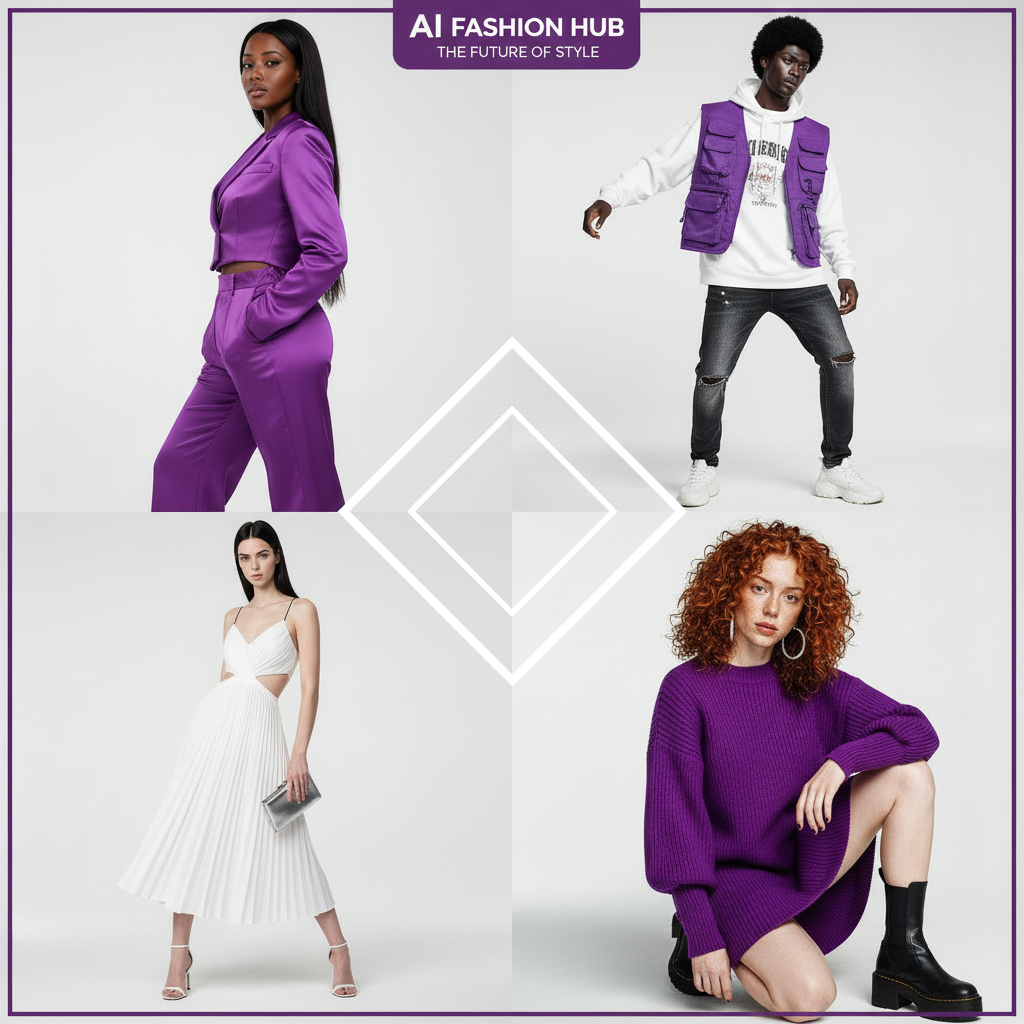
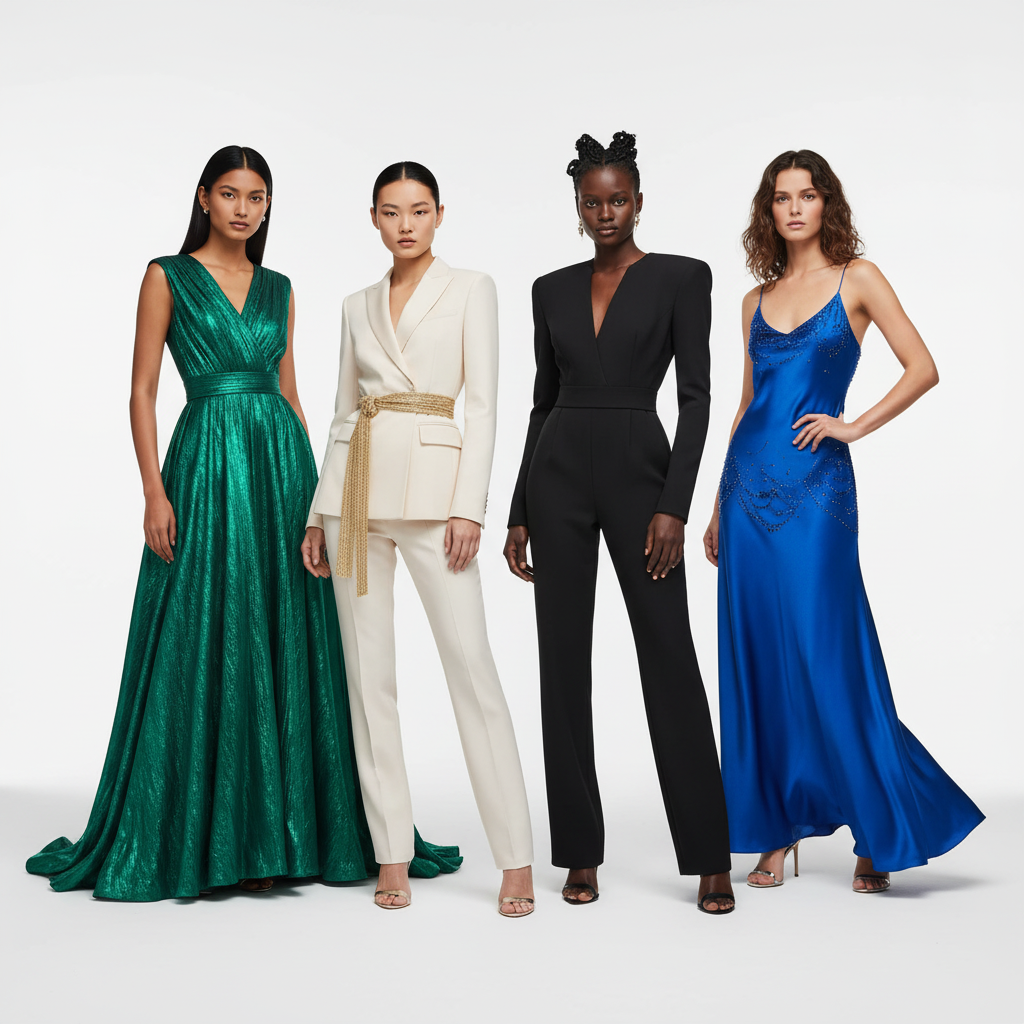
Fashio AI solves every one of Botika's shortcomings while adding capabilities Botika doesn't even offer. Here's why it's the clear winner:
1. How many tools does each platform have?
Botika offers four core capabilities: on-model photography, flat lay conversion, mannequin conversion, and AI video. That's it. Need background removal? Ghost mannequin processing? Photo upscaling? Pose variation? You'll need separate tools.
Fashio AI gives you 16 specialized tools — all under one platform, one subscription, one workflow:
| Category | Fashio AI Tool | Botika Equivalent |
|---|---|---|
| Model Generation | AI Fashion Model Generator | On-Model Photography |
| Virtual Try-On | Virtual AI Fashion Try-On | Not available |
| Flat Lay Conversion | Flat Lay to Catalog Creator | Flat Lay to On-Model |
| Mannequin Processing | Mannequin to Flat Lay | Mannequin Photography |
| Pose Control | Pose Variation | Limited preset poses |
| Photo to Video | Photo to Video | AI Fashion Video |
| UGC Video | UGC Video Creator | Not available |
| Background Removal | Remove Background | Not available |
| Product to Model | Product to Model | Not available |
| Photo Enhancement | Amateur to Professional | Not available |
| Photo Upscaling | Fashion Photo Upscale | Not available |
| Photo Reframing | Photo Reframe | Not available |
| Image Editing | AI Image Editing | Not available |
That's 10 additional tools that Botika doesn't offer — each one purpose-built for fashion production workflows.
Fashio AI gives you 16 specialized fashion tools under one platform, one subscription, one workflow — while Botika limits you to just 4.
2. Which product types are supported?
While Botika is limited to clothing only, Fashio AI handles the full spectrum of fashion products:
- Clothing — all garment types including tops, bottoms, dresses, outerwear, swimwear, activewear, and lingerie
- Jewelry — rings, necklaces, earrings, bracelets, watches via the Product to Model tool
- Accessories — bags, belts, scarves, hats, sunglasses, and more
- Footwear — shoes, boots, sneakers, and sandals
3. How much model customization do you get?
Botika gives you ~50 pre-built AI models to choose from. That's it. You can't describe your ideal model, create custom demographics, or build a unique brand identity through consistent AI characters.
Fashio AI's AI Fashion Model Generator lets you:
- Describe any model via text prompts — specify exact age, ethnicity, body type, hair, facial features, and expression
- Create consistent characters that maintain pixel-perfect identity across your entire catalog and campaign
- Generate unlimited variations — different poses, expressions, and settings with the same model identity
- Own everything — 100% commercial rights, no model releases, no licensing fees, forever
The difference between choosing from a fixed preset library and describing exactly what you envision is the difference between compromise and creative control.
4. How fast is processing?
Botika's review-and-fix workflow means you wait 1-4 business days for your images, depending on your plan. The Lite plan ($33/month) takes up to 4 business days. Even the Advanced plan ($40/month) takes 1 business day. If a batch needs revisions, add more days.
Fashio AI delivers results in 2-5 minutes. Not business days — minutes. Upload your product images, configure your settings, and get production-ready outputs almost instantly. For brands working on tight launch timelines or reacting to trends in real time, this speed difference is transformative.
Speed Comparison: Fashio AI vs Botika| Metric | Fashio AI | Botika |
|---|---|---|
| Processing Time | 2-5 minutes | 1-4 business days |
| Revision Time | Re-generate instantly | Additional business days per revision round |
| Batch Processing | One image at a time (no batch queue) | Limited batches, multi-day turnaround |
| Time-to-Publish | Same hour | 3-7 business days (including revisions) |
5. How does video creation compare?
Botika's AI video costs 5 credits per video. On the Lite plan (30 credits/month), that's 6 videos maximum — assuming you don't use any credits on photos. For a brand posting daily Reels or TikToks, that's less than a week's content.
Fashio AI offers two dedicated video tools:
- Photo to Video — convert product stills into polished short-form videos with AI animation, music sync, and multiple aspect ratios (9:16 for TikTok/Reels, 16:9 for YouTube, 1:1 for Instagram)
- UGC Video Creator — generate authentic user-generated content style videos that consistently outperform polished brand content on social platforms
Both tools support brand kit integration (auto-apply logo, fonts, and colors), bulk creation from product catalogs, and 4K/1080p quality export. You can power an entire social video strategy from one platform — something Botika simply cannot support at its credit pricing.
6. How well does batch processing scale?
Fashion brands don't need to process one image at a time. They need to photograph entire collections — hundreds or thousands of SKUs — with consistent quality, lighting, and styling.
Fashio AI's batch mode takes up to 5 garments per run, and every image in a run keeps consistent output quality across tools like background removal, mannequin-to-flat-lay, upscaling, and model generation. Botika's workflow is constrained by its review-and-fix step, which introduces human bottlenecks into what should be an automated process.
How much does Botika cost compared to Fashio AI?
Let's talk numbers. Fashion brands need to know exactly what they're paying and what they're getting:
| Comparison | Fashio AI | Botika |
|---|---|---|
| Free Credits | Generous free tier, all 16 tools | 8 credits only (one-time signup bonus) |
| Entry Plan Price | Affordable monthly plans | $33/month (Lite) — 30 credits |
| Mid Plan Price | Scaled plans with more credits | $35/month (Pro) — 30 credits |
| Top Plan Price | Enterprise plans available | $40/month (Advanced) — 30 credits |
| Cost Per Photo | Fraction of Botika's per-image cost | $1.10-$1.33 per image |
| Cost Per Video | Affordable per-credit video | $5.50-$6.65 per video (5 credits) |
| Commercial Rights | Full commercial use on all plans | Full commercial use on paid plans |
| Annual Discount | Available | 17% (pay 10 months, get 12) |
The math is clear: Fashio AI delivers more tools, more credits, faster results, and better value at every price point.
Which features does each platform actually have?
| Capability | Fashio AI | Botika | Winner |
|---|---|---|---|
| On-Model Photography | Fashion-trained, all garment types + accessories | Clothing only, inconsistent quality reported | Fashio AI |
| Model Diversity | Unlimited custom generation (any demographic) | ~50 pre-built models | Fashio AI |
| Brand Consistency | Consistent character system, pixel-perfect | Choose same pre-built model each time | Fashio AI |
| Flat Lay Conversion | Flat lay to styled catalog with batch processing | Flat lay to on-model (basic) | Fashio AI |
| Mannequin Processing | Ghost mannequin with auto neck joint, symmetry correction | Mannequin to on-model (no ghost mannequin) | Fashio AI |
| Virtual Try-On | Full garment try-on with fabric accuracy | Not offered | Fashio AI |
| Pose Variation | Precision texture-mapped pose control | Limited preset poses | Fashio AI |
| Background Removal | Fashion-trained, marketplace compliant | Not offered as standalone | Fashio AI |
| Photo Upscaling | 2x upscale (1080p to 4K), fabric detail enhancement | Not available | Fashio AI |
| Photo to Video | Multi-format, music sync, brand kit, bulk creation | Basic 5-credit videos | Fashio AI |
| UGC Video | Dedicated UGC creator for social performance | Not available | Fashio AI |
| Processing Speed | 2-5 minutes per image | 1-4 business days | Fashio AI |
| Accessories Support | Jewelry, bags, shoes, watches, accessories | Clothing only | Fashio AI |
| Headless/Cropped Support | Supported | Pro/Advanced plans only | Fashio AI |
| Customer Support | Responsive support team | Mixed reviews, unanswered emails reported | Fashio AI |
Score: Fashio AI wins 15 out of 15 categories. This isn't a close contest.
Who Should Still Consider Botika?
In fairness, Botika may still be suitable for a narrow set of use cases:
- You specifically want a human-reviewed quality control step in your workflow (Botika's Advanced plan includes "white-glove quality control")
- You're an established brand like Forever 21 with a dedicated Botika account manager and enterprise agreement
- You have a very small catalog (under 30 items/month) and don't need video, accessories, or batch processing
For everyone else — from solo DTC brands to mid-market fashion companies to enterprise operations — Fashio AI is the superior choice.
Who should use Fashio AI instead?
Fashio AI is the best choice for:
- Fashion brands selling clothing AND accessories — no other platform handles the full product range
- E-commerce teams with 100+ SKUs that need batch processing and catalog consistency
- Social-first brands that need video content at scale for TikTok, Reels, and YouTube Shorts
- Budget-conscious startups that need a genuinely usable free tier — not 8 trial credits
- Speed-sensitive teams that can't wait 1-4 business days for product images
- Brands wanting creative control — custom AI models, precision pose control, unlimited diversity
- Teams tired of juggling multiple tools — one platform for everything from background removal to video creation
Ready to Replace Botika?
Use Fashio AI's 16 specialized tools. Start free — no credit card, no watermarks, full commercial rights.
Try Fashio AI Free →Verdict: is Fashio AI or Botika the better choice in 2026?
Botika was a pioneer. But pioneers don't always win the long game. In 2026, fashion brands need more than basic on-model conversion — they need a complete, fast, affordable production platform that handles every product type, scales to any catalog size, and produces content for every channel.
Fashio AI delivers all of this — with 16 specialized tools, instant processing, unlimited model customization, dedicated video creation, full accessory support, and a free tier that actually lets you build a business. No 4-day waits. No $1.33-per-image pricing. No "clothing only" limitations.
Make the switch. Your catalog — and your budget — will thank you.
- Sign up free at dash.fashiolabs.com — no credit card required
- Upload your product images — flat lays, mannequin shots, or product photos
- Choose your tool — AI Model Generator, Background Removal, Virtual Try-On, or any of the 16 options
- Get production-ready results in minutes — not days
Switch from Botika to Fashio AI Today
16 tools. Instant results. All product types. Start creating production-ready fashion content in minutes.
Try Fashio AI Free →FAQ: Fashio AI vs Botika
What is the best free alternative to Botika?
Fashio AI is the best free alternative to Botika in 2026. It offers 16 purpose-built fashion AI tools compared to Botika's 4, a more generous free tier with watermark-free commercial outputs, no minimum commitment, and superior output quality for complex garments.
How does Fashio AI compare to Botika for AI fashion photography?
Fashio AI outperforms Botika across every dimension: 16 tools vs 4, instant processing vs 1-4 day turnaround, unlimited model customization via text prompts vs a fixed preset library, batch mode for up to 5 garments per run, and support for all product types including accessories and jewelry — while Botika only supports clothing.
Is Botika.com free?
Botika offers 8 free credits for new users with no credit card required, but that's a one-time signup bonus — not a recurring free tier. Paid plans start at $33/month for just 30 credits. Fashio AI provides a genuine free tier with access to all 16 tools and commercially usable outputs.
Why are users leaving Botika for Fashio AI?
Common reasons include Botika's inconsistent output quality (with major errors reported by users), clothing-only limitation, expensive per-credit pricing at scale, 1-4 day processing times, limited model customization, and customer service concerns documented across multiple review platforms.
Can Fashio AI handle accessories and jewelry unlike Botika?
Yes. Fashio AI's Product to Model tool specifically handles jewelry, accessories, bags, shoes, watches, and more — converting product shots into high-end editorial model photography. Botika only supports clothing items.
Does Botika have good customer support?
Reviewer opinion on Botika's support is mixed, with billing clarity a recurring theme. Rather than summarise it second-hand, check Botika's current Trustpilot and Shopify App Store listings and read the recent reviews yourself.
Which tool is better for creating fashion videos?
Fashio AI is significantly better for fashion video creation. It offers two dedicated tools — Photo-to-Video and UGC Video — supporting multiple aspect ratios, music sync, brand kit integration, and bulk creation. Botika's video feature costs 5 credits each with limited customization and fewer format options.