What Are AI Fashion Model Generators?
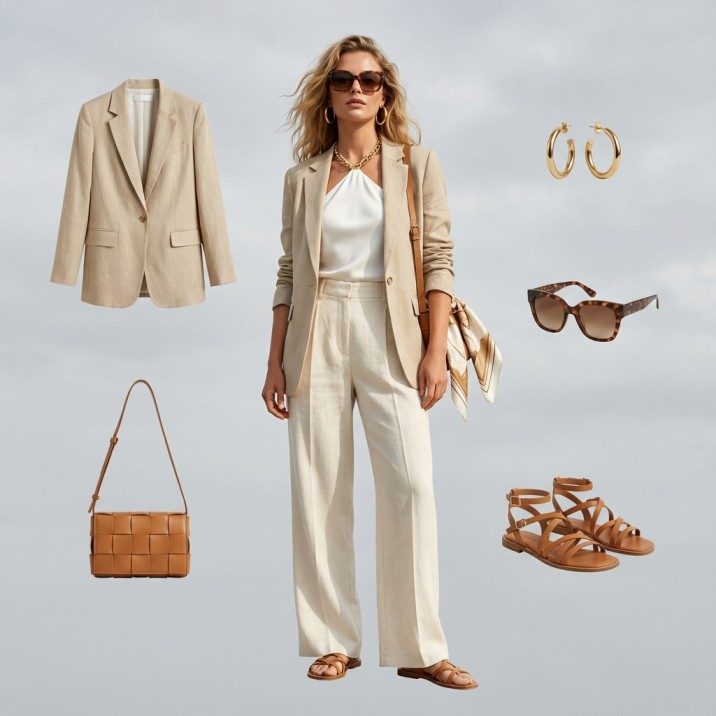
An AI fashion model generator is a specialized tool that creates photorealistic human models wearing your clothing — starting from nothing more than a product photo. You upload a flat lay, ghost mannequin shot, or hanger image, and the AI produces a studio-quality on-model photograph complete with natural skin texture, accurate fabric drape, and realistic body proportions.
83% of fashion e-commerce brands plan to adopt AI model generation by the end of 2026, up from just 24% in 2024.
Unlike general-purpose image generators such as Midjourney or DALL-E, fashion-specific model generators are trained exclusively on fashion photography data. This specialization makes all the difference. General AI tools hallucinate buttons, distort plaid patterns, merge sleeves into torsos, and produce anatomically incorrect hands. Fashion-trained AI understands garment construction, fabric behavior under lighting, and the precise way a cotton tee drapes differently than a silk blouse.
The technology behind these tools combines multiple AI architectures working in concert:
- Garment segmentation models isolate the product from any background, identifying collar shapes, sleeve lengths, hemlines, and structural details at pixel level
- Body pose estimation networks generate anatomically correct human bodies in natural positions, accounting for how garments shift with movement
- Diffusion-based rendering engines synthesize the final image, merging the garment onto the generated body while preserving every stitch, print, and texture detail
- Super-resolution upscalers bring the output to e-commerce-ready resolution (2048px+) without artifacts or loss of fabric detail
The result is indistinguishable from traditional studio photography in controlled A/B tests — and it takes seconds instead of days.
The result is indistinguishable from traditional studio photography in controlled A/B tests — and it takes seconds instead of days. For e-commerce brands managing hundreds or thousands of SKUs, this technology has moved from novelty to operational necessity in 2026.
Top 10 AI Fashion Model Generators Compared (2026)
We tested every major AI fashion model generator on the market using the same set of 50 product images across categories — t-shirts, dresses, outerwear, activewear, and accessories. Here is how the leading platforms compare:
| Tool | Best For | Free Tier | Pricing | Batch Processing | Model Consistency | Output Resolution |
|---|---|---|---|---|---|---|
| AI Fashion Model Generator | Full catalog production at scale | Yes — free credits | From $0.10/image | Yes — up to 5,000+ SKUs | Persistent identity lock | Up to 4K |
| Claid.ai | Image enhancement + model gen | Limited trial | From $0.20/image | Yes — API-driven | Moderate | Up to 2K |
| FASHN AI | Virtual try-on focus | Limited trial | Custom pricing | API available | Good | Up to 2K |
| Uwear AI | Quick single-image generation | Yes — limited | From $0.15/image | Limited | Basic | Up to 2K |
| Rawshot | Product photography automation | Free trial | From $0.25/image | Yes | Good | Up to 2K |
| Botika | Marketplace sellers | Free trial | From $0.18/image | Yes | Moderate | Up to 2K |
| WearView | Shopify merchants | Limited | Subscription-based | Limited | Basic | Up to 1080p |
| VModel | Budget-conscious brands | Yes — watermarked | From $0.12/image | Basic | Basic | Up to 2K |
| Modelia | European fashion brands | Free trial | Custom pricing | Yes — API | Good | Up to 2K |
| Mocky AI | Social media content | Yes — limited | From $0.15/image | Limited | Moderate | Up to 1080p |
Key Takeaway
Fashio AI is the only platform that combines persistent model identity, 4K output, and batch processing for 5,000+ SKUs in a single pipeline. For brands prioritizing catalog-scale production with consistent brand identity, it is the clear leader. For single-image use cases or budget experimentation, tools like VModel and Uwear provide accessible entry points.
How to Evaluate AI Fashion Model Generators: Quality Criteria That Matter
Not all AI generated models are created equal. The difference between a tool that produces sellable e-commerce images and one that produces uncanny, off-putting results comes down to four critical quality dimensions:
1. Skin Texture and Realism
The most immediate tell of an AI-generated image is the skin. Low-quality generators produce skin that looks plastic, over-smoothed, or waxy — the "AI look" that erodes buyer trust instantly. The best tools in 2026 render natural skin with visible pores, subtle imperfections, and accurate subsurface scattering under studio lighting. Test any generator by zooming to 200% on the face, hands, and neck. If the skin looks airbrushed beyond what a professional retoucher would do, the tool is not production-ready.
2. Fabric Accuracy and Garment Fidelity
This is where fashion-specific AI separates from general-purpose tools. Evaluate how the generator handles:
- Pattern alignment — Do stripes stay straight? Does plaid match at seams?
- Fabric texture — Can you distinguish denim from jersey from silk in the output?
- Garment structure — Are collars shaped correctly? Do pockets sit where they should?
- Transparency and layering — How does the AI handle sheer fabrics, mesh overlays, or see-through materials?
- Color accuracy — Does the output match the true product color under neutral lighting?
3. Hand and Finger Rendering
Hands remain the single hardest element for generative AI across all domains, and fashion is no exception. Examine generated images for correct finger count, natural joint bending, proportional finger length, and natural interaction with the garment (hands in pockets, holding a bag, resting on hips). Top-tier generators like AI Fashion Model Generator use specialized hand-correction modules trained on millions of fashion pose references to eliminate the six-fingered, fused-knuckle artifacts that plague lesser tools.
4. Cross-Image Consistency
A single good image means nothing if the next ten look different. For catalog production, evaluate consistency across:
- Lighting direction and intensity across multiple generations
- Model proportions remaining stable between images
- Background uniformity (no color drift, no shadow inconsistencies)
- Skin tone consistency when the same model identity is used across products
Pro Tip: The 20-Image Test
Run at least 20 products through any generator before committing. A tool that produces five great images and fifteen mediocre ones is worse than one that produces twenty consistently good images.
Creating Consistent AI Model Identities for Your Brand
Brand consistency is non-negotiable in fashion e-commerce. When a customer browses your catalog, they expect a cohesive visual experience — the same lighting, the same model aesthetic, the same photographic style across every product page. This is where AI fashion model identity systems become essential.
Persistent model identity means you define a model once — facial features, body type, skin tone, hair style, overall look — and that exact model appears across every product in your catalog. It is the digital equivalent of booking a model on an exclusive contract, except the AI model never ages, is always available, and costs a fraction of the real thing.
Here is how to build an effective AI model identity strategy:
- Define 3-5 model personas that represent your target customer demographics. A women's contemporary brand might use a model in her late 20s for core styles, one in her 40s for workwear, and one in her early 20s for trend pieces.
- Lock in physical attributes per persona: height impression, body build, facial structure, skin tone, hair color and style. Platforms like AI Fashion Model Generator let you save these as reusable model profiles.
- Standardize pose sets per product category. T-shirts might use a relaxed front-facing pose. Outerwear might use a three-quarter turn. Dresses might use a slight step pose to show movement. Consistency in posing across categories creates a professional catalog feel. Explore pose variation tools to find what works.
- Test across your full category range before committing to a model persona. Generate the same model in activewear, evening wear, and casual basics. Some AI model identities look natural in streetwear but unconvincing in formal attire.
The brands seeing the highest conversion rates from AI-generated imagery in 2026 are those treating their AI models as brand assets — not throwaway outputs. Invest the upfront time to get your model identities right, and the payoff compounds across every product you add.
Customization: Ethnicity, Body Type, Age, Pose, and Expression
One of the most powerful advantages of an AI clothing model generator over traditional photography is the ability to represent every customer. With a real model, showing the same dress on five different body types requires five separate bookings, five wardrobe fittings, and five sets of studio time. With AI, it requires five clicks.
Here is what the best generators allow you to customize:
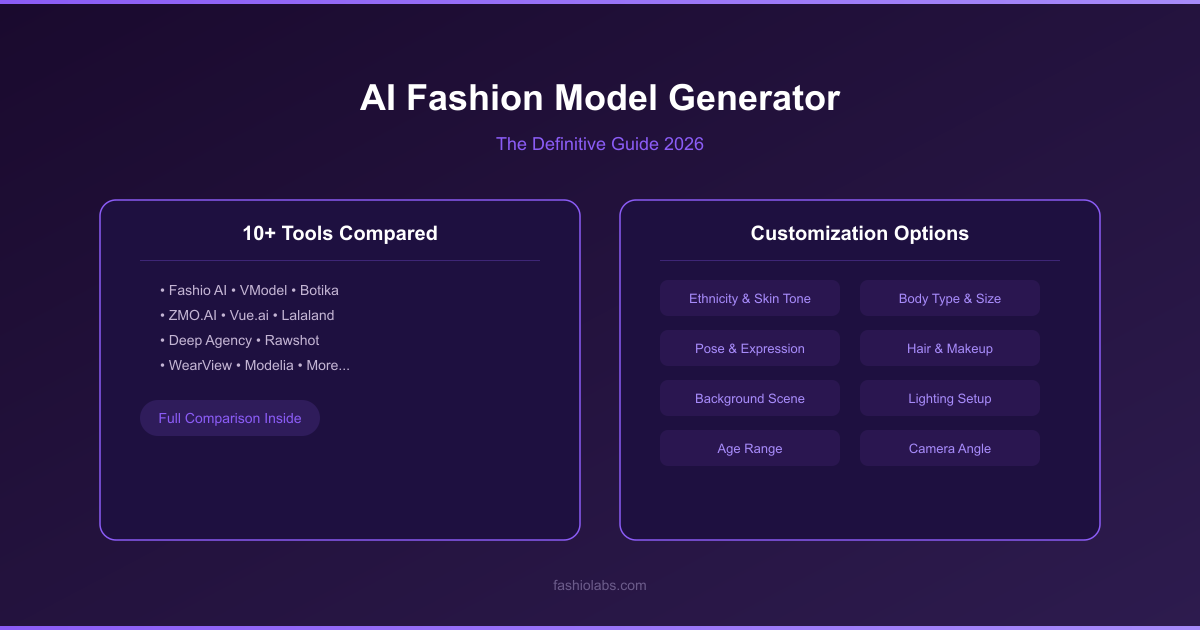
Customization Options in Top AI Model Generators
- Ethnicity and skin tone — Full spectrum representation including mixed heritage options. This is not just ethical — it directly impacts conversion. Shoppers buy more when they see models who look like them.
- Body type and size — From petite to plus-size, with realistic proportional variation. Essential for inclusive brands and size-inclusive retailers.
- Age range — Young adult through mature. Critical for brands targeting multiple age demographics with the same product line.
- Pose library — Standing, walking, seated, dynamic action poses. The best platforms offer 50+ pose options per category, and Fashio AI's pose variation tool lets you generate custom poses on demand.
- Facial expression — Neutral, smiling, candid, editorial. Expression affects perceived brand personality more than most brands realize.
- Hair styling — Length, color, texture, and style. Consistency here is crucial for model identity.
A practical strategy: generate your primary catalog with one model identity, then create secondary imagery showing the same products on diverse models for inclusion-focused landing pages, social media, and targeted ad campaigns. The marginal cost of generating additional model variations with AI is negligible compared to the conversion lift from inclusive representation.
Commercial Rights and Legal Considerations
The legal landscape around AI generated models in commercial use has clarified significantly by 2026. Here is what fashion brands need to know:
Ownership and Usage Rights
With professional AI fashion model generators, you typically receive full commercial rights to all generated images. This means unlimited use across e-commerce product pages, paid advertising, social media, print catalogs, wholesale lookbooks, and third-party marketplace listings. No model release forms. No royalty payments. No usage restrictions by territory or duration.
Disclosure Requirements
As of 2026, no major market requires disclosure that product images use AI-generated models specifically. However, the regulatory direction is toward transparency. The EU AI Act classifies commercial AI-generated imagery under limited risk, requiring disclosure in certain advertising contexts. Best practice: maintain internal records of which images are AI-generated, and be prepared to disclose if regulations tighten or if your brand values transparency.
Likeness and Identity Protection
Reputable AI fashion model generators create entirely synthetic faces that do not replicate any real individual. This eliminates right-of-publicity claims. However, avoid platforms that allow you to upload a real person's face for model generation unless you have explicit model release consent — this remains a legal gray area with active litigation in multiple jurisdictions.
Platform-Specific Policies
Amazon, Shopify, and most major marketplaces permit AI-generated product photography as of 2026 without specific disclosure requirements. Some platforms require that the product itself be accurately represented — the AI model is acceptable, but the garment must match the actual product. Always verify current platform policies before publishing at scale.
Workflow: From Product Photo to Full On-Model Catalog
The production workflow for converting raw product images into a complete on-model catalog using an ai fashion model generator follows a clear pipeline. Here is the step-by-step process used by professional e-commerce teams:
Step 1: Prepare Your Product Images
Start with the best source material you have. Flat lays on white backgrounds produce the best results. Ghost mannequin shots work well. Hanger images are acceptable. Wrinkled, poorly lit, or cluttered product photos will degrade output quality. If your source images need cleanup, run them through a background removal tool first.
Step 2: Configure Your Model Identity
Select or create the AI model persona for this product set. Define ethnicity, body type, age, and overall aesthetic. Save the configuration for reuse across your catalog.
Step 3: Select Poses and Framing
Choose appropriate poses for the product category. Front-facing works for most tops. Three-quarter angles show structure on outerwear. Dynamic poses suit activewear. Full-length framing for dresses, cropped at hip for tops-only. Use pose variation to generate multiple angles per product if needed.
Step 4: Generate and Review
Run the generation. Review outputs at full resolution. Check hands, neckline accuracy, pattern alignment, and overall realism. Most platforms allow you to regenerate individual images that do not meet quality standards without additional cost.
Step 5: Post-Processing
Apply any final adjustments — color correction to match true product colors, minor background adjustments, or body editing for fine-tuning proportions. Export in the resolution and format required by your e-commerce platform.
Step 6: Publish
Upload to your product listings. For brands using flat-lay-to-catalog workflows, the entire pipeline from raw product photo to published listing can be automated with API integration.
Batch Processing at Scale: 500 to 5,000+ SKUs
Single-image generation is useful for testing and small catalogs. But the real value of an ai clothes model generator reveals itself at scale. Fashion brands with hundreds or thousands of SKUs cannot afford to process images one by one — they need batch workflows that maintain quality and consistency across the entire catalog.
Here is what batch processing at scale demands:
API-First Architecture
For catalogs above 500 SKUs, manual upload-and-download workflows break down. You need API access that integrates with your product information management (PIM) system or e-commerce backend. Fashio AI provides a RESTful API that accepts product images, model configuration parameters, and pose selections, returning generated on-model images directly to your asset pipeline.
Consistent Output Across Thousands of Images
The hardest technical challenge in batch processing is maintaining visual consistency. Lighting, skin tone, model proportions, and background quality must remain uniform whether you are generating image number 1 or image number 4,500. This requires architecture-level solutions — not just good prompting. Fashio AI's persistence engine locks model identity at the feature-embedding level, ensuring zero drift across unlimited generations.
Processing Speed and Throughput
Realistic benchmarks for production-grade batch processing in 2026:
- 500 SKUs — 2-4 hours for single-pose generation, same day for multi-pose
- 2,000 SKUs — 8-12 hours for single-pose, 1-2 days for multi-pose with 3 angles each
- 5,000+ SKUs — 1-3 days depending on pose complexity and resolution requirements
A fast studio shoots 40-60 products per day. At 5,000 SKUs, that is 83-125 studio days — over four months of continuous shooting. AI batch processing completes the same volume in 1-3 days.
Quality Control at Volume
Even the best generators produce occasional artifacts at scale. Build a QC step into your batch workflow. Flag images with hand anomalies, garment distortion, or color drift for regeneration. A well-tuned pipeline achieves 92-97% first-pass acceptance rates, meaning only 3-8% of images need regeneration.
QC Tip: The 92-97% Rule
A well-tuned AI pipeline achieves 92-97% first-pass acceptance rates. Build automated QC checks for hand anomalies, garment distortion, and color drift — only 3-8% of images should need regeneration.
AI Models vs. Real Models: When to Use Each
The debate is not AI versus real — it is knowing which tool serves which purpose. Here is a framework for making the right call:
| Use Case | AI Models | Real Models | Recommendation |
|---|---|---|---|
| Product detail pages (catalog) | Excellent — fast, consistent, scalable | Expensive at volume | AI |
| Hero campaign imagery | Good but lacks human spontaneity | Superior emotional impact | Real |
| Seasonal lookbooks | Fast turnaround, easy updates | Higher perceived prestige | Hybrid |
| Marketplace listings | Perfect — high volume, low cost | Overkill for marketplace | AI |
| Social media content | Rapid iteration and testing | Authentic UGC-style performs well | Hybrid |
| Size-inclusive representation | Cost-effective across all sizes | Expensive to cast full range | AI |
| Brand storytelling / editorial | Limited emotional depth | Captures genuine human connection | Real |
| New product launch speed | Same-day imagery possible | Weeks of lead time | AI |
| A/B testing model demographics | Instant variation generation | Prohibitively expensive | AI |
| Luxury brand positioning | Perceived as less premium | Signals investment and exclusivity | Real |
The most effective strategy in 2026: use AI for 80-90% of your catalog production and reserve real photography for the 10-20% of content where human authenticity drives the most value — hero images, brand campaigns, and flagship product launches.
Ready to See AI Models in Action?
Upload your first product photo and generate a studio-quality on-model image in seconds. Free credits included — no commitment required.
Start Free Trial →Getting Started with Fashio AI's Model Generator
If you are ready to move from evaluating tools to producing results, here is the fastest path from product photo to published on-model imagery using AI Fashion Model Generator:
- Sign Up and Get Free Credits — Create your account at dash.fashiolabs.com. New users receive free credits — enough to test the full pipeline with your own product images before committing to a plan.
- Upload Your First Product — Drag and drop a product image. Flat lays, ghost mannequin shots, and clean hanger images all work. For best results, use a white or neutral background with even lighting. If your product image needs background cleanup, use Fashio AI's background removal tool first.
- Configure Your Model — Select model characteristics: ethnicity, body type, approximate age range, and hair style. Choose a pose from the library or use pose variation to explore options. Save your configuration as a reusable model profile for catalog consistency.
- Generate — Click generate. Fashio AI produces your on-model image in seconds. Review at full resolution. If the result is not perfect, adjust pose or model parameters and regenerate — iterations are included in your credits.
- Scale Up — Once you are satisfied with your model identity and quality settings, switch to batch mode. Upload your full product catalog, apply your saved model profile, and let the pipeline run. Use the product-to-model tool for streamlined single-product workflows or the batch API for full catalog processing.
- Integrate Into Your Workflow — Download finished images or connect via API to push generated imagery directly to your e-commerce platform. Fashio AI supports direct export to Shopify, WooCommerce, and custom platforms via the REST API.
Start Building Your AI Model Catalog Today
Join thousands of fashion brands already using AI to produce studio-quality on-model imagery at a fraction of the cost. Free credits included.
Start Free Trial →Frequently Asked Questions
What is an AI fashion model generator?
An AI fashion model generator is a tool that uses generative AI to create photorealistic human models wearing your products. You upload a product photo — flat lay, ghost mannequin, or hanger shot — and the AI generates a studio-quality on-model image with accurate fabric rendering, natural poses, and realistic skin texture. No casting, no studio, no photographer required.
Are AI fashion model generators free to use?
Several ai fashion model generator free options exist, including free trials and limited free tiers. Fashio AI provides free credits to new users so you can test output quality before committing. Fully free tools exist but typically produce lower resolution, less consistent results. For production use, paid plans start at affordable per-image pricing that scales with volume.
How realistic are AI-generated fashion models in 2026?
The best ai fashion model generator tools in 2026 produce results virtually indistinguishable from real photography. Fashion-trained models accurately render skin texture, fabric drape, garment structure, and natural hand positioning. The key differentiator is using fashion-specific AI rather than general-purpose image generators, which still struggle with clothing details.
Can I create a consistent AI model identity for my brand?
Yes. Advanced platforms like AI Fashion Model Generator allow you to define a persistent model identity — locking in facial features, body type, skin tone, and overall appearance. This means the same ai fashion model appears across your entire catalog, creating brand consistency identical to working with a real contracted model.
Do I own the commercial rights to AI-generated model images?
With professional AI fashion model generators including Fashio AI, you receive full commercial usage rights for all generated images. No royalties, no model release requirements, and no licensing fees. Use the images across e-commerce, advertising, social media, and print without restrictions.
How many product images can AI model generators process at scale?
Enterprise-grade generators handle batch processing of 500 to 5,000+ SKUs efficiently. Fashio AI's batch processing pipeline generates consistent on-model images for entire catalogs in hours rather than the weeks required for traditional photography. API access enables full automation within existing production workflows.
Should I replace real models entirely with AI-generated models?
AI models and real models serve complementary roles. AI excels at high-volume catalog production, rapid SKU launches, A/B testing, and scaling across demographics. Real models remain valuable for hero campaigns, brand storytelling, social proof, and luxury positioning. Most successful brands in 2026 use a hybrid approach — AI for volume, real models for flagship content. Explore virtual try-on as another option for showcasing products on diverse model types.
