What is the best free alternative to Photoroom for fashion?
Fashio AI is the best free Photoroom alternative for apparel brands, because Photoroom's AI Fashion Models feature requires a paid subscription while Fashio AI's Starter tier is $0 and includes the fashion tools. That is the honest version of the answer. The dishonest version — the one most "Photoroom alternatives" listicles run with — is that Photoroom is a background remover that cannot do fashion. It can. It has AI Fashion Models, Ghost Mannequin and Flat Lay, and all three cost 5 AI credits.
Photoroom: $12.99–$99/mo, 8,000–75,000 credits AI Fashion Model: 5 credits ≈ $0.008 4K export: 240 credits ≈ $0.39 Fashio AI free tier: 25 credits/mo
Photoroom is cheaper per generation and has an API, batch exports and 50 team seats. Fashio AI has a free tier that includes the fashion tools, a published 91-model library with full demographic breakdown, jewellery and lingerie pipelines, and Spin-360. Both statements are true at the same time.
Photoroom (photoroom.com) started as a background-removal app and is now a broad product-imagery platform. Its 2026 feature set includes Background Remover, Retouch, AI Product Fixer, AI Shadows, AI Fill, AI Expand and Resize, Image Enhancer, AI Backgrounds, a Video Generator, and AI Fashion Models. On paid plans the core editing tools are unlimited and consume no AI credits at all — only the generative tools draw from the credit pool.
So this comparison is not "fashion tool versus not-a-fashion-tool". It is two products that both make on-model images, with genuinely different pricing shapes and genuinely different depth. That is a harder article to write and a more useful one to read.
What does Photoroom cost in 2026?
These figures come from the structured pricing data published on Photoroom's own pricing page, checked on 17 August 2026.
| Plan | Monthly | Yearly | AI credits/mo | Exports/mo |
|---|---|---|---|---|
| Free | $0 | — | Not published | 100 |
| Pro — "Perfect for solopreneurs" | $12.99 | $89.99 | 8,000 | 1,000 |
| Max — "Great for small businesses" | $34.99 | $250.00 | 25,000 | 3,000 |
| Ultra — "Best for growing brands" | $99.00 | $990.00 | 75,000 | 10,000 |
| Ultra 2× / 5× / 10× | Scales with export volume | — | 20,000 / 50,000 / 100,000 | |
| Enterprise | Custom | Tailored | Custom | |
Two features are gated by tier rather than by credits. The Video Generator is not included on Pro — it starts at Max. 4K resolution is not included on Pro or Max — it starts at Ultra. Adjustable AI Shadows are Enterprise-only. Team seats run up to 50 across the paid tiers, and the Shopify integration appears from Max upward.
The credit table is where the real pricing lives
Photoroom's help centre publishes a per-feature credit table, and it is the single most useful document for costing the tool. Here are the rows that matter for apparel.
| Operation | AI credits | Cost on Pro (≈$0.0016/credit) |
|---|---|---|
| AI Backgrounds v3 model | 1 | $0.002 |
| AI Fashion Model 1K | 5 | $0.008 |
| Ghost Mannequin | 5 | $0.008 |
| Flat Lay | 5 | $0.008 |
| Product Staging / Product Beautifier / Recolor | 5 each | $0.008 |
| AI Shadows (advanced) | 10 | $0.016 |
| Edit with AI (describe a change) | 20 | $0.033 |
| HD export 2K | 135 | $0.22 |
| Ultra HD export 4K | 240 | $0.39 |
| Video Generator | 500 | $0.81 (Max tier and above) |
Read those last three rows again
The 2K export costs 27× the generation itself. The 4K export costs 48×. The headline "under a cent per fashion image" is the price of a 1K preview, and 1K is not a product-page asset for most apparel listings.
Cost a finished image instead. Generation plus 2K export is 140 credits. On Pro's 8,000-credit allowance that is about 57 finished images a month at $0.23 each — and 4K is not available on Pro at all. Step up to Ultra at $99/month for 4K, and 245 credits per finished image against 75,000 gives roughly 306 images a month at $0.32 each.
This is not a criticism of Photoroom's pricing, which is transparent and published. It is a criticism of how the number gets quoted. Compare finished assets to finished assets.
Photoroom also notes that credit costs can change, because the underlying generative model costs change — so re-check the table before you build a budget on it. Background removal is credit-free on every paid plan, which is a real and underrated advantage if that is most of what you do.
How do Fashio AI and Photoroom compare at a glance?
| Capability | Fashio AI | Photoroom |
|---|---|---|
| Core job | Fashion-specialised generation and editing | General product imagery, with a fashion module |
| AI human models | 91 published presets plus prompt-described models | Yes — library size and composition not published |
| Model demographic controls | 10 ethnicities, 10 body types, 4 age bands, 5 skin-tone buckets, hair length and texture, 6 styling vibes | Model, Pose, Background, Size, Quality, Brand style, optional prompt |
| Upload your own model | Virtual try-on onto a supplied body | Yes — upload your own model photo |
| Pose presets | 87 — 36 general fashion, 51 jewellery-specific | Pose setting, count not published |
| Ghost mannequin | Yes, with auto neck joint | Yes — 5 credits |
| Flat lay conversion | Flat Lay to Catalog Creator | Yes — 5 credits |
| Jewellery on model | Yes — 51 jewellery poses, 6 aspect ratios | Not a dedicated pipeline |
| Lingerie pipeline | Yes — up to 13 garments per request | Not a dedicated pipeline |
| Spin-360 / Image to 3D | Yes — 30–40 credits / 15 credits | Not offered |
| Video | Photo to Video and UGC Video, 5s or 10s, 195 UGC presets | Video Generator, 500 credits, Max tier and above |
| Upscaling | Fixed 2× — 1080p source to 4K (3840×2160), 3 credits | Image Enhancer unlimited; 2K export 135 credits, 4K export 240 credits |
| Batch / bulk | No — one image at a time | Yes — 1,000 to 100,000 exports/month by tier |
| Public API | No | Yes |
| Shopify integration | No | Yes, from Max |
| Team seats | Not offered | Up to 50 |
| Free tier includes fashion tools | Yes — 25 credits/month, 6 fashion generations | No — AI Fashion Models requires a paid subscription |
| Entry price | $0 Starter, $29.99/mo Growth for 160 credits | $0 Free (100 exports), $12.99/mo Pro |
| Interface languages | 22 | Not published as a count |
| Failed-job refunds | Yes — refund paths in 15 server modules, 300s timeout ceiling | Not published |
Where Photoroom genuinely wins
Photoroom's real advantages, stated plainly
- Unit cost. A 5-credit generation on Pro is roughly $0.008 against Fashio AI's $0.75. Even costed as a finished 2K asset at $0.23, Photoroom is cheaper. Arithmetic is arithmetic.
- Volume infrastructure. Batch exports from 1,000 to 100,000 per month. Fashio AI processes one image at a time with no queue, and on a 500-SKU catalogue that difference is structural, not cosmetic.
- A public API. Fashio AI has none. If you want on-model generation wired into your PIM or your listing pipeline, Photoroom can do it and Fashio AI cannot.
- Shopify integration and up to 50 team seats. Fashio AI offers neither.
- Credit-free core tools. Background Remover, Retouch, AI Product Fixer, AI Fill, AI Expand and Resize and Image Enhancer are unlimited on paid plans at zero credit cost. Fashio AI charges 2 credits for a background removal and 3 for an upscale.
- Category breadth. Photoroom handles any product. Fashio AI is fashion-only and will be the wrong tool the day your catalogue adds homeware.
Where Fashio AI is the better fit
1. You can test on-model output before paying anything
Photoroom's help centre is explicit that AI Fashion Models requires a paid subscription. The free plan gives you 100 exports and the credit-free core tools — useful, but it will not tell you whether the on-model render holds up on your garment.
Fashio AI's Starter plan is $0 with 25 credits a month, which is 6 fashion generations at 4 credits each. A daily credit claim adds another 4 credits at a time, capped at 7 claims for the lifetime of the account — 28 further credits, or 7 more generations. That is enough to judge output quality on a real product photo from your own catalogue before a card is involved.
2. The model library is published, not asserted
Fashio AI's AI Fashion Model Generator ships 91 presets and we publish the composition rather than saying "diverse": 69 female and 22 male; 48 in the 25–34 band, 22 in 16–24, 16 in 35–44 and 5 at 45 and above; five skin-tone buckets covering 90 of the 91 records; short, medium and long hair at 46, 27 and 18; straight, wavy and curly at 66, 21 and 4. Styling vibes run clean natural (47), luxury editorial (20), street edgy (9), commercial friendly (7), sporty active (4) and corporate professional (4). Ten ethnicities and ten body types are selectable.
Photoroom offers a Model setting and states its models are diverse. It does not publish a count or a breakdown, so you cannot check in advance whether the specific demographic your customer base looks like is actually in the library. If that matters to you, that is a real difference — and if it does not, it is not.
3. Fashion has sub-categories, and they have their own pipelines
Photoroom's fashion module is one tool that puts clothing on a model. Apparel is not one job. Fashio AI splits it:
- Virtual AI Fashion Try-On for showing fit and drape on a body
- Product to Model for bags, shoes and watches
- Bra AI Generator with a lingerie pipeline that accepts up to 13 garments in a single request
- Jewellery on model with 51 jewellery-specific pose presets — 14 necklace, 13 bracelet, 13 earring, 11 ring — and 6 aspect ratios
- Pose Variation for a second angle of the same look at 4 credits
- Spin-360 at 30 credits standalone or 40 on model, and Image to 3D at 15
None of those last three exist in Photoroom. If your catalogue is jewellery or intimates, that is the decision made.
4. Scene and shot control is preset-driven
Fashio AI ships 50 environment presets — 16 studio, 12 nature, 8 indoor, 7 landmark, 4 street, 2 outdoor and 1 rooftop — plus 3 shot types (full body, half body, close up) and 4 lighting presets. For video, 195 UGC presets span beauty (56), electronics (53), health and sports (49), restaurant and cafe (19) and fashion (18), with 22 tested combinations. Read our AI photoshoot guide for how these fit together in a real shoot plan.
What Fashio AI covers
AI Fashion Model Generator
91 published presets across 10 ethnicities, 10 body types and 4 age bands — 4 credits per generation
Virtual AI Fashion Try-On
Render a garment on a body so fit and drape are visible before purchase
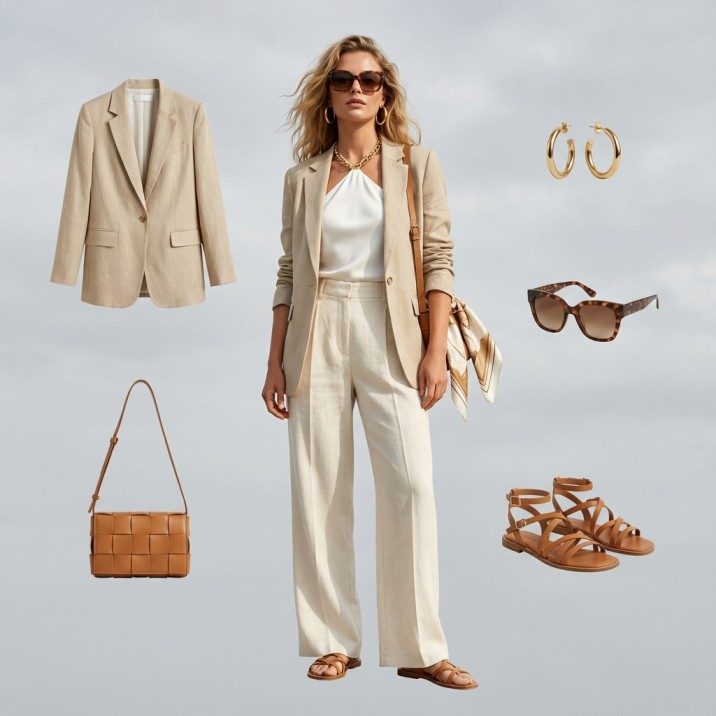
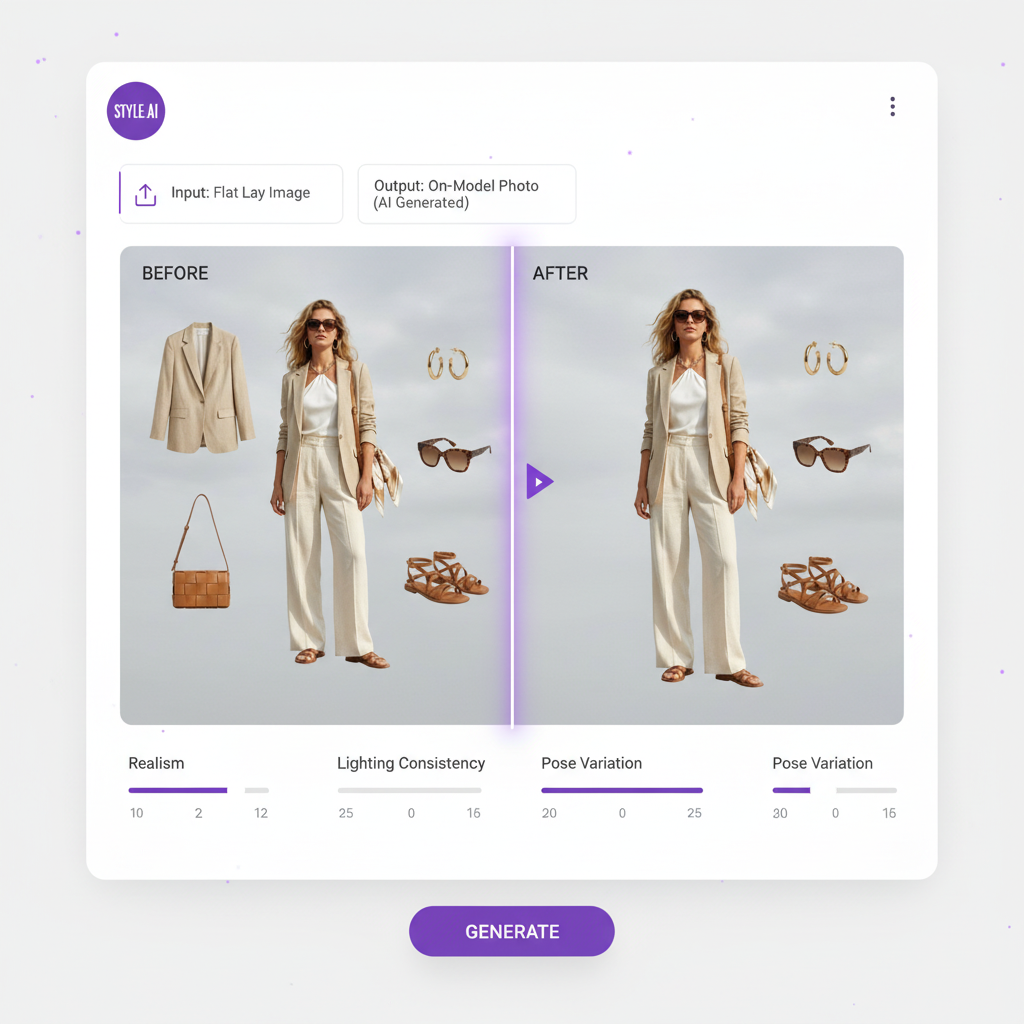
Flat Lay to Catalog Creator
Turn a flat lay into a styled on-model catalogue shot
Ghost Mannequin Generator
Remove the mannequin and close the neck joint automatically
Pose Variation
87 pose presets, 36 of them general fashion — a second angle from one source image
Product to Model
Jewellery, bags, shoes and watches on a model, with 51 jewellery-specific poses
Bra AI Generator
Lingerie and intimates as their own pipeline — up to 13 garments per request
Fashion Photo Upscale
Fixed 2× at 3 credits — a 1080p source lands on 4K at 3840×2160
Test the on-model render before you pay
Starter is free with 25 credits a month — 6 fashion generations, enough to judge the output on your own garment.
Try Fashio AI Free →The cost comparison, done properly
Say you need 100 finished on-model images a month for a product catalogue, at 2K, ready to upload.
| Route | Credits per finished image | Plan needed | Monthly cost | Effective per image |
|---|---|---|---|---|
| Photoroom, 1K generation only | 5 | Pro, $12.99 | $12.99 | $0.13 (500 credits of 8,000 used) |
| Photoroom, generation + 2K export | 140 | Max, $34.99 (14,000 credits needed) | $34.99 | $0.35 |
| Photoroom, generation + 4K export | 245 | Ultra, $99.00 (4K is Ultra-only) | $99.00 | $0.99 |
| Fashio AI, generation only | 4 | Growth $29.99 + 240-credit top-up | $89.97 (Growth + two 120 packs) | $0.90 |
| Fashio AI, via 1200-credit pack | 4 | $129.99 pack, 300 generations | $129.99 for 300 | $0.43 |
At 2K, Photoroom is about $0.35 an image against Fashio AI's $0.43 on the best-value pack. That is close enough that unit price should not decide it. At 1K preview quality Photoroom is far cheaper, and at 4K the tier gate pushes Photoroom to $99/month, above the Fashio AI pack rate for that volume.
The uncomfortable conclusion, which we will state anyway: if your only requirement is "clothing on a model, cheaply, at volume, wired into Shopify", Photoroom is the more sensible purchase. Fashio AI earns its price on depth of fashion control, sub-category pipelines and a free tier you can actually evaluate with.
The other Photoroom alternatives, compared on price
Fashio AI is not the only option, and a comparison page that pretends otherwise is not worth reading. Here is every AI product-imagery tool we have costed, with what you actually get at the entry tier. Prices are as published by each vendor on the date noted in our individual comparison for that tool.
| Tool | Entry price | What the entry tier buys | Free tier | Puts garments on models? |
|---|---|---|---|---|
| Fashio AI | $0 / $29.99 mo | 25 credits free; 160 credits on Growth. 4 credits per fashion image = $0.75, or $0.43 via the 1200-credit pack | Yes — 25 credits/mo, fashion tools included | Yes — all garment types, plus lingerie and jewellery pipelines |
| Photoroom | $12.99/mo | 8,000 credits, 1,000 exports. Generation 5 credits (≈$0.008); 2K export 135, 4K export 240 | Yes — 100 exports, but no AI Fashion Models | Yes |
| Pixelcut | $10/mo | 600 credits, unlimited background removal and upscale, 1,000 batch exports, 3 seats | Yes — limited, watermark-free export | Tops only — pants, dresses and accessories listed as "coming soon" |
| FASHN AI | $19/mo | 200 credits at ≈$0.075 per image. Pro $49 (750 monthly + 50 daily), Agency $99 (1,500 + 100 daily) | 10 credits, one time only; daily credits expire unused | Yes |
| Botika | $33/mo | 30 credits on Lite; Pro $35 and Advanced $40 also 30 credits. Roughly $1.10–$1.33 per image | 8 credits, one-time signup bonus | Yes |
| Modelia | $35/mo | 250 credits, 2-month minimum commitment. Pro $85 (750 credits, 2-month min), top tier $300 (3,000 credits, 1-month min) | No | Yes |
| WearView | $29/mo ($24 annual) | 50 credits on Lite | Credit-based trial | Yes — primarily clothing |
| Claid AI | $19/mo | Essentials: unlimited enhancements, 100+ backgrounds. Pro $49 adds custom backgrounds, outpainting, 200 API credits | Free trial, limited | No — enhancement and backgrounds, no on-model generation |
| Pebblely | $9/mo | 30 images on Lite; Basic $19 for 200, Pro $39 for 500. $0.078–$0.30 per image | Not detailed on the pricing page | No — background and scene staging only |
| soona | $149 per booking | Plus $39 per photo and $93+ per additional asset; you ship the product. Standard $13/mo annual, Pro $49/mo annual. Video from $89 | No | Yes — with human models, in a real studio |
How to read that table
The cheapest three are cheap for different reasons. Pebblely at $9 does not put clothes on people at all. Pixelcut at $10 does, but only tops. Photoroom at $12.99 does the full job — its cost simply moves into the export ladder. Only one of those three is a like-for-like Photoroom substitute, and it is Photoroom.
Per-image price spans a 170× range and mostly measures what is being generated. FASHN AI at $0.075 and Botika at $1.10–$1.33 are both on-model fashion tools, and the gap between them is not a quality verdict — it reflects different resolution defaults, different credit accounting and different amounts of included tooling. Photoroom's $0.008 is the least comparable number of all, because it is a 1K generation before any export cost.
Two of these lock you in. Modelia requires a 2-month minimum on its $35 and $85 tiers. FASHN AI's daily credits expire if unused, which means the headline allowance on Pro and Agency overstates what a bursty workflow actually gets. Neither is hidden — both are published — but neither shows up in a price column either.
Only two tools here give you fashion generation before payment. Fashio AI's Starter tier includes it. Everyone else offers either a one-time credit bonus (Botika's 8, FASHN AI's 10), a limited trial, or nothing. Photoroom's free plan is real but excludes AI Fashion Models.
The full set of comparisons
- Fashio AI vs Pixelcut — the try-on scope limit, and a $0.10 API
- Fashio AI vs Pebblely — cheapest per image, no on-model output
- Fashio AI vs FASHN AI — the daily-credit expiry trap
- Fashio AI vs Botika — three tiers, all 30 credits
- Fashio AI vs Modelia — the 2-month minimum commitment
- Fashio AI vs Claid AI — enhancement, not generation
- Fashio AI vs WearView — 50 credits at $29
- Fashio AI vs soona — the one that still ships your product to a studio
- Fashio AI vs vModel and vs RawShot — neither publishes a public price list
The full version of this table — every tier, every source URL and the date each price was last read — lives at AI fashion photography tools compared. If you want the wider landscape rather than a head-to-head, our 12 best AI tools for fashion brands review covers categories this table does not, and best AI image generators for fashion handles the general-purpose models.
Who should choose which?
Choose Photoroom if: you need an API or a Shopify integration; you process hundreds or thousands of images a month and batch throughput is the binding constraint; your catalogue spans several product categories, not just apparel; you have a team and need seats; or background removal and retouching is the bulk of the work and you want it credit-free.
Choose Fashio AI if: you want to test on-model output before paying; your catalogue is jewellery, lingerie or accessories with their own shooting conventions; you need Spin-360 or 3D; you want a documented model library you can check against your customer demographics; or you need pose variation and multiple fashion sub-pipelines rather than one general fashion tool.
Use both if: you are running volume. Photoroom's credit-free background removal and batch export is a good production floor, and a fashion-specialised tool handles the hero shots and the awkward categories. Nobody is served by pretending you must pick one.
What Fashio AI cannot do
Honest limitations
- No public API. Everything runs through the dashboard. Photoroom has an API and this is a genuine structural gap.
- No bulk queue. One image at a time. Photoroom exports in batches up to 100,000 a month.
- No team seats and no Shopify integration. Photoroom has both.
- Higher unit cost per generation. $0.75 on Growth, $0.43 via the 1200-credit pack, against Photoroom's cent-scale generation price.
- Fixed 2× upscaling. A 1080p source becomes 4K and stops. Photoroom's Image Enhancer is unlimited on paid plans.
- Video is 5 or 10 seconds only, in three aspect ratios (16:9, 9:16 default, 1:1).
- Fashion only. Photoroom will stage a candle. Fashio AI will not.
Where Fashio AI does hold an operational edge: failed generations are refunded, with refund paths in 15 server modules, and jobs that exceed the 300-second polling ceiling are refunded in full. Photoroom does not publish an equivalent policy.
Verdict
Photoroom is not a weaker fashion tool. It is a broader, cheaper, more industrial one — and the price you see quoted is for a 1K preview, not a finished asset.
Most comparison pages of this kind exist to make the competitor look incapable. Photoroom is not incapable; it is a well-built platform with an API, batch infrastructure and a fashion module priced at fractions of a cent. If you came here expecting to be told it cannot put a dress on a model, it can.
The two real differences are these. First, Photoroom's cost sits in the export ladder rather than the generation, so cost your workflow at the resolution you actually ship. Second, Photoroom treats fashion as one feature among many, while Fashio AI treats jewellery, lingerie, accessories and garments as separate problems with separate pipelines. Whether that depth is worth the unit-price difference depends entirely on what you sell.
Key Takeaway
Photoroom wins on unit cost, batch throughput, API access and category breadth. Fashio AI wins on fashion depth, a published model library and a free tier that includes the fashion tools — Photoroom's AI Fashion Models requires a paid subscription. Test both on the same garment photo before deciding, and cost them at the resolution you actually publish.
Try it on one product photo
25 free credits a month, no card required. Upload a garment and compare the on-model output yourself.
Try Fashio AI Free →FAQ: Fashio AI vs Photoroom
What is the best free alternative to Photoroom for fashion?
Fashio AI, because its Starter tier is $0 with 25 credits a month and includes the fashion tools, while Photoroom's AI Fashion Models requires a paid subscription. Photoroom's free plan gives 100 exports a month and the credit-free core tools, which will not let you evaluate on-model output. This is the practical difference for anyone trying before buying.
How much does Photoroom cost in 2026?
Four published tiers. Pro is $12.99/month or $89.99/year with 8,000 AI credits and 1,000 exports. Max is $34.99/month or $250.00/year with 25,000 credits and 3,000 exports. Ultra is $99.00/month or $990.00/year with 75,000 credits and 10,000 exports, scaling to 20,000, 50,000 and 100,000 exports on its 2×, 5× and 10× variants. Enterprise is custom. The free plan is capped at 100 exports a month.
Does Photoroom have AI fashion models?
Yes. AI Fashion Models places clothing on generated models from a flat-lay, ghost mannequin or well-lit hanger shot, with settings for Model, Pose, Background, Size, Quality and Brand style plus an optional prompt, and you can upload your own model photo instead. It costs 5 AI credits per 1K generation and requires a paid subscription. Photoroom also has Ghost Mannequin and Flat Lay tools at 5 credits each.
Why is Photoroom's per-image price so low?
Because 5 credits buys a 1K generation, not a shippable asset. Photoroom's own credit table prices HD export at 2K at 135 credits and Ultra HD export at 4K at 240 credits — 27× and 48× the generation. A generation plus a 2K export is 140 credits, so Pro's 8,000 credits yields about 57 finished 2K images a month. 4K export is listed on Ultra only.
Is Photoroom cheaper than Fashio AI?
Per generation, decisively. Photoroom Pro works out at roughly $0.0016 per credit, so a 5-credit fashion generation is about $0.008 against Fashio AI's $0.75 on the Growth plan. Costed as finished 2K assets the gap closes to roughly $0.35 versus $0.43 via Fashio AI's 1200-credit pack. Decide on capability and workflow, not on the headline generation price.
What can Fashio AI do that Photoroom cannot?
Jewellery on model with 51 jewellery-specific pose presets across necklace, bracelet, earring and ring; a lingerie pipeline accepting up to 13 garments per request; Spin-360 at 30 or 40 credits and Image to 3D at 15; 195 UGC video presets; and a published 91-model library broken down by ethnicity, body type, age band, skin tone, hair and styling vibe. Photoroom publishes neither a model count nor a demographic breakdown.
What does Photoroom do better than Fashio AI?
A public API, a Shopify integration, up to 50 team seats, batch exports running to 100,000 a month, credit-free unlimited core editing tools, and coverage of every product category rather than fashion alone. Fashio AI has no API, no bulk queue and no team seats. For a high-volume multi-category seller these are decisive advantages.
Can I use Photoroom's AI Fashion Models for free?
No — the help centre states it requires a paid subscription. The free plan covers 100 exports a month plus credit-free tools such as background removal. Fashio AI's Starter plan is free with 25 credits a month, which is 6 fashion generations, plus a daily claim of 4 credits capped at 7 claims for the life of the account.
All Photoroom figures in this article were read from Photoroom's own pricing page and help centre on 17 August 2026. Photoroom notes that AI credit costs can change as underlying model costs change, so verify before budgeting. All Fashio AI figures are read from our published platform specification.