What is the best free alternative to Pixelcut for fashion?
Fashio AI is the best free Pixelcut alternative for apparel brands, because Pixelcut's Virtual Try-On supports clothing tops only — its own tool page says the ability to try on pants, dresses and accessories is "coming soon". That single sentence, published by Pixelcut, decides this comparison for most fashion catalogues. If you sell t-shirts, hoodies, shirts and knitwear, Pixelcut at $10 a month is a genuinely good deal and you should take it seriously.
Pixelcut: Free / $10 / $30 per month Try-On API: $0.10 per image Try-on scope: tops only Fashio AI free tier: 25 credits/mo
Pixelcut is cheaper, has an API, unlimited upscaling to 16× and a real free tier. Fashio AI covers the garment categories Pixelcut does not yet reach — dresses, trousers, outerwear, lingerie, jewellery — plus ghost mannequin, pose variation and Spin-360.
Pixelcut (pixelcut.ai) is a broad AI image and video editor that claims 70 million creators, brands and businesses. Its toolset covers background removal for image and video, upscaling to 16×, uncrop and expand, retouch, generative fill, shadow generation, magic eraser, batch editing, AI image generation, AI video generation and a "Creative Agent" that plans and executes multi-step edits. It also has a dedicated Virtual Try-On tool and a Virtual Try-On API.
So the lazy framing — Pixelcut is a background remover, Fashio AI does fashion — is wrong, and we are not going to use it. Pixelcut does fashion. It does a specific and currently narrow slice of it, very cheaply.
What does Pixelcut cost in 2026?
Read from Pixelcut's own pricing page on 17 August 2026.
| Plan | Monthly | Billed yearly | AI credits/mo | Included |
|---|---|---|---|---|
| Free | $0 | — | — | Limited background removal, limited upscale, watermark-free export |
| Pro | $10 | $8/mo (saves 20%) | 600 | All AI models, unlimited background removal, unlimited upscale, 3-person team, 1,000 batch exports, commercial licence |
| Business | $30 | $24/mo (saves 20%) | 3,600 | Everything in Pro, 10-person team, 2,000 batch exports, priority support |
A naming inconsistency worth knowing about before you buy
Pixelcut's pricing page lists Pro and Business. Pixelcut's help centre describes credit allowances for Pro (200 weekly / 600 monthly), Pro+ (400 weekly / 3,600 monthly) and Max (1,000 weekly / 9,000 monthly). The monthly credit figures line up for the first two tiers, so Business and Pro+ appear to be the same plan under two names, with a third tier documented in one place and not the other.
We are flagging this rather than resolving it, because we could not verify which naming is current. Check what you are actually being charged for at checkout.
What does a generation actually cost?
Pixelcut does not publish a fixed per-feature credit table. Instead, the credit cost per model is shown in the app's model picker before you generate. What the help centre does publish is the range:
| Operation | Credits | Cost on Pro (≈$0.0167/credit) |
|---|---|---|
| Cheapest image model (Luma Photon Flash) | 1 | $0.017 |
| Premium image models (Imagen 3, Juggernaut Flux Pro) | 10 | $0.167 |
| Virtual Try-On API | 10 per image | $0.10 (Pixelcut's own stated API rate) |
| Video, Luma Ray2 | 8 per second — 40 for 5s | $0.67 per 5s clip |
| Video, Veo2 | 50 per second — 250 for 5s | $4.17 per 5s clip |
| Background removal, upscale | 0 — unlimited on paid plans | $0 |
Two things follow from this. First, try-on at roughly $0.10–$0.17 an image is cheap, and 600 credits on Pro buys about 60 premium generations a month. Second, video will eat your allowance: a single 5-second Veo2 clip at 250 credits is 42% of the entire Pro monthly allowance, so Pro supports two of them. If video is part of your plan, budget the Business tier or a cheaper model.
One more detail from the help centre, and it is the kind that only bites in production: credits are generally consumed only on successful generations, but they are also consumed if a generation is blocked by content moderation after it completes. For lingerie, swimwear and intimates that is a risk worth pricing in.
The try-on scope limit, stated in Pixelcut's own words
"The ability to try on pants, dresses, accessories is coming soon!" — pixelcut.ai/virtual-try-on
The tool page describes the current scope as "clothing tops of all fabrics and styles". Everything else is on the roadmap. For a brand selling graphic tees this is not a limitation at all. For most apparel catalogues it removes a large share of the SKUs.
Work out what proportion of your catalogue is tops before reading any further comparison. If the answer is "most of it", Pixelcut is probably your answer and you can stop here. If the answer is "about a third", the per-image price stops being the deciding factor, because the other two-thirds still need a different tool.
To be fair to the tool within its scope: it accepts JPG, PNG and HEIC at up to 100MB and 8000×8000 pixels, which is generous, and it will fit a garment either onto its own model library or onto a model photo you upload. Pixelcut does not publish the size or demographic composition of that library.
How do Fashio AI and Pixelcut compare at a glance?
| Capability | Fashio AI | Pixelcut |
|---|---|---|
| Core job | Fashion-specialised generation and editing | General AI image and video editing |
| Virtual try-on | Full outfits — tops, dresses, trousers, outerwear, intimates | Yes — clothing tops only, rest "coming soon" |
| AI model library | 91 presets, composition published | Library offered, size not published |
| Model demographic controls | 10 ethnicities, 10 body types, 4 age bands, 5 skin-tone buckets, hair length and texture, 6 vibes | "Different sizes, shapes and backgrounds", not enumerated |
| Upload your own model | Yes | Yes |
| Pose presets | 87 — 36 general fashion, 51 jewellery-specific | Not a preset system |
| Ghost mannequin | Yes, with auto neck joint | Not offered |
| Flat lay to on-model | Yes | Not offered |
| Lingerie / jewellery pipelines | Yes — 13 garments per lingerie request, 51 jewellery poses, 6 aspect ratios | Not offered |
| Spin-360 / Image to 3D | Yes — 30–40 credits / 15 credits | Not offered |
| Video | 5s or 10s, flat 15 credits, 195 UGC presets, 3 aspect ratios | Per-second pricing, 8–50 credits/second by model |
| Upscaling | Fixed 2× at 3 credits — 1080p to 4K (3840×2160) | Up to 16×, unlimited on paid plans |
| Background removal | 2 credits each | Unlimited on paid plans, free tier limited |
| Batch / bulk | No — one image at a time | 1,000 (Pro) or 2,000 (Business) batch exports/month |
| Public API | No | Yes — including a Virtual Try-On endpoint at $0.10/image |
| Team seats | Not offered | 3 (Pro) or 10 (Business) |
| Free tier | 25 credits/month, fashion tools included | $0, limited removal and upscale, watermark-free export |
| Entry paid price | $29.99/month for 160 credits | $10/month for 600 credits |
| Cost per fashion image | $0.75 on Growth, $0.43 via 1200-credit pack | ≈$0.17 in-app, $0.10 via API |
| Failed-job refunds | Refund paths in 15 server modules, 300s timeout ceiling | Credits consumed if moderation blocks after completion |
Where Pixelcut genuinely wins
Pixelcut's real advantages
- Price. $10 a month against Fashio AI's $29.99, and roughly $0.10–$0.17 per image against $0.43–$0.75. That is a three-to-four-fold difference and it is not close.
- A free tier that produces usable files. Watermark-free export on the free plan is unusual and generous.
- Unlimited background removal and upscaling. Fashio AI charges 2 credits for a removal and 3 for an upscale. If your work is mostly cleanup, Pixelcut's model is simply better for you.
- 16× upscaling. Fashio AI is fixed at 2×. For salvaging a low-resolution source, Pixelcut has far more headroom.
- A public API, including try-on. Fashio AI has no API at all. If you want on-model generation inside your own pipeline, this settles it.
- Batch exports and team seats. 1,000–2,000 batch exports and 3–10 seats. Fashio AI has neither.
- Any product category. Pixelcut edits anything. Fashio AI is fashion-only.
Where Fashio AI is the better fit
1. The garments Pixelcut does not do yet
Dresses, trousers, skirts, jumpsuits and outerwear are the categories with the highest return rates and the greatest need for on-model imagery, and they are exactly the ones on Pixelcut's roadmap rather than in the product. Fashio AI's Virtual AI Fashion Try-On and AI Fashion Model Generator handle full outfits. Our virtual try-on guide covers what the technology settles and what it does not, which is worth reading before treating any try-on tool as a returns fix.
2. Sub-categories with their own conventions
Lingerie, swimwear and jewellery are not "clothing with different pixels". Fashio AI runs them as separate pipelines: the Bra AI Generator accepts up to 13 garments per request, and jewellery on model ships 51 jewellery-specific pose presets — 14 necklace, 13 bracelet, 13 earring, 11 ring — across 6 aspect ratios. Our lingerie and intimates photography guide goes through why these need different handling. Pixelcut's moderation-consumes-credits rule is also worth weighing here.
3. Production steps that are not generation
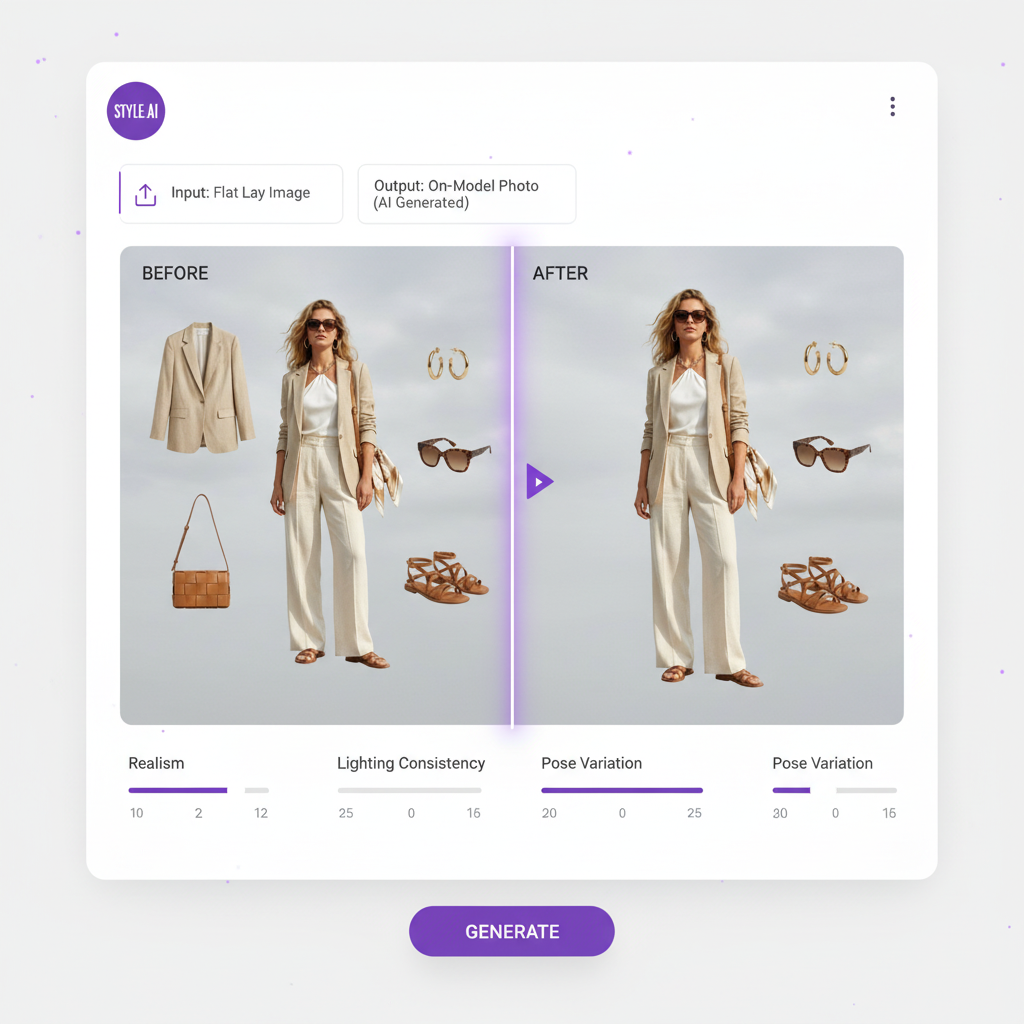
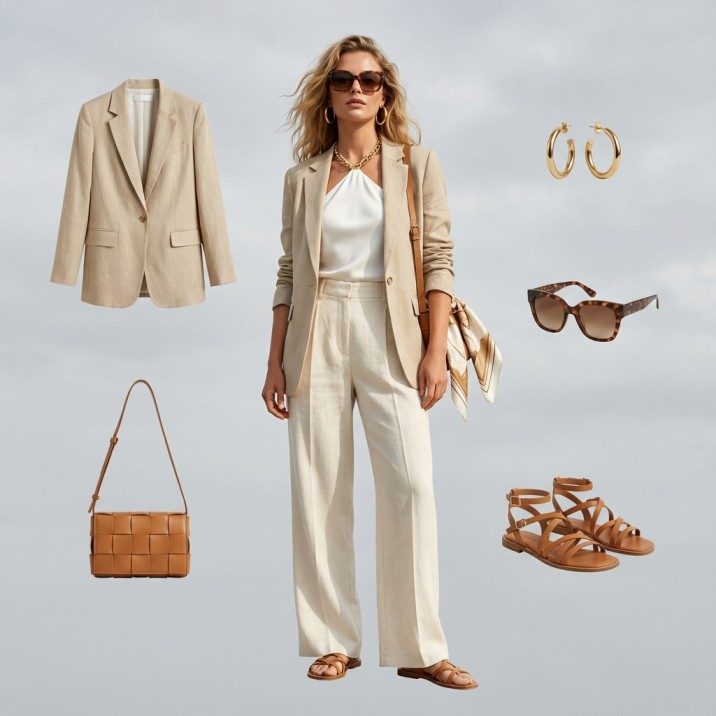
An apparel workflow has steps a general editor has no reason to build. Ghost Mannequin Generator removes the mannequin and closes the neck joint automatically; Flat Lay to Catalog Creator converts a flat lay into a styled catalogue shot; Pose Variation produces a second angle of the same look at 4 credits. Spin-360 runs at 30 credits standalone or 40 on model, and Image to 3D at 15. None of these exist in Pixelcut. Our flat lay to on-model walkthrough covers the second one end to end.
4. A model library you can audit
Fashio AI publishes the composition of its 91 presets rather than describing them as diverse: 69 female and 22 male; 48 in the 25–34 age band, 22 in 16–24, 16 in 35–44, 5 at 45 and above; five skin-tone buckets covering 90 of the 91 records; short, medium and long hair at 46, 27 and 18; straight, wavy and curly at 66, 21 and 4. Ten ethnicities and ten body types are selectable, and 50 environment presets, 3 shot types and 4 lighting presets sit alongside them. Pixelcut states its library covers different sizes and shapes without enumerating it.
What Fashio AI covers
Virtual AI Fashion Try-On
Full outfits, not tops only — dresses, trousers and outerwear included
AI Fashion Model Generator
91 published presets across 10 ethnicities, 10 body types and 4 age bands
Ghost Mannequin Generator
Mannequin removal with automatic neck-joint closure
Flat Lay to Catalog Creator
Flat lay in, styled on-model catalogue shot out
Bra AI Generator
Lingerie and intimates as a dedicated pipeline — up to 13 garments per request
Product to Model
Jewellery, bags, shoes and watches with 51 jewellery-specific poses
Pose Variation
87 pose presets — a second angle from one source image at 4 credits
Fashion Photo Upscale
Fixed 2× at 3 credits — 1080p to 4K at 3840×2160
Try it on a dress, not just a t-shirt
Starter is free with 25 credits a month — 6 fashion generations, no card required.
Try Fashio AI Free →The other Pixelcut alternatives, compared on price
Pixelcut is not the only cheap option, and Fashio AI is not the only fashion one. Here is every AI product-imagery tool we have costed, with what the entry tier actually buys. Prices are as published by each vendor on the date noted in our individual comparison for that tool.
| Tool | Entry price | What the entry tier buys | Free tier | Garment coverage |
|---|---|---|---|---|
| Fashio AI | $0 / $29.99 mo | 25 credits free; 160 on Growth. 4 credits per fashion image = $0.75, or $0.43 via the 1200-credit pack | Yes — 25 credits/mo, fashion tools included | All garments, plus lingerie and jewellery pipelines |
| Pixelcut | $10/mo | 600 credits, unlimited background removal and 16× upscale, 1,000 batch exports, 3 seats. Try-on API $0.10/image | Yes — limited, watermark-free export | Tops only — pants, dresses, accessories "coming soon" |
| Photoroom | $12.99/mo | 8,000 credits, 1,000 exports. Generation 5 credits (≈$0.008); 2K export 135 credits, 4K export 240 (Ultra only) | Yes — 100 exports, but no AI Fashion Models | Full garments, plus ghost mannequin and flat lay |
| FASHN AI | $19/mo | 200 credits at ≈$0.075 per image. Pro $49 (750 monthly + 50 daily), Agency $99 (1,500 + 100 daily) | 10 credits, one time only; daily credits expire unused | Full garments |
| Botika | $33/mo | 30 credits on Lite; Pro $35 and Advanced $40 also 30 credits. Roughly $1.10–$1.33 per image | 8 credits, one-time signup bonus | Full garments |
| Modelia | $35/mo | 250 credits, 2-month minimum commitment. Pro $85 (750 credits, 2-month min), top tier $300 (3,000 credits) | No | Full garments |
| WearView | $29/mo ($24 annual) | 50 credits on Lite | Credit-based trial | Primarily clothing |
| Claid AI | $19/mo | Essentials: unlimited enhancements, 100+ backgrounds. Pro $49 adds custom backgrounds, outpainting, 200 API credits | Free trial, limited | None — no on-model generation |
| Pebblely | $9/mo | 30 images on Lite; Basic $19 for 200, Pro $39 for 500. $0.078–$0.30 per image | Not detailed on the pricing page | None — background and scene staging only |
| soona | $149 per booking | Plus $39 per photo and $93+ per additional asset; you ship the product. Standard $13/mo annual, Pro $49/mo annual. Video from $89 | No | Anything, shot by humans in a studio |
How to read that table
Pixelcut is the cheapest tool here that does any on-model work at all — and the garment-coverage column is why that is not the end of the discussion. Pebblely at $9 and Claid at $19 produce no on-model imagery whatsoever, so Pixelcut's $10 genuinely is the floor for this category. It is a floor with a category restriction attached.
The closest true substitute is Photoroom at $12.99. Three dollars more, full garment coverage, ghost mannequin and flat lay included, an API and a Shopify integration. If you are leaving Pixelcut because of the tops-only limit and price is still the priority, that is the first place to look — not us. Our Photoroom comparison explains where its costs actually sit, because the sticker price is misleading in the other direction.
Watch the commitment terms, not just the monthly figure. Modelia requires a 2-month minimum on its $35 and $85 tiers. FASHN AI's daily credits expire unused, so the Pro and Agency allowances overstate what a bursty catalogue workflow will really use. Pixelcut consumes credits when a completed generation is then blocked by moderation. All three are published; none appear in a price column.
Free tiers are mostly not free tiers. Botika gives 8 credits once. FASHN AI gives 10 once. Claid and WearView run limited trials. Photoroom's free plan excludes the fashion tool. Pixelcut's free plan is genuinely usable for background removal and upscaling with watermark-free export, which is unusually generous — and Fashio AI's Starter renews 25 credits every month with the fashion tools included.
The full set of comparisons
- Fashio AI vs Photoroom — the export ladder that hides the real cost
- Fashio AI vs Pebblely — cheapest per image, no on-model output
- Fashio AI vs FASHN AI — the daily-credit expiry trap
- Fashio AI vs Botika — three tiers, all 30 credits
- Fashio AI vs Modelia — the 2-month minimum commitment
- Fashio AI vs Claid AI — enhancement, not generation
- Fashio AI vs WearView — 50 credits at $29
- Fashio AI vs soona — the one that still ships your product to a studio
- Fashio AI vs vModel and vs RawShot — neither publishes a public price list
The full version of this table — every tier, every source URL and the date each price was last read — lives at AI fashion photography tools compared. For the wider landscape rather than head-to-heads, see our 12 best AI tools for fashion brands review and best AI image generators for fashion.
Who should choose which?
Choose Pixelcut if: your catalogue is predominantly tops; you need an API for on-model generation inside your own pipeline; unit price is the binding constraint; you need heavy upscaling or unlimited background removal; you want team seats and batch exports at a low price; or you edit products across several categories, not just apparel.
Choose Fashio AI if: you sell dresses, trousers, skirts, outerwear, lingerie or jewellery; you need ghost mannequin, flat-lay conversion, pose variation, Spin-360 or 3D; you want a documented model library you can check against your customer demographics; or you want a free tier that lets you evaluate on-model output on a real garment before paying.
Use both if: the split is natural. Pixelcut's unlimited background removal and 16× upscale make a good cleanup layer at $10 a month, and a fashion tool handles the on-model work for the categories Pixelcut has not shipped yet. That is a $40-a-month stack that covers more than either tool alone.
What Fashio AI cannot do
Honest limitations
- No public API. Pixelcut has one, including a try-on endpoint at $0.10 per image. This is a real structural gap.
- No bulk queue. One image at a time, against Pixelcut's 1,000–2,000 batch exports a month.
- No team seats. Pixelcut offers 3 on Pro and 10 on Business.
- Higher price. $29.99 a month entry against $10, and $0.43–$0.75 an image against roughly $0.10–$0.17.
- Fixed 2× upscaling. Pixelcut goes to 16×. If you are rescuing low-resolution archive images, that difference matters.
- Background removal costs credits. 2 credits each, against unlimited on Pixelcut's paid plans.
- Video is 5 or 10 seconds only, in 16:9, 9:16 and 1:1.
- Fashion only. Pixelcut will edit anything you upload.
On the other side of the ledger: Fashio AI refunds failed generations, with refund paths in 15 server modules and full refunds for jobs exceeding the 300-second polling ceiling. Pixelcut's published rule is that credits are consumed if a completed generation is then blocked by moderation — a meaningful difference for anyone shooting intimates or swimwear.
Verdict
Pixelcut is not a worse fashion tool. It is a cheaper, broader one that currently does one garment category. Whether that is a dealbreaker is a question about your catalogue, not about the software.
If we were writing the version of this article that most "alternative" pages get written as, we would tell you Pixelcut is a general editor that cannot do fashion. It has a Virtual Try-On tool, a Virtual Try-On API at $0.10 an image, a free tier with watermark-free export, 16× upscaling and team seats for $10 a month. On price and infrastructure it beats us outright.
The one thing it does not do yet is the majority of an apparel catalogue. Pants, dresses and accessories are listed as coming soon, and until they ship, a brand selling anything below the waist needs a second tool regardless of price. That is the entire argument, and we would rather make one accurate argument than five convenient ones.
Key Takeaway
Pixelcut wins on price, API access, upscaling headroom and free-tier generosity. Fashio AI wins on garment coverage — dresses, trousers, outerwear, lingerie and jewellery, all of which Pixelcut's try-on lists as coming soon — plus ghost mannequin, pose variation and a published model library. Count what share of your catalogue is tops, and the decision makes itself.
Test it on the SKU that matters
25 free credits a month, no card required. Upload the garment Pixelcut cannot handle yet.
Try Fashio AI Free →FAQ: Fashio AI vs Pixelcut
What is the best free alternative to Pixelcut for fashion?
Fashio AI, because Pixelcut's Virtual Try-On currently supports clothing tops only — its own page states pants, dresses and accessories are coming soon. Fashio AI's Starter tier is $0 with 25 credits a month and handles full outfits, lingerie and jewellery. For a catalogue that is mostly tops, Pixelcut at $10 a month remains a strong choice.
How much does Pixelcut cost in 2026?
Three tiers. Free at $0 with limited background removal, limited upscale and watermark-free export. Pro at $10 a month, or $8 billed yearly, with 600 AI credits, unlimited background removal and upscale, a 3-person team, 1,000 batch exports and a commercial licence. Business at $30 a month, or $24 billed yearly, with 3,600 credits, a 10-person team, 2,000 batch exports and priority support.
Does Pixelcut have virtual try-on?
Yes. It places a garment on a model from Pixelcut's library or on a model photo you upload, accepts JPG, PNG and HEIC up to 100MB and 8000×8000 pixels, and is available as an API at 10 credits per image, priced at $0.10 per image. The stated scope is clothing tops of all fabrics and styles, with pants, dresses and accessories listed as coming soon.
How many credits does a Pixelcut generation cost?
It varies by model and is shown in the app's model picker before you generate. Image models run from 1 credit (Luma Photon Flash) to 10 credits (Imagen 3, Juggernaut Flux Pro). Video is billed per second, from 8 credits per second (Luma Ray2) to 50 (Veo2). The Virtual Try-On API is documented at 10 credits per image.
Is Pixelcut cheaper than Fashio AI?
Yes. Pro at $10 for 600 credits is about $0.0167 per credit, so a 10-credit generation is roughly $0.17 and the try-on API is $0.10. Fashio AI's Growth plan is $29.99 for 160 credits with a fashion generation at 4 credits, or $0.75, dropping to $0.43 through the 1200-credit pack. Pixelcut is two to four times cheaper for the categories it covers.
Why is Pixelcut's video generation so expensive in credits?
Because it is billed per second of output. Veo2 at 50 credits per second means a 5-second clip costs 250 credits — 42% of Pro's entire 600-credit monthly allowance, capping you at two clips a month. Luma Ray2 at 8 credits per second brings a 5-second clip to 40 credits. Fashio AI charges a flat 15 credits for an AI video at 5 or 10 seconds, or $2.81 on the Growth plan.
What can Fashio AI do that Pixelcut cannot?
Dresses, trousers, skirts and outerwear on a model. Plus a lingerie pipeline taking up to 13 garments per request, jewellery on model with 51 jewellery-specific pose presets, ghost mannequin with automatic neck-joint closure, flat-lay to catalogue conversion, Spin-360, Image to 3D, and a published 91-model library broken down by 10 ethnicities, 10 body types and 4 age bands.
What does Pixelcut do better than Fashio AI?
A $10 entry price, a free tier with watermark-free export, unlimited background removal and upscaling on paid plans, 16× upscaling against Fashio AI's fixed 2×, 1,000–2,000 batch exports a month, 3–10 team seats, a public API including try-on, and coverage of every product category. Fashio AI has no API, no batch queue and no team seats.
All Pixelcut figures in this article were read from Pixelcut's own pricing page, tool pages, API documentation and help centre on 17 August 2026. Pixelcut shows per-model credit costs in-app and does not publish a fixed table, so verify current rates before budgeting. All Fashio AI figures are read from our published platform specification.