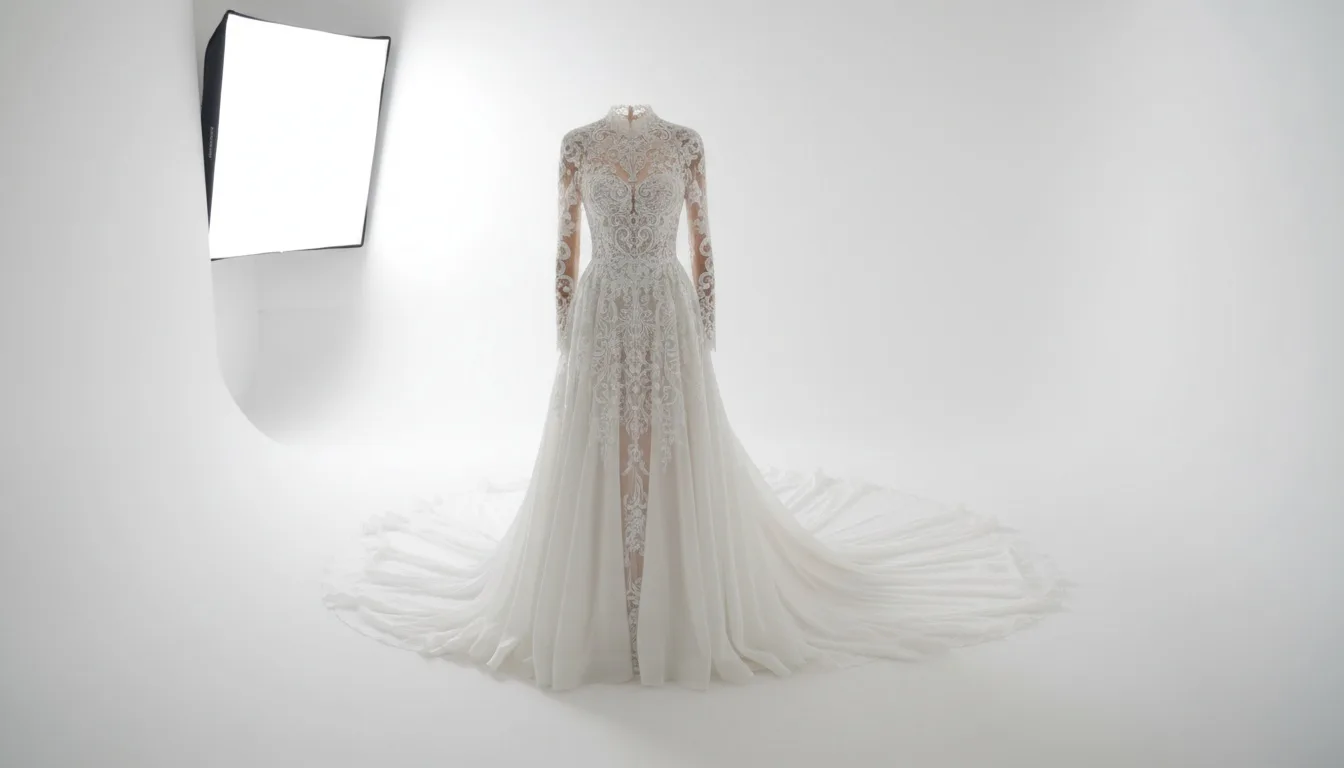
Why bridal is the hardest category to photograph
Everything that makes a gown worth its price — the lace pattern, the beadwork placement, the exact ivory, the way a train falls — is precisely what a camera loses first. No other apparel category concentrates so much of its value in detail that sits at the edge of what an image can hold.
Light the background separately Rake the light across beadwork Grey card, manual white balance 8 shots minimum
Three technical problems define the category: white on white (separation), beadwork under flat light (it vanishes), and ivory versus champagne versus blush (any white-balance error destroys the distinction).
A second, commercial fact compounds the technical ones: bridal buyers spend longer on a listing than buyers in any other apparel category, and they examine it in a specific order — front, back, fabric, train, price. A listing missing the back or the train is not an incomplete listing, it is an abandoned sale.
Problem 1 — white on white
The instinct is to expose the whole scene and hope. That produces either a grey gown against a clean background or a white gown against a grey background, and both look cheap.
The fix is to separate with light, not with exposure.
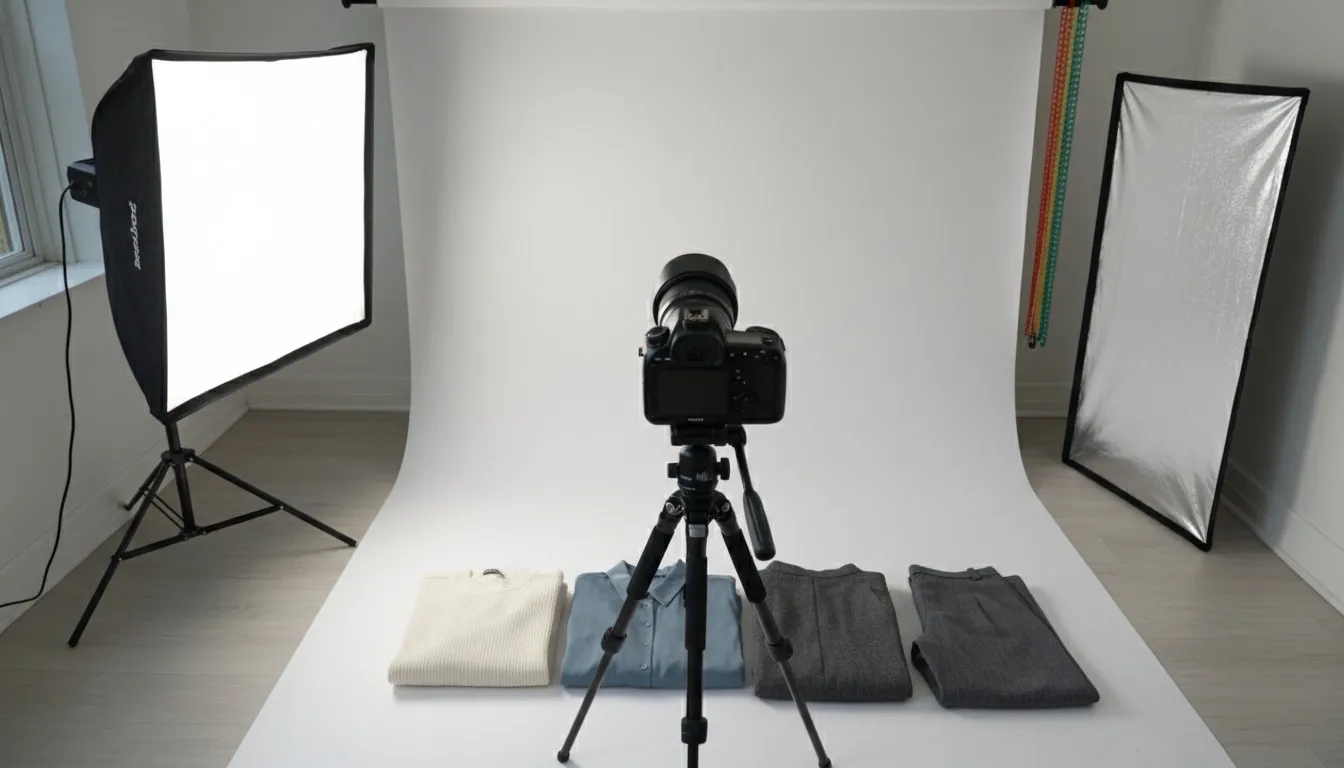
- Light the background independently. Its own source, set roughly one stop brighter than the gown. That keeps it clean white while the dress retains tone.
- Add edge separation. A rim light from behind and slightly to one side defines the outline where gown and background would otherwise merge.
- Expose for the gown. Not the scene. Check the histogram — once satin or lace highlights clip, that detail is gone permanently.
- Use a large, soft key. Big and close, so the fabric gradates smoothly instead of blowing out in patches.
Background one stop brighter than the subject is the working number for white-on-white. Less and the background goes grey; more and the light spills onto the gown's edges and eats the outline. If you can only control one variable in the whole setup, control this one.
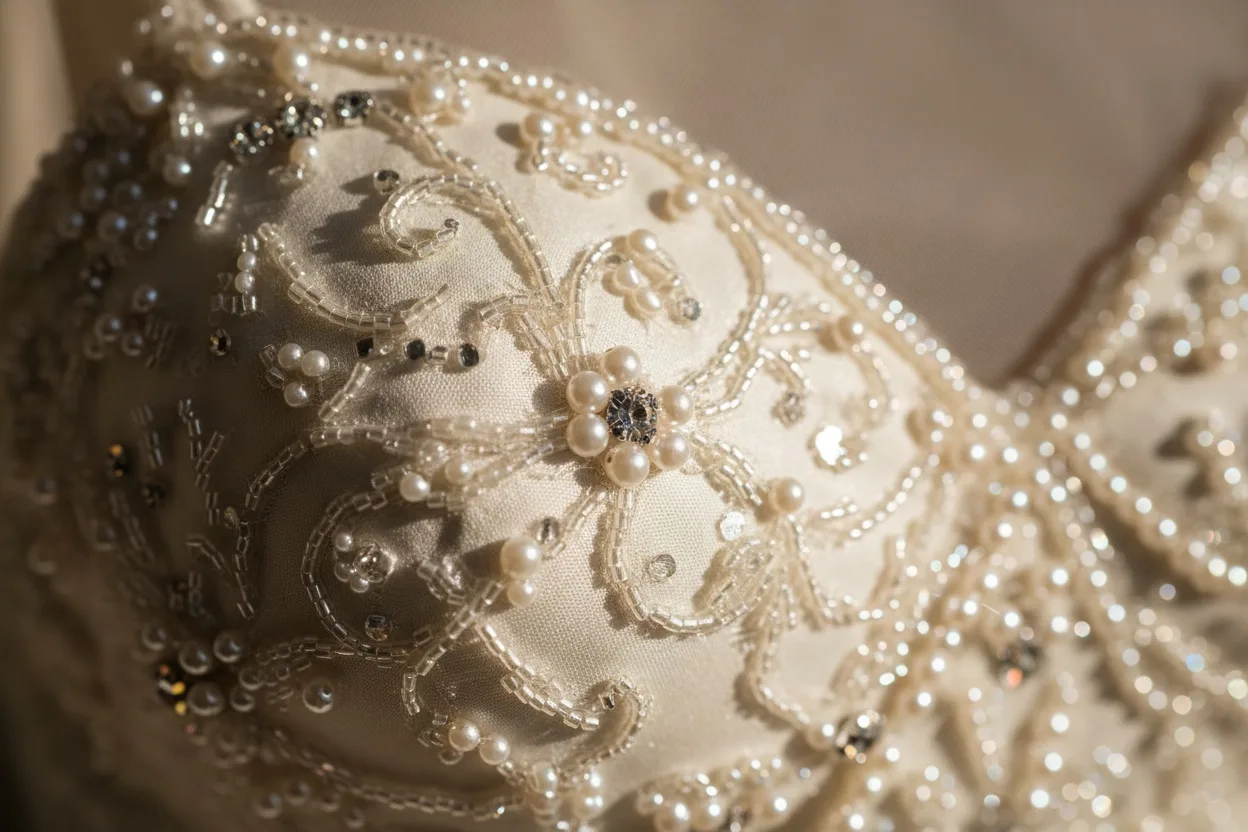
Problem 2 — beadwork disappears under flat light
Beading is read through the shadows each bead casts, not through the beads themselves. Point a light straight at an embellished bodice and the shadows vanish, and with them the entire texture — which is why so many bridal listings show a bodice that looks like plain fabric in a photograph and like couture in person.
Rake the light. Place the source at a sharp angle across the surface rather than facing it. The shallower the angle, the longer the shadows and the more three-dimensional the beading reads. Then fill lightly from the front so the shadows do not go black.
Lace has the opposite requirement. Lace is read through contrast between the pattern and what sits behind it, so white lace over white lining under even light becomes a flat field. Either shoot it over a slightly darker underlay, or use the background separation above to give the openwork something to read against.
Problem 3 — ivory, champagne and blush
These three sit within a very small colour distance of each other and of pure white, and two things destroy the distinction routinely.
The first is auto white balance, which is designed to neutralise colour casts — that is, designed to remove exactly the warm tone that makes ivory ivory. Shoot a grey card as the first frame of every setup and set white balance from it manually.
The second is mixed light. A window plus a tungsten lamp puts two colour temperatures on one gown, and no single white-balance value corrects both. One light source, or several of matched temperature.
This matters more here than anywhere else in apparel, because a bride is matching the gown to bridesmaids, to flowers, and to a venue. A gown that arrives champagne when the listing showed ivory comes back.
The 8-shot bridal list
| # | Shot | What it answers | Skippable? |
|---|---|---|---|
| 1 | Full-length front | Silhouette, neckline, overall proportion | No |
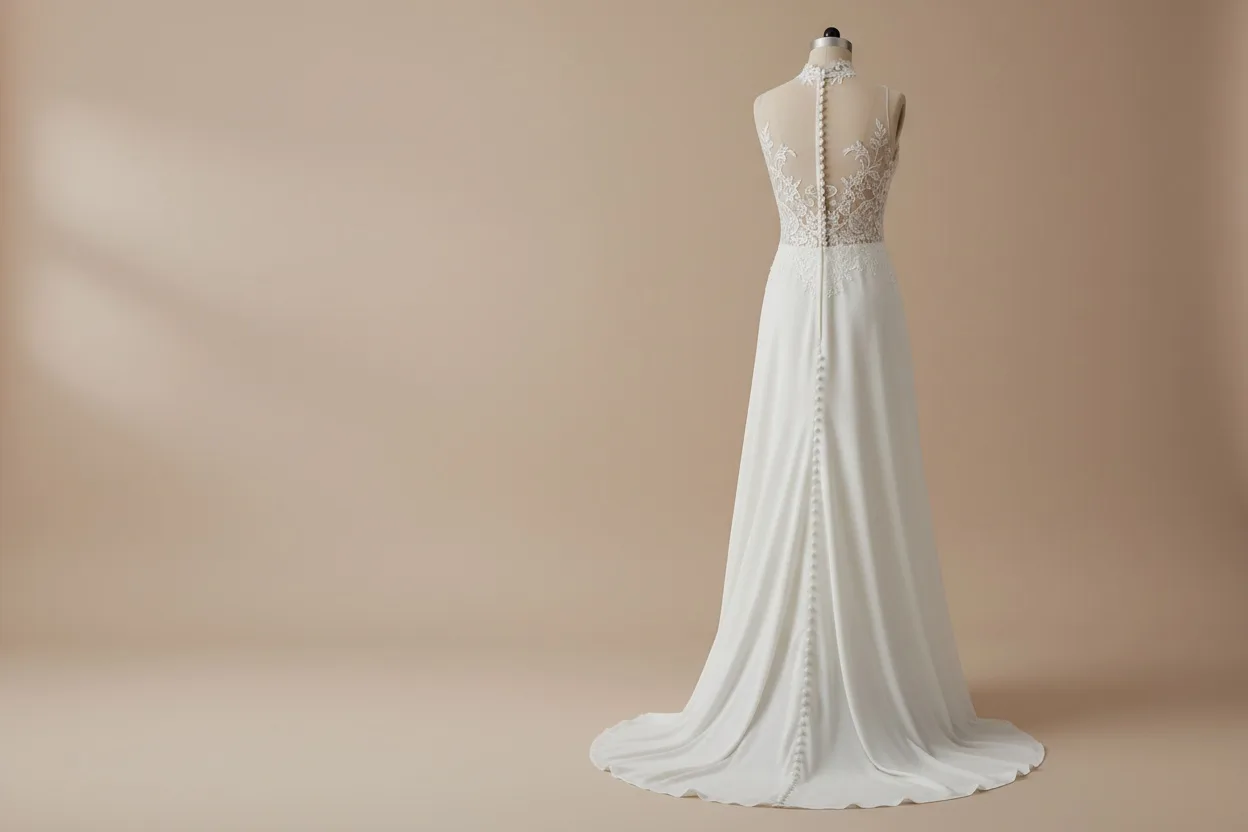
| 2 | Full-length back | Closure, buttons, illusion panels, back detail | Never |
| 3 | Three-quarter | How the shape reads in the round | No |
| 4 | Bodice detail crop | Beadwork, boning, neckline construction | No |
| 5 | Fabric / lace detail crop | Pattern scale, weave, hand | No |
| 6 | Train laid out | Length and shape — the most-asked question | Only if there is no train |
| 7 | Seated or movement frame | How the skirt collects and behaves | Rarely |
| 8 | On-body scale reference | Where the waist, hem and neckline actually sit | No |
Shot 2 is the one small labels skip most often and the one buyers look for hardest. In a category where the wearer spends most of the ceremony with her back to the room, the back of the gown is not a secondary view.
Consistency across a collection
In most apparel categories, consistent styling is a quality signal. In bridal it is the product itself. A collection photographed on six different women reads as six unrelated dresses; the same woman across all six reads as a designer with a point of view — and that point of view is what a bridal customer is buying into when they choose a label rather than a dress.
Lock three things before the first frame and change none of them: one model, one lighting setup, one background. If a range has to be shot across several days, photograph a reference frame at the end of each day and match to it the next morning.
The sample-size problem
Here is the practical constraint that shapes most bridal photography budgets. Bridal sampling generally runs to a single sample size. That means one fit model per shoot, and it means that showing a gown on more than one body — which is what a customer actually wants — requires either multiple samples or multiple shoots. Most labels can afford neither, so they show one body or none.
Generating the on-model imagery is the route around this, and bridal is the category where accuracy through the render matters most, because there is nothing else in the frame to look at. Our AI wedding dress try-on is built for the seller side of this: upload the gown, and it produces on-model imagery with the lace pattern, beadwork placement and colour preserved — no redesign, no colour shift, no added or removed elements — with fabric physics applied so the gown drapes rather than sitting flat. It runs at 4 credits a frame across 50 environment presets, of which 16 are studio sets suited to a listing and 12 nature and 7 landmark sets suit campaign frames.
For collection consistency, model selection is optional in the flow but is the setting worth using here: pick one of the 91 published models and reuse it across the range. And for the extended sizes that bridal ranges carry but rarely sample, our AI plus size model generator covers ten body types from the same gown photograph.
Whatever route you take — a studio, a retoucher, or generation — evaluate it on the most heavily beaded, most finely laced piece in the range rather than the simplest one. The simple gown will look fine under any method. The difficult one tells you whether the method works.
Common bridal listing errors
No back view. Covered above, and the most costly single omission.
Beadwork shot under flat light. Makes an expensive bodice look plain.
Auto white balance. Turns ivory into white and champagne into ivory.
No scale reference. A gown photographed alone gives no indication of where the waist sits or how long the hem is on an actual person.
Detail crops at listing resolution. A lace crop that is itself low resolution defeats the purpose of the crop. If the lace is the argument, the file has to hold it — our AI image upscaler takes an existing frame to print resolution while holding fine texture, which is the specific thing ordinary upscaling smooths away on lace.
Heavy retouching of the fabric. Smoothing a gown to look clean removes the texture that justifies the price. Bridal is one of the few categories where under-retouching outperforms over-retouching.
A workable setup on a small budget
Most bridal photography advice assumes a studio. Here is what the requirements above actually need, and what they do not.
| Requirement | Minimum that works | What you can skip |
|---|---|---|
| Large soft key light | A north-facing window, or one softbox close in | A multi-head studio kit |
| Background separation | One cheap light aimed at the backdrop | A second and third background light |
| Edge definition | A white foam board reflecting the key back in | A dedicated rim light |
| Colour accuracy | A grey card and manual white balance | Colour calibration hardware |
| Beadwork detail | One light raked across at a sharp angle | Macro lens — a normal lens and a crop is fine |
| Train space | Floor and a step ladder for elevation | A studio — a corridor or a hall works |
Two items on that list are worth the money and the rest are not. A grey card costs almost nothing and solves the single most expensive error in the category. One controllable light for the background is what makes white-on-white possible at all; without it you are choosing between a grey gown and a grey background, and no amount of editing fixes that convincingly after the fact.
The order to shoot in
Shooting a gown in the wrong sequence wastes the most expensive resource in the room, which is the time the gown spends looking pressed and unhandled.
- Grey card frame. First frame of every lighting setup, before anything else. Two seconds; saves the whole shoot.
- Detail crops. Bodice, beadwork, lace, while the gown is freshest and before it has been moved. These are the shots that will not survive handling.
- Full-length front, back, three-quarter. The core set, on the body.
- Train laid out. Needs floor space and rearranging, so it goes after the standing shots.
- Seated and movement frames. Last, because they crease the gown and there is no way back from that within a session.
A crease in satin is a hard edge with its own highlight, and removing one convincingly in retouching costs more time than steaming the gown would have. Bridal is the category where preparation most directly replaces post-production: an hour with a steamer saves several hours of retouching, and the steamed version simply looks better.
Bridal product photography FAQ
What background should a wedding dress be shot on?
A clean white or very pale grey seamless for listing images, lit separately from the gown. Mid-grey is a common alternative and is technically easier, but it changes how the ivory reads, so if you use it, keep it consistent across the whole range.
Should the model's face be shown?
Generally yes for campaign frames and optionally for listings. Bridal buyers are imagining themselves in the gown, and a strong face can work against that — which is why cropped and three-quarter-turned frames are common in this category specifically.
How many images should a bridal listing have?
Eight at minimum, per the shot list above. Twelve to fifteen is normal for a well-built bridal listing, because the category tolerates and rewards detail in a way that fast fashion does not.
Can a phone camera photograph a wedding dress well enough?
For the flat garment photograph that feeds a generation, yes — flat, evenly lit, in focus and square-on is the requirement, not a particular camera. For a full studio shoot, the limit is dynamic range: phone sensors clip white highlights earlier, which is exactly the failure this category cannot tolerate. Our phone photography guide covers how far the phone route goes.
How do I show the train properly?
Laid out flat, photographed from an elevated angle, with the full length in frame and nothing cropped. It needs floor space — this is the shot that most often fails simply because the room was too small. If space is genuinely unavailable, it is one of the strongest arguments for generating the frame rather than shooting it.