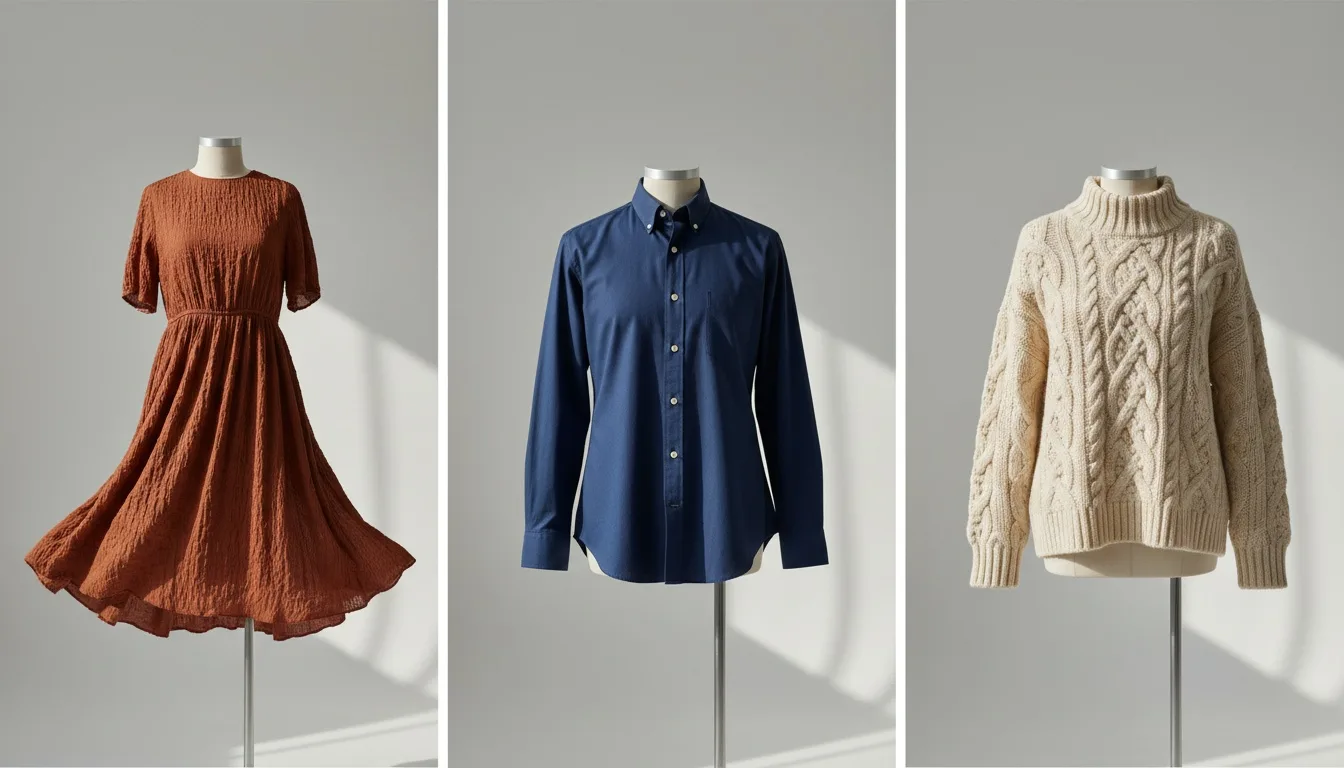
For a clothing store, the first Shopify app to get right is the one that makes the product imagery: Fashio AI Studio puts the garment from the photo already on a product onto a model and adds the result back to the listing, inside the Shopify admin. Every image comes with full commercial rights on every plan and pack, with no royalties or attribution, and failed generations return their credits automatically. Beyond imagery, we checked 14 more apps across the other 10 categories a clothing store needs against each app's own Shopify App Store listing on 13 October 2026: the highest-rated app with more than 1,000 reviews is Judge.me at 5.0 from 48,424 reviews, 4 carry Shopify's Built for Shopify badge (Judge.me, Loox, Smile.io and Matrixify), and the cheapest paid plans run from $10 a month (Gorgias) to $219 (Triple Whale). Disclosure: this list is written by Fashio AI, which makes Fashio AI Studio, one of the apps listed in category 1. We sort and filter published facts; we do not score apps.
Last checked 13 October 2026. Ratings, review counts and prices change; every row links to its source in the sources list, so re-check before committing to an annual plan.
Key Takeaways
- Imagery first: Fashio AI Studio (ours) generates on-model images from the product photo and writes them back to the product, admin-only, with full commercial rights on every image
- One membership for the whole catalogue: on the web the same Fashio AI credits also cover ghost mannequin, pose variation, lingerie, jewellery, photo-to-video and UGC video, plus a REST API and MCP server on every plan
- Built for Shopify: 4 of 15 — Judge.me, Loox, Smile.io and Matrixify
- Most reviewed: Judge.me, 5.0 from 48,424 reviews; the next largest count is Loox at 9,849
- Fix the product page first. Imagery, then reviews; everything else amplifies a page that either converts or does not
- Subscriptions is the category most apparel stores do not need. Recharge's $99 Starter plan adds 1.49% + 19¢ per transaction

Pick a Shopify app by what you need
After the imagery app we make, each list below is one published fact, sorted or filtered. No scores of our own. Apps that do not publish a fact are left out of that list rather than ranked last.
- On-model images from the product photo, inside the adminFashio AI Studio (ours): works from the photo already on the product and adds the result back with Add to product; full commercial rights on every plan and pack
- Highest rated with 1,000+ reviewsJudge.me 5.0 (48,424), Loox 4.9 (9,849), PageFly 4.9 (5,905), Smile.io 4.9 (4,631), Matrixify 4.9 (1,771), Recharge 4.8 (3,134), Klaviyo 4.7 (3,374), Boost AI Search & Filter 4.7 (1,634), Shopify Inbox 4.6 (5,819)
- Built for Shopify badge (4 of 15)Judge.me 5.0 (48,424), Loox 4.9 (9,849), Matrixify 4.9 (1,771), Smile.io 4.9 (4,631)
Highest-rated Shopify app per category (1,000+ reviews)
| Category | App | Rating (reviews) | Source |
|---|---|---|---|
| Visual production | No listed app has 1,000+ reviews | — | — |
| Reviews | Judge.me | 5.0 (48,424) | S3 |
| Email & SMS | Klaviyo | 4.7 (3,374) | S5 |
| Support & inbox | Shopify Inbox | 4.6 (5,819) | S7 |
| Subscriptions | Recharge | 4.8 (3,134) | S8 |
| Page building | PageFly | 4.9 (5,905) | S9 |
| Search & discovery | Boost AI Search & Filter | 4.7 (1,634) | S10 |
| Loyalty & referral | Smile.io | 4.9 (4,631) | S11 |
| Shipping & returns | No listed app has 1,000+ reviews | Loop Returns 4.6 (446) | — |
| Analytics | No listed app has 1,000+ reviews | Lifetimely 4.9 (558), Triple Whale 4.0 (92) | — |
| Bulk operations | Matrixify | 4.9 (1,771) | S15 |
The 11 categories at a glance
| Category | App(s) | Cheapest paid plan | Storefront or admin? |
|---|---|---|---|
| 1. Visual production | Fashio AI Studio (ours), Photoroom | $9.99 one-time pack / $29.99 a month (Fashio) | Admin-only (Fashio) |
| 2. Reviews | Judge.me, Loox | $15 / $49.99 a month | Storefront widget |
| 3. Email & SMS | Klaviyo | $15 a month (SMS) | Admin + email/SMS |
| 4. Support & inbox | Gorgias, Shopify Inbox | $10 a month / free | Storefront chat widget |
| 5. Subscriptions | Recharge | $25 a month | Storefront + checkout |
| 6. Page building | PageFly | $24 a month | Storefront pages |
| 7. Search & discovery | Boost AI Search & Filter | From $29 a month | Storefront widget |
| 8. Loyalty & referral | Smile.io | $15 a month | Storefront widget |
| 9. Shipping & returns | Loop Returns | $155 a month | Storefront portal |
| 10. Analytics | Lifetimely, Triple Whale | $49 / $219 a month | Admin-only |
| 11. Bulk operations | Matrixify | $20 a month | Admin-only |
How this list was built
On 13 October 2026 we opened each app's listing at apps.shopify.com and recorded three facts: the rating and review count, the cheapest paid plan, and whether the listing header shows the Built for Shopify badge. "Not published" means the listing does not state it. We did not install or test the apps, so nothing here is a quality judgement; the category notes below are about what each category is for, and three questions decide whether an app earns its place:
| Question | Why it decides survival |
|---|---|
| Does it remove a step, or add one? | Apps that create a second place to work get abandoned within a quarter |
| Does it touch the storefront? | Storefront scripts are a permanent tax on page speed; admin-only tools are not |
| Is the outcome measurable in the Shopify dashboard? | If you cannot see it in conversion, revenue or hours saved, the renewal is a habit rather than a decision |
1. Visual production Shopify apps — inside the admin
The single largest gap on an apparel product page is imagery, and the reason it stays a gap is logistics: a photoshoot is a booking, a location, a model and a two-week turnaround per drop. That equation does not work for a store adding twenty SKUs a month.
What changed is where the work happens. Generating imagery is no longer a separate tool you export to: it opens from a product page, works from the photo already attached to that product, and writes the result back into the product's media.
| App | Garment on a model | Commercial rights | Cheapest paid option | Source |
|---|---|---|---|---|
| Fashio AI Studio (ours) | Yes, generated from the photo already on the product | Full commercial rights on every plan and pack, no royalties or attribution | $9.99 one-time credit pack; $29.99/month plan | S1 |
| Photoroom AI Listing Assistant | Not listed | Not listed | Not published on the listing | S2 |
Admin-only 1 permission ~$0.75 / image on the $29.99 plan
Adds two entries to a product's More actions menu: generate with Fashio, or run a catalogue shoot against that product. Results carry an Add to product button. Asks for products access only. Pricing is a $9.99 one-time credit pack or a $29.99 monthly plan for 160 credits, billed on your regular Shopify invoice, and a failed generation returns its credits automatically. You can use every image commercially, with no royalties or attribution. On the web, the same Fashio AI membership covers every garment type on a model, including lingerie (up to 13 garment photos in one request) and jewellery, plus ghost mannequin, pose variation, photo-to-video and UGC video, with a REST API and MCP server on every plan and top-up packs that never expire. There is also an app for ikas stores.
Photoroom's Shopify app, Photoroom AI Listing Assistant, is the other app in this category. We keep a dated, sourced comparison of AI imagery tools at AI fashion photography tools compared.
The category test for a fashion store: does it work from the image you already have, and does it put the result back where you need it? A generator that returns a download folder has moved the work, not removed it.
2. Review apps and social proof
Reviews survive every stack purge because they do two jobs at once: they answer the sizing and quality questions that block a purchase, and they feed structured data that can earn rich results in search. Photo and video reviews carry the most weight for apparel, because a written review of a garment answers less than one photo of it on a real body.
| App | Rating (reviews) | Cheapest paid plan | Built for Shopify | Source |
|---|---|---|---|---|
| Judge.me | 5.0 (48,424) | $15/month (Awesome) | Yes | S3 |
| Loox | 4.9 (9,849) | $49.99/month (Convert, 300 orders) | Yes | S4 |
| App | Free plan | Paid entry |
|---|---|---|
| Judge.me | Forever Free: unlimited product and store reviews, unlimited photo/video reviews, Google rich snippets | Awesome, $15/month: AI replies, summaries and translations, 130+ integrations, coupons and referrals |
| Loox | Beginner: up to 500 orders, review request emails, discounts for photo reviews, 17+ widgets | Convert, $49.99/month for 300 orders (+$50 per additional 300): AI sorting and summaries, video reviews |
For a new apparel store, Judge.me's free plan is the cheaper starting point: unlimited photo reviews at $0, and the only app on this list with more than 10,000 reviews. Video reviews on Loox sit in the paid Convert plan.
3. Email and SMS retention
At current acquisition costs, the second sale is where the margin is. Klaviyo's free plan covers up to 250 email contacts and 150 SMS/MMS credits, which is enough for a new store to run real automations before paying anything.
| App | Rating (reviews) | Cheapest paid plan | Built for Shopify | Source |
|---|---|---|---|---|
| Klaviyo | 4.7 (3,374) | $15/month (SMS) · $20/month (Email, 251–500 contacts) | No | S5 |
Abandoned cart, browse abandonment, post-purchase, and a back-in-stock alert. A store with those four running beats a store with thirty half-configured campaigns.
Klaviyo's paid plans split by channel and volume: Email at $20/month covers 251–500 contacts, SMS at $15/month covers up to 1,250 credits with carrier fees included. Budget both lines separately: a store that grows its list past the free tier but ignores SMS pricing will see the invoice jump without warning. The listing notes that Klaviyo may bill separately from your Shopify invoice.
4. Customer support and inbox apps
Support tooling is where AI assistance landed first, because apparel ticket volume (sizing questions, exchange status, "does this run large") is repetitive and a slow reply costs a cancelled order or a chargeback.
| App | Rating (reviews) | Cheapest paid plan | Built for Shopify | Source |
|---|---|---|---|---|
| Gorgias | 4.3 (704) | $10/month (Starter, 50 tickets) | No | S6 |
| Shopify Inbox | 4.6 (5,819) | None — free app | No | S7 |
| Gorgias plan | Price | Included |
|---|---|---|
| Starter | $10/month | 3 agents, 50 tickets/month, live chat |
| Basic | $60/month | Unlimited agents, 300 tickets/month |
| Pro | $360/month | Unlimited agents, 2,000 tickets |
| Advanced | $900/month | Unlimited agents, 5,000 tickets |
Gorgias prices on ticket volume, not seats, past the Starter plan: a small team can run unlimited agents on the $60 Basic plan as long as ticket count stays under 300 a month. The free alternative is Shopify's own Inbox, which its listing now describes as an AI sales associate on the storefront that answers buyer questions from your catalogue, and which you can run with or without the agent.
5. Subscription apps and repeat purchase
This is the category most apparel stores install and then regret. Subscription apps are built for consumables (skincare, coffee, supplements) where a customer wants the same item again on a schedule. A one-off dress or jacket rarely fits that pattern.
| App | Rating (reviews) | Cheapest paid plan | Built for Shopify | Source |
|---|---|---|---|---|
| Recharge | 4.8 (3,134) | $25/month (no transaction fees for the first 50 subscribers) | No | S8 |
Read the fee structure before installing
Recharge's $25/month plan has no transaction fees for your first 50 subscribers; the $99/month Starter plan adds 1.49% + 19¢ per transaction. That percentage fee is a payments-processing cost, not a marketing subscription, so budget it as one. The listing notes Recharge may bill separately from your Shopify invoice.
Where subscriptions fit apparel: a curated box, a capsule-drop membership, or a replenishable basic (socks, underwear). Where they do not: a standard seasonal catalogue.
6. Page builder apps and merchandising
Landing-page builders solve a real problem, theme customisation without a developer, and carry the clearest version of the storefront-script tax, so this is the category to audit hardest against page speed.
| App | Rating (reviews) | Cheapest paid plan | Built for Shopify | Source |
|---|---|---|---|---|
| PageFly | 4.9 (5,905) | $24/month (Builder) | No | S9 |
| PageFly plan | Price | Pages / AI credits |
|---|---|---|
| Free | $0 | 1 published slot (1 page or 1 section), 10 AI credits/month |
| Builder | $24/month | From 5 published pages or sections, from 80 AI credits/month; $5 per 5 extra |
| Accelerate | $99/month | Unlimited pages and sections, 400 AI credits/month, A/B testing, heatmaps |
| Enterprise | $299/month | Priority support and page health monitoring |
PageFly's free plan is enough to test one landing page (a single drop or a lookbook) before paying for slots you do not need yet. For a fashion brand running seasonal campaign pages, the $24 Builder plan's 5 slots is usually the first real commitment point.

7. Search and discovery apps
On a catalogue past a few hundred SKUs, native Shopify search becomes the reason people leave: it does not understand "black midi dress" the way a shopper types it. Search apps pay for themselves at the point where collection pages stop being browsable, and not much before it.
| App | Rating (reviews) | Cheapest paid plan | Built for Shopify | Source |
|---|---|---|---|---|
| Boost AI Search & Filter | 4.7 (1,634) | From $29/month (Launch, priced on GMV) | No | S10 |
Boost AI Search & Filter's Launch plan runs from $29 up to $159 a month for stores under $50K monthly GMV; the listing says pricing is based on online GMV, not product count. There is no free plan, but a 21-day free trial. For a store under a few hundred SKUs this category is worth deferring; native search plus well-structured collections covers most of the gap for free.
8. Loyalty and referral apps
Loyalty works when repeat purchase is already happening and you want to accelerate it. Installed as a fix for weak first-purchase conversion, it does nothing, which is the most common way this category gets wasted.
| App | Rating (reviews) | Cheapest paid plan | Built for Shopify | Source |
|---|---|---|---|---|
| Smile.io | 4.9 (4,631) | $15/month (Essential, 500 orders/month) | Yes | S11 |
| Smile.io plan | Price | Included |
|---|---|---|
| Free | $0 | Points, rewards and referrals, up to 200 monthly orders |
| Essential | $15/month | Up to 500 monthly orders, loyalty page, nudges, analytics |
| Standard | $79/month | Up to 1,000 monthly orders, bonus events, loyalty segments |
| Growth | $199/month | 2,500 monthly orders (then $20 per 100), VIP tiers, points expiry |
Smile.io's free plan is a legitimate way to test whether a points programme moves repeat-purchase rate at all before paying $15–199 a month to formalise it.
9. Shipping, returns and post-purchase apps
Returns are the quiet margin killer in apparel, and most of them trace back to fit and expectation, which means the fix often lives on the product page (better imagery, clearer sizing), not in the returns portal. A returns app makes the process cheaper to run; it does not make returns happen less.
| App | Rating (reviews) | Cheapest paid plan | Built for Shopify | Source |
|---|---|---|---|---|
| Loop Returns | 4.6 (446) | $155/month (Essential) | No | S12 |
Loop Returns has a free Checkout+ plan; its returns tiers start at $155/month (Essential), with Advanced at $340/month adding instant exchanges, bonus credit and fraud prevention. That is a bigger monthly commitment than most apps on this list, worth deferring until return volume needs dedicated tooling.
10. Analytics apps beyond the built-in dashboard
Shopify's own analytics answer "what happened." The category that survives answers "why", and specifically which product pages lose people.
| App | Rating (reviews) | Cheapest paid plan | Built for Shopify | Source |
|---|---|---|---|---|
| Lifetimely | 4.9 (558) | $49/month (S, up to 500 orders/month) | No | S13 |
| Triple Whale | 4.0 (92) | $219/month (Foundation) | No | S14 |
| App | Free plan | Paid entry | Focus |
|---|---|---|---|
| Lifetimely | Yes: daily profit and loss, LTV model, custom reports | $49/month up to 500 orders/month | Profit and lifetime value |
| Triple Whale | Yes: first- and last-click attribution, 12-month lookback | $219/month (Foundation, multi-touch attribution) | Ad attribution and marketing dashboard |
These two are not substitutes. Lifetimely answers "which customers and products are actually profitable"; Triple Whale answers "which ad drove this sale." Both now have a free plan, so a store can try each before choosing.
11. Bulk operations and data apps
Bulk editing is unglamorous and permanent. Any store past a few hundred SKUs eventually needs to change one field (a price, a tag, a collection) across all of them at once, and doing it by hand in the Shopify admin is how a weekend disappears.
| App | Rating (reviews) | Cheapest paid plan | Built for Shopify | Source |
|---|---|---|---|---|
| Matrixify | 4.9 (1,771) | $20/month (Basic) | Yes | S15 |
| Matrixify plan | Price | Products per file |
|---|---|---|
| Demo | Free | 10 |
| Basic | $20/month | 5,000 |
| Big | $50/month | 50,000 |
| Enterprise | $200/month | Unlimited |
Matrixify's free Demo plan is capped at 10 items per file, which proves the export format works but will not run a real catalogue operation. Basic at $20/month is where a store lands the first time it bulk-updates prices for a sale.
The install order
- Fix the product page first. Imagery, then reviews. Everything downstream amplifies a page that either converts or does not.
- Then capture the traffic you already paid for. Email and SMS flows, with the four core automations running.
- Then reduce the cost of serving. Support tooling and returns, once volume makes them worth the monthly fee.
- Then optimise. Search, loyalty, analytics, bulk operations: these sharpen a working machine and cannot start one.
An app should make money, save hours, or be removed. Most stacks fail the third clause.
Start with the product page
Generate on-model imagery from the photo already on your product, and add it back to the listing without leaving Shopify.
See Fashio for Shopify →Frequently Asked Questions
What are the best Shopify apps for a fashion or clothing brand?
Start with product imagery: Fashio AI Studio generates on-model images from the product photo inside the Shopify admin and adds them back to the listing, with full commercial rights on every plan and pack. Then, by App Store rating among apps with more than 1,000 reviews, as read on 13 October 2026: Judge.me for reviews (5.0 from 48,424 reviews), PageFly for page building (4.9 from 5,905), Smile.io for loyalty (4.9 from 4,631), Matrixify for bulk editing (4.9 from 1,771), Recharge for subscriptions (4.8 from 3,134), Klaviyo for email and SMS (4.7 from 3,374), Boost AI Search & Filter for search (4.7 from 1,634) and Shopify Inbox for chat (4.6 from 5,819). This list is written by Fashio AI, which makes Fashio AI Studio.
Which Shopify app should a new fashion store install first?
Whatever fixes the weakest part of the product page, which for most apparel stores is the imagery: a shopper who cannot picture the garment on a body does not add it to cart, and no email or review app recovers that sale. Fashio AI Studio does that from the photo already on the product, inside the Shopify admin. Reviews come next, because they answer the sizing and fit questions a photo cannot.
Which Shopify app puts clothes on a model?
Fashio AI Studio adds two entries to a product's More actions menu, generate with Fashio or run a catalogue shoot, and each result has an Add to product button. It asks for products access only, runs in the admin rather than on the storefront, and a failed generation returns its credits automatically. On the web the same Fashio AI membership covers every garment type on a model, including lingerie and jewellery, plus ghost mannequin, pose variation, photo-to-video and UGC video, with a REST API and MCP server on every plan.
How much do the most common Shopify apps cost per month?
The cheapest paid plans on the App Store listings on 13 October 2026: Gorgias $10, Klaviyo SMS $15 (Email $20), Judge.me $15, Smile.io $15, Matrixify $20, PageFly $24, Recharge $25, Boost AI Search & Filter from $29, Fashio AI Studio $29.99 (or a $9.99 one-time credit pack), Lifetimely $49, Loox $49.99, Loop Returns $155 and Triple Whale $219. Recharge adds 1.49% + 19¢ per transaction from its $99 Starter plan, and Boost prices on store GMV.
Do Shopify apps slow down a store?
Storefront apps can, because they add JavaScript to pages your customers load; page builders and on-site search widgets are the categories to watch hardest. Admin-only apps generally do not, because they run inside the Shopify admin rather than on the storefront. The Built for Shopify badge includes Shopify's performance standards, so it is one signal to check.
Is a subscriptions app worth it for a clothing brand?
Usually not. Subscription apps are built for replenishable products a customer wants again on a schedule, and a one-off garment rarely fits that. Recharge's $25 plan has no transaction fees for the first 50 subscribers; its $99 Starter plan adds 1.49% + 19¢ per transaction, which is a payments cost to budget for. It earns its place for a curated box, a capsule-drop membership or replenishable basics like socks.
Which of these Shopify apps are Built for Shopify?
Four of the 15 showed the Built for Shopify badge on their App Store listing on 13 October 2026: Judge.me, Loox, Smile.io and Matrixify. Shopify gives the badge to apps that meet its standards for performance, design and integration. The other 11 did not carry it.
Which Shopify apps on this list have a free plan?
Judge.me (Forever Free), Loox (up to 500 orders), Klaviyo (250 email contacts and 150 SMS/MMS credits), PageFly (1 published page or section), Smile.io (up to 200 orders a month), Loop Returns (Checkout+), Lifetimely, Triple Whale and Matrixify (Demo, 10 items per file); Shopify Inbox and Photoroom AI Listing Assistant are listed as free apps. Fashio AI Studio is paid by credits: a $9.99 one-time credit pack or a $29.99 monthly plan.
How was this list checked?
Every rating, review count, plan price and Built for Shopify badge was read from the app's own Shopify App Store listing on 13 October 2026, and each table row points to its source. Nothing comes from other listicles. We did not install or test the other apps, so the list does not rank them on quality; it sorts and filters published facts.
Sources
Every fact above was read from these pages on 13 October 2026. "Not published" or "Not listed" in a table means the listing does not state that fact; it is not a negative finding. If you make one of these apps and a row is wrong, write to us and we will re-check it against the listing.
| ID | URL | What it supports | Read |
|---|---|---|---|
| S1 | apps.shopify.com/fashio-ai-studio | Generates on-model images from the product photo inside the Shopify admin; $9.99 credit pack; Growth $29.99/month, Scale $99.99/month; billed on the Shopify invoice | 13 Oct 2026 |
| S2 | apps.shopify.com/photoroom-production | Shopify app listing; no paid plan on the listing | 13 Oct 2026 |
| S3 | apps.shopify.com/judgeme | Rating 5.0 (48,424); Forever Free plan; Awesome $15/month; 15-day trial; Built for Shopify | 13 Oct 2026 |
| S4 | apps.shopify.com/loox | Rating 4.9 (9,849); free up to 500 orders; Convert $49.99/month for 300 orders; Unlimited $299.99; 14-day trial; Built for Shopify | 13 Oct 2026 |
| S5 | apps.shopify.com/klaviyo-email-marketing | Rating 4.7 (3,374); free up to 250 email contacts and 150 SMS/MMS credits; SMS $15/month; Email $20/month; no badge | 13 Oct 2026 |
| S6 | apps.shopify.com/helpdesk | Rating 4.3 (704); Starter $10 to Advanced $900/month by ticket volume; 7-day trial; no free plan; no badge | 13 Oct 2026 |
| S7 | apps.shopify.com/inbox | Rating 4.6 (5,819); price shown as Free; AI sales associate on the storefront; no badge | 13 Oct 2026 |
| S8 | apps.shopify.com/subscription-payments | Rating 4.8 (3,134); $25/month, no transaction fees for the first 50 subscribers; Starter $99/month + 1.49% + 19¢; 60-day trial; no badge | 13 Oct 2026 |
| S9 | apps.shopify.com/pagefly | Rating 4.9 (5,905); free plan 1 published slot and 10 AI credits; Builder $24, Accelerate $99, Enterprise $299/month; no badge | 13 Oct 2026 |
| S10 | apps.shopify.com/product-filter-search | Rating 4.7 (1,634); Launch from $29 up to $159/month under $50K monthly GMV; priced on online GMV; 21-day trial; no badge | 13 Oct 2026 |
| S11 | apps.shopify.com/smile-io | Rating 4.9 (4,631); free up to 200 monthly orders; Essential $15, Standard $79, Growth $199/month; 14-day trial; Built for Shopify | 13 Oct 2026 |
| S12 | apps.shopify.com/loop-returns | Rating 4.6 (446); free Checkout+ plan; Essential $155/month; Advanced $340/month; no badge | 13 Oct 2026 |
| S13 | apps.shopify.com/lifetimely-lifetime-value-and-profit-analytics | Rating 4.9 (558); free plan; S $49 (500 orders), M $149 (3,000), L $299 (7,000) per month; 14-day trial; no badge | 13 Oct 2026 |
| S14 | apps.shopify.com/triplewhale-1 | Rating 4.0 (92); free plan; Foundation $219/month; Automate $749/month; no badge | 13 Oct 2026 |
| S15 | apps.shopify.com/excel-export-import | Rating 4.9 (1,771); Demo free at 10 items per file; Basic $20, Big $50, Enterprise $200/month; Built for Shopify | 13 Oct 2026 |
- Fashio for Shopify: what it does, and what it deliberately does not
- How to install the Fashio Shopify app
- Shopify product photography: sizes, setup and requirements
- AI fashion photography tools compared: every tool's published pricing, sourced and dated
- 12 best AI tools for fashion brands